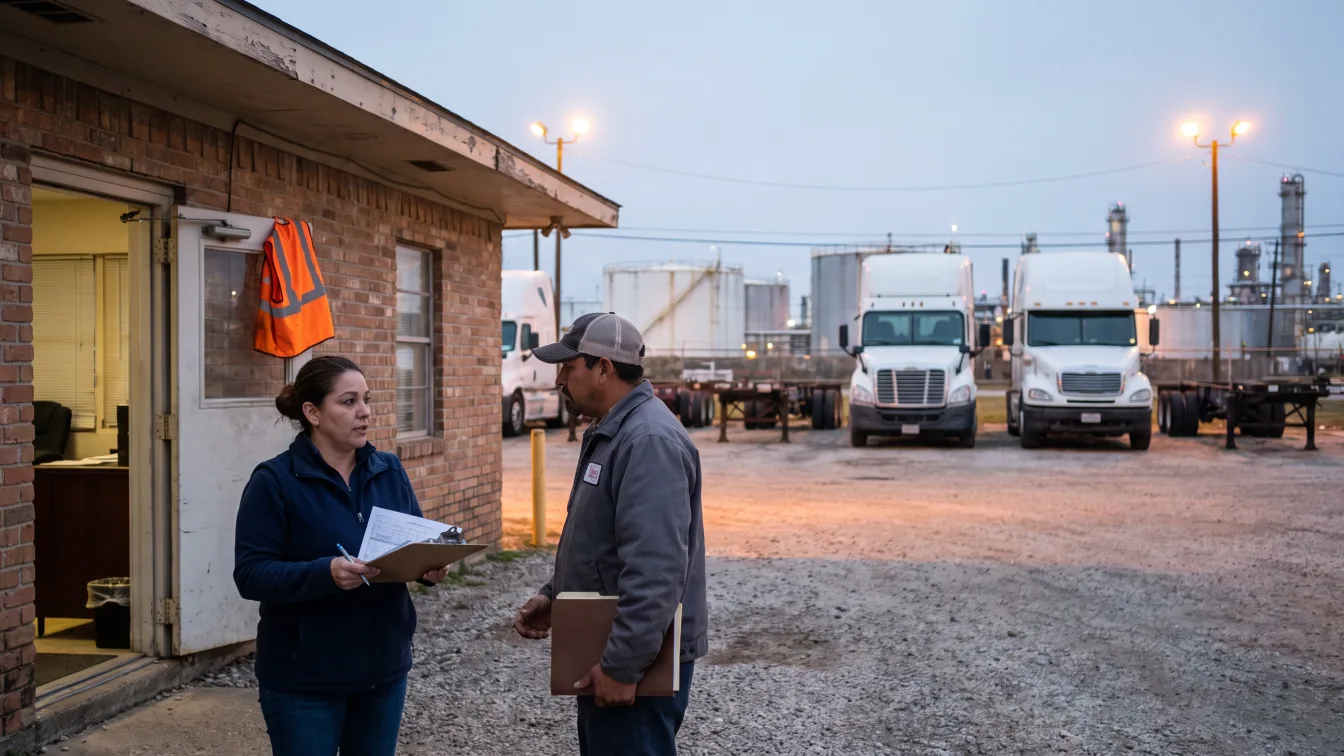
Dispatch software IT support for a Houston carrier keeps the TMS, the internet line under it, the dispatch desk PCs, and every dispatcher login working, and it protects dispatch records the FMCSA requires you to keep for 6 months.
I run operations at Uprite, so I’m usually on the support side of the call where a dispatcher says the board froze and trucks are waiting on assignments. Houston carriers rarely lose dispatch because the software is bad. They lose it to a dead internet circuit, an expired VPN certificate, a Windows update that rebooted the dispatch server before the morning push, or a dispatcher whose email got phished. This guide is for owners and operations managers at small and mid-size fleets around Harris County. It sits under our IT services for trucking companies in Houston, and it covers who fixes what, which records you’re required to keep, and how to keep loads moving when part of the setup goes dark.
Sort every piece of your dispatch setup by who owns the fix, whether that’s the TMS vendor, your internet provider, or whoever runs your IT. Back up dispatch records, because federal rules treat them as hours-of-service supporting documents kept for 6 months. Put phishing-resistant MFA on dispatcher and email accounts. Schedule updates outside the dispatch day, and decide ahead of time how long your board can be dark before loads miss appointments.
What does dispatch software IT support include?
Dispatch software IT support is the work of keeping a carrier’s transportation management system usable from the dispatch desk. It covers the server or cloud account the TMS runs on, the network between it and your dispatchers, the PCs and phones they work from, user accounts, backups, and the integrations that bring loads in and send updates out.
It isn’t the same thing as TMS vendor support. Your vendor, whether that’s McLeod, Trimble’s TMW.Suite, or a browser-based product like AscendTMS, supports its own application. They’ll chase a rating bug or a settlement report that won’t run. They won’t fix your firewall, reset a dispatcher’s Microsoft 365 password, or work out why the office internet drops every afternoon around 3. In our experience, that gap between the vendor’s job and nobody’s job is where a lot of dispatch downtime actually lives.
Who fixes what when the dispatch board goes down?
When the board freezes, who do you call first? Write the answer down before anything breaks. Here’s how ownership usually splits for a Houston carrier running a TMS out of an office in the yard.
| Piece of the dispatch setup | Usually owned by | What dispatch notices first | What to have on file |
|---|---|---|---|
| TMS application and database, hosted or cloud | TMS vendor | The board won’t load for anyone, in the office or at home | Vendor support line, account number, and status page |
| TMS on a server in your office | You or your IT provider | The board is slow or down only inside the building, or only from outside it | Server warranty, last tested backup date, and admin credentials stored offline |
| Internet circuit and firewall | Your ISP for the line, your IT provider for the firewall | Everything online stops at once, phones too if they run over the internet | Circuit ID, the ISP repair number, and a backup line from a different provider |
| Remote access, VPN or remote desktop | Your IT provider | Night and weekend dispatchers can’t get in from home | The name of whoever can reset access after hours |
| Dispatcher PCs, printers, and phones | Your IT provider | One desk is down while the rest of the room works | A spare PC already set up with the TMS client |
| Email and Microsoft 365 | Your IT provider | Rate confirmations and load tenders stop arriving | An admin account protected with phishing-resistant MFA |
| ELD and telematics link | ELD provider, plus the TMS vendor for the integration | Truck locations and driver hours stop updating on the board | Integration contacts at both vendors |
| EDI or API tenders from shippers | TMS vendor or EDI provider | Tenders from 1 customer stop while the others keep coming | Trading partner IDs and the shipper’s EDI contact |
Count the rows that say “your IT provider.” At a carrier with 10 or 15 people in the office, that’s often whoever happens to be good with computers, and that person also has loads to cover. Moving to a cloud TMS hands the first row to the vendor. It doesn’t touch the other 7. If your phones ride the same internet line as the TMS, a single outage takes both, which is why we usually set up business phone service in Houston with call forwarding to cell phones as a fallback.
The ELD row deserves its own plan, because a malfunction starts a federal repair clock. We cover that side, including the 8-day rule and paper logs, in our guide to ELD and fleet system downtime in Houston.
Cloud TMS or a server in the back office, what changes for support?
Less than vendors suggest. The deployment model decides which outages you’re exposed to, not whether you need IT support.
| How the TMS runs | What the vendor handles | What you still own | The outage you’re most exposed to |
|---|---|---|---|
| Server in your office | Application updates and application support | Hardware, Windows updates, backups, remote access, and power | A failed drive or a ransomware hit on that one server |
| Vendor-hosted or private cloud | Servers, the hosted database, and its backups | Internet, desk PCs, logins, and the remote access client | Your office internet going down |
| Multi-tenant SaaS | Nearly everything behind the login screen | Internet, devices, logins, and exports of your own data | A stolen dispatcher password |
Houston adds a weather problem. When a storm knocks out power across a big part of the metro, the way Hurricane Beryl did in July 2024, a server in your yard office goes down with the building. A cloud TMS stays up for any dispatcher who can find power and a cell signal. That’s a real argument for the cloud, and our hurricane IT prep checklist for Gulf Coast businesses walks through the rest of the storm plan.
We don’t think every carrier needs to rip out an on-premises TMS, though. A well-kept server with tested offline backups, a battery backup, and a second internet line does the job. What doesn’t work is a server nobody has restored from backup since the day it was installed. We find that more often than we’d like.
Are dispatch records a compliance record?
Yes, and carriers miss this one all the time. The FMCSA’s supporting documents rule, 49 CFR 395.11, requires carriers to keep documents that let investigators check a driver’s on-duty time. Paragraph (c)(1)(ii) names “each dispatch record, trip record, or equivalent document” outright. Paragraph (c)(1)(iv) adds electronic messages sent through a fleet management system. Then Section 395.8(k) says you keep those documents, along with drivers’ records of duty status, for at least 6 months.
So the dispatch database is more than a business tool. If ransomware encrypts it, or a dead server takes it with no working backup, you’ve lost records an auditor can ask to see. Drivers also get 13 days to turn in their own supporting documents under 395.11(b), which means part of that record sits on paper and phones until it reaches the office.
CISA’s #StopRansomware guide asks for offline, encrypted backups that you test in a recovery scenario, and it explains why. Many ransomware strains hunt for reachable backups first and encrypt or delete them, so a copy sitting on the same network as the TMS server won’t save you. Whether that offline copy lives in the cloud or on a drive in a safe is a real choice, and we lay out both in cloud backup vs on-premises backup for Houston businesses.
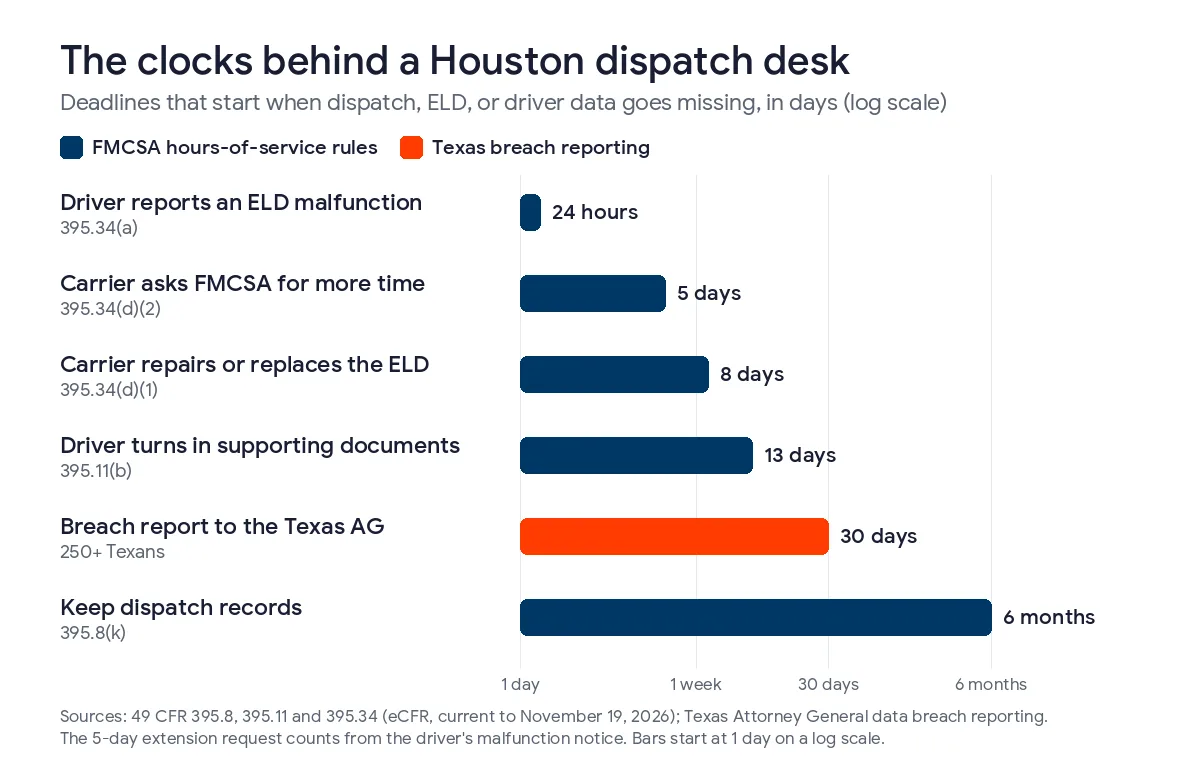
Here are the clocks that start when dispatch, ELD, or driver data goes missing.
- 24 hours for a driver to give the carrier written notice of an ELD malfunction, under 49 CFR 395.34(a)(1).
- 5 days after that notice to ask FMCSA for more repair time, under 395.34(d)(2).
- 8 days to repair or replace a malfunctioning ELD, under 395.34(d)(1).
- 13 days for drivers to submit supporting documents to the carrier, under 395.11(b).
- 30 days to report a breach affecting 250 or more Texans to the Texas Attorney General.
- 6 months to keep dispatch records and other supporting documents, under 395.8(k).
Who runs IT at a typical Harris County carrier?
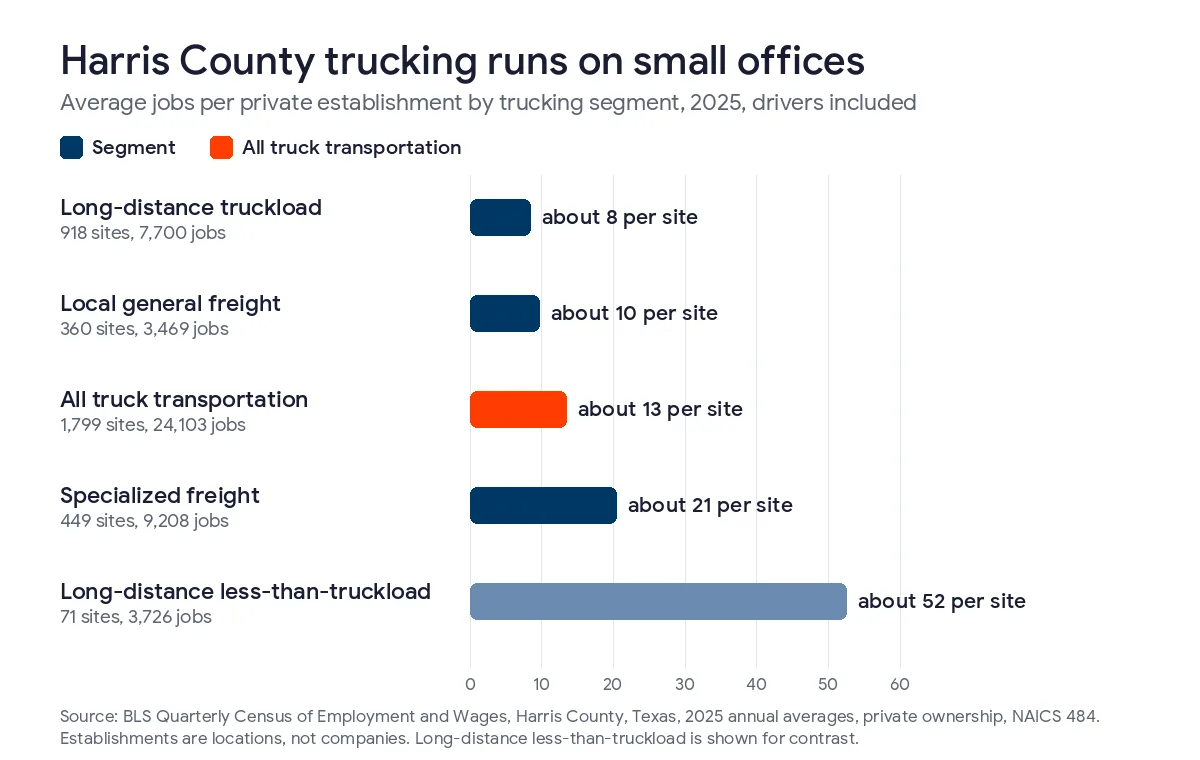
A smaller team than people assume. The BLS Quarterly Census of Employment and Wages counted 1,799 private truck transportation establishments in Harris County in 2025, with 24,103 jobs between them. That’s about 13 people per location, drivers included. Long-distance truckload carriers averaged about 8. Specialized freight, the tank, flatbed, and heavy haul side, ran about 21.
The BLS occupation survey shows the dispatch side. The Houston-Pasadena-The Woodlands metro had 5,720 dispatchers in May 2025, not counting police, fire, and ambulance, at a mean wage of $52,400. It also had 49,750 heavy and tractor-trailer truck drivers. The dispatcher count includes utilities, towing, and service companies, so not every one of them works for a carrier.
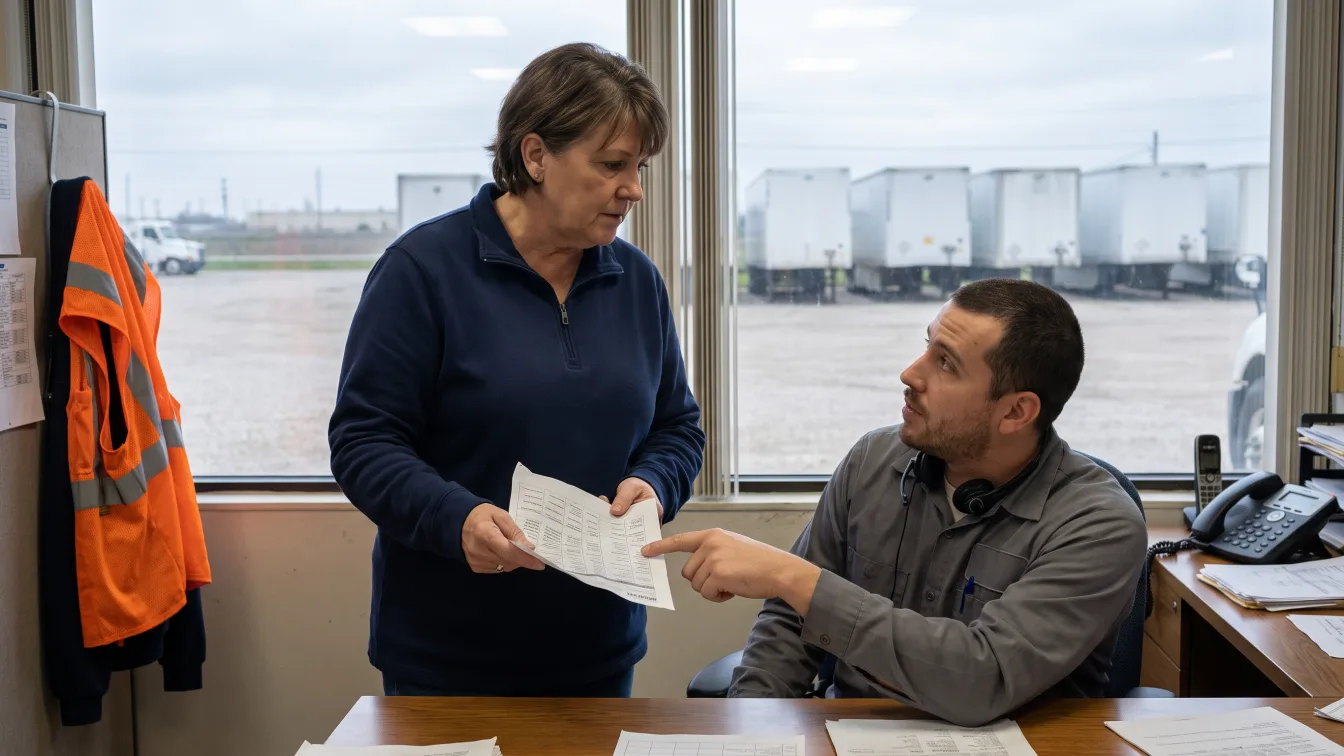
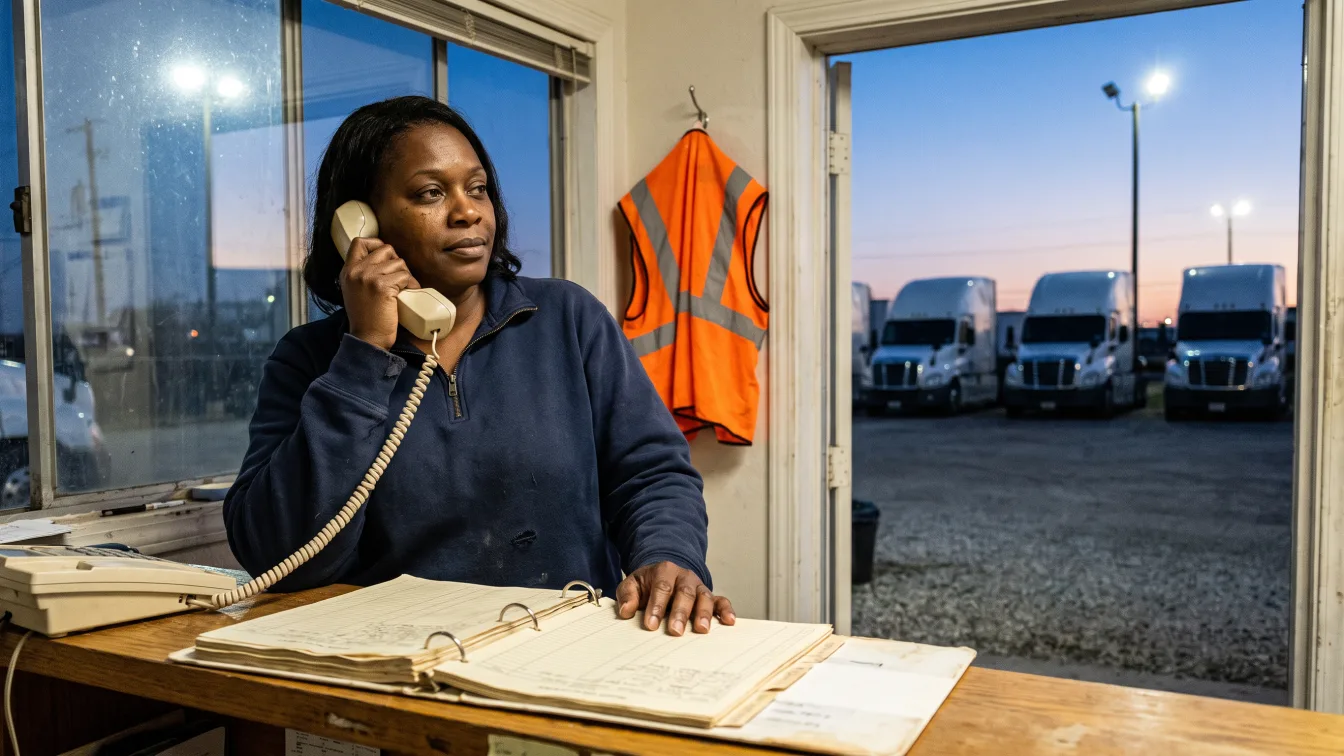
Put those together and the picture’s clear. In a 13-person operation there’s no IT department. The dispatcher is the help desk, and when the board freezes at 5 a.m. they’re also the one on hold with the vendor while drivers call in for their next load. Taking that off their plate is usually the first job we’re hired to do.
Why do attackers go after a carrier’s office accounts?
Because the office holds driver files. In the Texas Attorney General’s data breach list, as we pulled it on November 9, 2026, 4 trucking carriers filed reports between May and September 2026. Together they covered 14,863 Texans and 85,897 people overall. All 4 listed Social Security numbers and driver’s license numbers among the exposed data. None of the 4 is based in Texas, and that’s the lesson. A Texas driver’s data sits wherever their carrier keeps its files, and Texas law still requires the report within 30 days once 250 or more Texans are affected.
At the dispatch desk, the risk is mostly logins. A dispatcher’s mailbox sees rate confirmations, factoring paperwork, broker setup packets, and new-driver documents. CISA’s phishing guidance was written partly for small businesses without dedicated IT staff, and its fact sheet on phishing-resistant MFA ranks FIDO security keys and similar methods above text-message codes, which can be intercepted or talked out of a user.
Shared dispatch logins are the habit we push hardest against. When 3 dispatchers share one TMS account and one mailbox password, you can’t turn on real MFA, you can’t tell who changed a load, and you can’t lock out someone who quit last Friday. Separate accounts cost almost nothing to set up. If you want an outside look at the rest of your exposure, our cybersecurity services in Houston start with a free review.
How do you keep dispatch running through an outage?
Start with a number, not a binder. NIST SP 800-34, the federal contingency planning guide, calls it maximum tolerable downtime, the longest a process can stay down before the damage becomes unacceptable. Ask your dispatch lead, not your IT person. A drayage operation working port appointments might say 1 hour. A long-haul truckload fleet that assigns loads the afternoon before might say half a day. That answer sets your recovery target, and we explain how to turn it into the 2 numbers that matter in RTO vs RPO.
Then build the setup around it. For a Houston dispatch desk, we usually put these 7 things in place.
- A second internet line from a different provider, with automatic failover, so one cut cable doesn’t stop the board.
- Updates and server reboots scheduled between the evening dispatch push and the morning one, never in the middle of either.
- Offline, encrypted backups of any on-premises TMS database, with a test restore on the calendar every quarter.
- A spare desk PC already loaded with the TMS client, printer drivers, and the dispatch phone softphone.
- Individual logins and phishing-resistant MFA for every dispatcher, in the TMS and in Microsoft 365.
- Remote access that night dispatchers can use from home, also behind MFA, so a flooded office doesn’t mean a dead board.
- A printed sheet of tomorrow’s loads, driver phone numbers, and the vendor and ISP support lines, refreshed every evening.
NIST’s CSF 2.0 Small Business Quick-Start Guide covers the same ground in general terms on its Recover page, and it’s worth an hour of an owner’s time. If the outage is ransomware rather than a cut line, the order of operations changes completely, and our guide to the first hour after a ransomware attack in Houston covers what to unplug and who to call.
How does Uprite support dispatch systems in Houston?
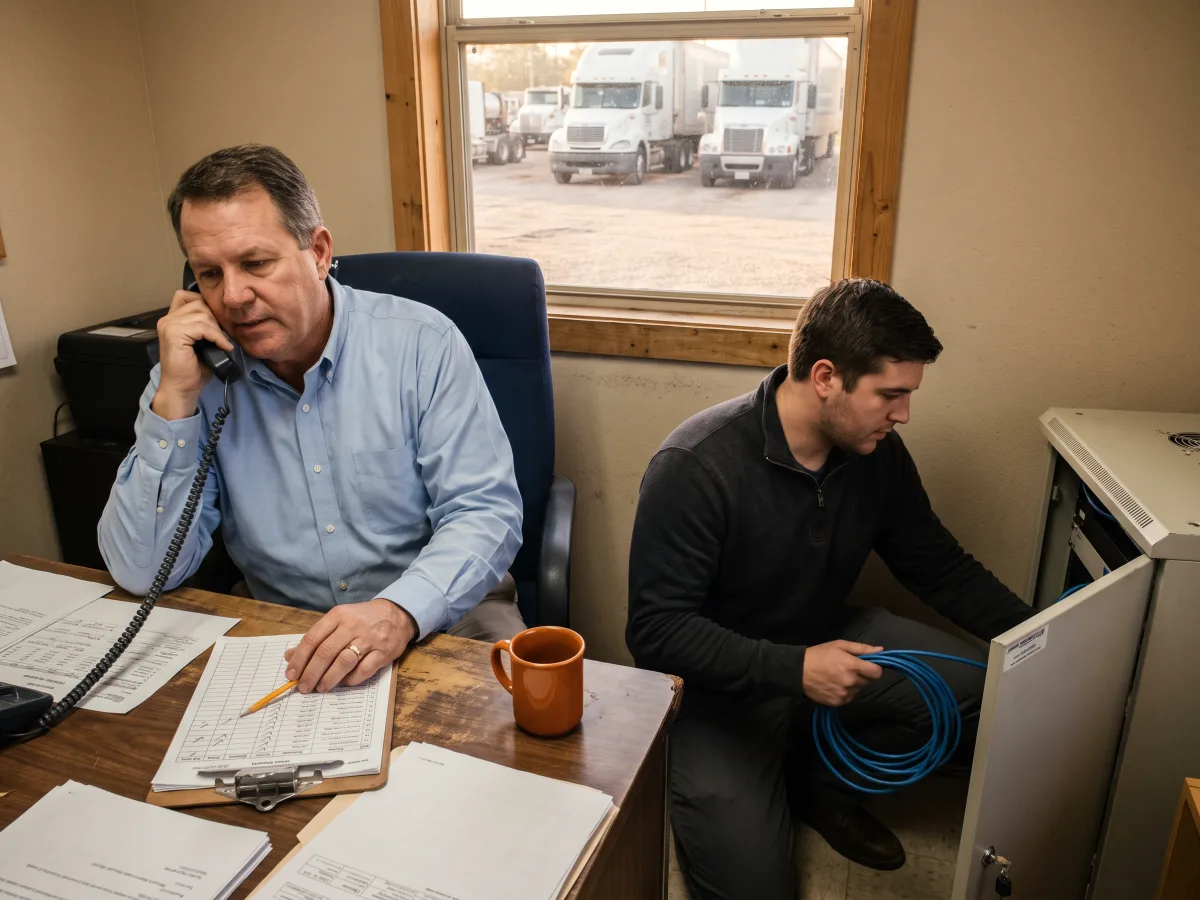
We take the rows in that first table marked “your IT provider” and own them. That means watching the internet circuit and firewall, managing dispatcher PCs and Microsoft 365, running and testing backups, and making the ISP and TMS vendor calls so your dispatcher isn’t stuck on hold. When something breaks, our average response time is about 5 minutes. We work alongside your TMS vendor, not in place of them, and we’ll sit in on the integration calls when the ELD or EDI link acts up.
Not every plan includes overnight coverage, and our pricing page spells out which ones do. For what the whole package tends to run, we’ve got a separate breakdown of what IT support costs a Houston trucking company. If you also run a warehouse or file customs entries, the wider freight picture is in how Texas logistics companies use managed IT to reduce downtime. And if you’d rather just talk it through, reach our Houston team or read how our managed IT services in Houston are set up.
Dispatch software support questions from Houston carriers
Does a cloud TMS mean we don’t need IT support?
No. A cloud TMS moves the servers and the database to the vendor, but your internet, desk PCs, dispatcher logins, and remote access stay with you. Those are where a lot of day-to-day dispatch problems start.
How long do we have to keep dispatch records?
At least 6 months. Dispatch and trip records count as hours-of-service supporting documents under 49 CFR 395.11, and Section 395.8(k) sets the 6-month retention period from the date you receive them.
Who should we call first when the dispatch board won’t load?
Check whether it’s down for everyone or only inside the office. Down everywhere points to the TMS vendor. Down only in the building usually means your internet, firewall, or a local server, and that’s your IT provider’s call.
Can dispatchers work from home during a hurricane?
Yes, if remote access is set up and tested before the storm. That means MFA-protected access to the TMS, call forwarding or a softphone for the dispatch line, and laptops that already have the TMS client installed.
Should the TMS server share a network with the office Wi-Fi?
No. Keep servers, desk PCs, and guest or driver Wi-Fi on separate network segments, so a driver’s infected phone or a visitor’s laptop can’t reach the dispatch database.
What does it cost to support dispatch systems for a small fleet?
Office users and devices drive the price far more than truck count does, since drivers’ in-cab devices are usually supported by the ELD provider. We quote a Houston carrier after a free review of its dispatch setup.
Send us a list of what your dispatchers log into each morning, the TMS, email, load boards, and the ELD portal, and tell us where the server sits if you have one. We’ll do a free review of your Houston dispatch setup and show you which pieces don’t have an owner today.
Book a free dispatch IT review