
Houston businesses usually need both, because cloud backup survives a flood at your office while an on-premises backup restores a dead server in hours, and neither one alone covers ransomware, a power outage, and a flood. The real choice is how the two share the work.
Pick one and you’ve picked a weak spot. Local copies are fast, but they also sit in the same building as the thing that just broke, while cloud copies are safe from your building and painfully slow to pull back when you need a few terabytes in a hurry. That’s the whole trade. If the provider behind your managed IT services in Houston only ever talks about one side, ask why.
This guide compares the two on the failures Houston actually produces. Floods. Long power outages. Ransomware. A server that simply dies on a Tuesday. It ends with a decision rule you can apply to your own data, so you can walk into the next vendor meeting with a short list of questions instead of a vague worry. Short list. Real answers.
What is the difference between cloud backup and on-premises backup?
On-premises backup copies your servers and PCs to a device in your own office, such as a backup appliance or a network storage box, while cloud backup copies the same data over the internet to a provider’s data center. One is close. The other is far. Simple enough.
Both can be done well or badly. The label tells you little. A cloud service with no restore testing is a hopeful guess, and a local appliance that never leaves the server closet is a single point of failure that happens to have blinking lights. What matters is where the copies live, who can delete them, and whether anyone has proved a restore works.
NIST treats this as planning, not shopping. Its SP 800-34 Contingency Planning Guide is built around working out which systems matter most and what each one needs, so the backup design follows the priority of each system rather than one setting applied to everything in the building. Sensible.
Which backup survives a Houston flood?
The cloud copy does, as long as it isn’t in the flooded building, because an on-premises appliance on the floor of a ground-floor office usually goes under with the servers it was protecting. Simple as that. Water doesn’t negotiate.
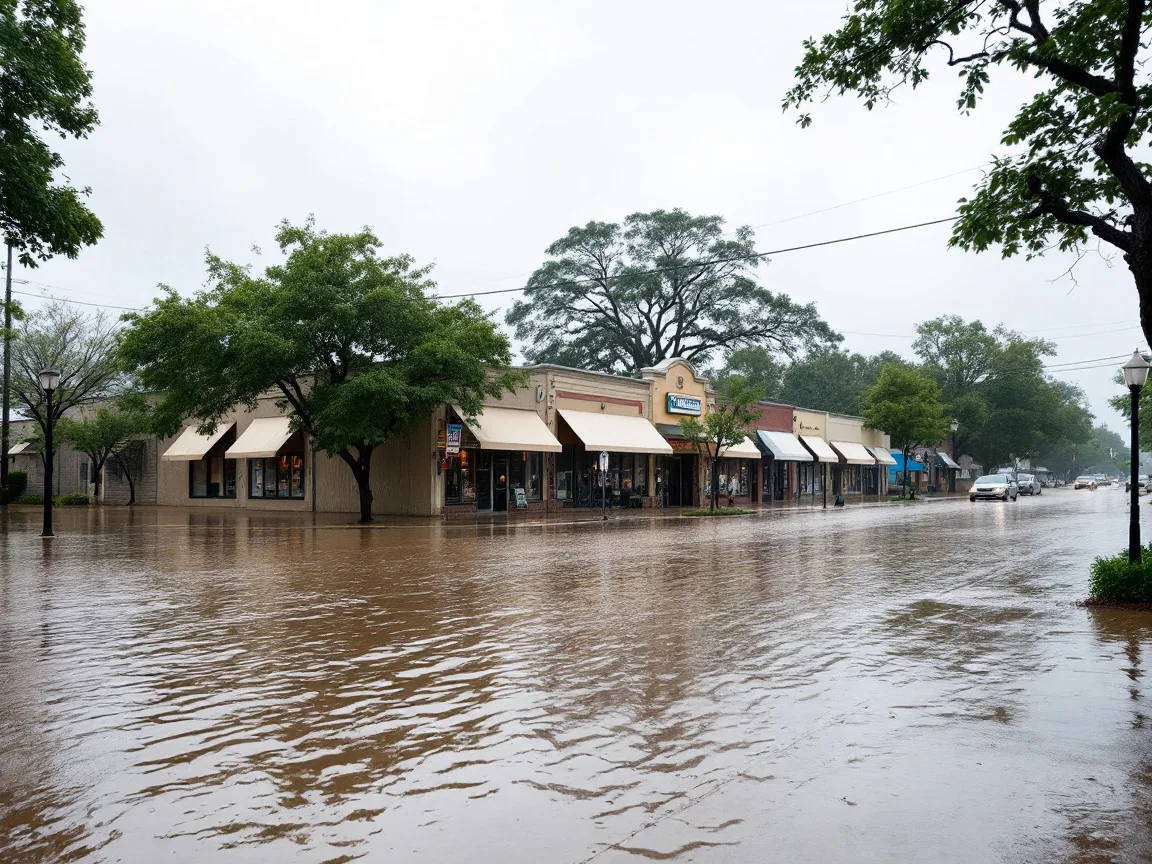
Houston doesn’t get to treat floods as rare. After Hurricane Harvey, the National Weather Service in Houston and Galveston reported that the Harris County Flood Control District estimated nearly 136,000 structures flooded, with catastrophic flooding on nearly every one of the county’s 22 watersheds. The same summary lists rainfall of 56 inches near Friendswood.
Location is the first test. A local backup device belongs on a raised shelf, never the floor, and at least one other copy needs to live somewhere the water can’t reach. That second copy is what cloud backup gives you. A second office would too.
Which backup works when the power is out for days?
Neither one works at your office when the power is out. Cloud backup keeps your data safe. It doesn’t give you a way to reach it.
Hurricane Beryl made that concrete in July 2024. The Texas Tribune reported that nearly 3 million electricity customers lost power across Texas, and eight days after the storm, 88,000 CenterPoint customers were still dark. A cloud copy doesn’t care about any of that. Your office does. Think about that.
A local appliance needs power and a working network to restore anything, and a cloud restore needs internet wherever your staff end up working from. Plan for that part. Decide in advance where people will log in when the office is closed, because a backup nobody can reach isn’t recovery yet. That decision belongs in the written plan covered by our disaster recovery in Houston service.
Which backup holds up against ransomware?
Only a copy that attackers can’t reach holds up. That means an offline or immutable copy. It’s the part most setups skip.
CISA’s #StopRansomware Guide tells organizations to maintain offline, encrypted backups of critical data and to test them regularly, because many ransomware variants try to find and delete or encrypt any backup they can reach. A local appliance sitting on your network is reachable. So is a cloud folder that syncs automatically.
That’s the catch with the word “cloud.” A synced folder isn’t a backup. Period. If a file gets encrypted on your PC, the sync uploads the encrypted version without complaint, and a week later you have a clean-looking folder full of locked files. A real cloud backup keeps older versions and locks them against deletion, even from an administrator account. Ask any provider which copy it can’t delete with its own credentials. The answer should be specific. Locked means locked.
Our longer list, questions to ask an MSP about backup, goes deeper on immutability, retention, and restore proof.
How fast can you restore from each?
Local restores are much faster, and the gap grows with the size of your data, because cloud restores are limited by your internet connection and nothing your provider does can make a 100 Mbps line move faster. That math surprises people. Do it early.
Here’s the arithmetic for a full restore, assuming the link runs at 80% of its rated speed and decimal terabytes.
| Data to restore | Over a 100 Mbps internet link | Over a 500 Mbps internet link | From a local appliance on a 1 Gbps network |
|---|---|---|---|
| 1 TB | 27.8 hours | 5.6 hours | 2.8 hours |
| 5 TB | 5.8 days | 27.8 hours | 13.9 hours |
Five terabytes over a 100 Mbps line is nearly six days, and that’s before anyone reinstalls an application or reconnects a database. Nearly six days. It’s why serious cloud backup plans restore the most important systems first and bring the rest back in order, and it’s why a local copy still earns its shelf space. Our data backup services page walks through the full restore-time table and how the two copies are laid out.

Cloud backup vs on-premises backup, side by side
The table below scores each approach on the failures that matter. “Wins” means it’s the better first choice for that event. It doesn’t mean it’s enough alone.
| What goes wrong | On-premises backup | Cloud backup | What to rely on |
|---|---|---|---|
| A server dies or a drive fails | Wins, restores in hours | Slower, pulls over the internet | Local copy first |
| Flood or fire at the office | Lost if it sits in the same room | Wins, copy is elsewhere | Cloud or offsite copy |
| Multi-day power outage | Unusable without power | Data safe, but you need somewhere to log in | Cloud copy plus a recovery location |
| Ransomware | At risk if reachable from the network | Safe only if versions are locked | An immutable copy, wherever it lives |
| Accidental deletion | Fast, if retention is long enough | Fast for single files | Either, check retention |
| Microsoft 365 mailboxes and files | Usually not covered | Wins, cloud-to-cloud backup | A separate Microsoft 365 backup |
The pattern is plain. No single column wins every row. Local wins on speed. Cloud wins on distance.
Does Microsoft 365 already back up your data?
Not the way owners tend to assume. Microsoft’s own terms put the job of keeping copies on you.
The Microsoft Services Agreement states, “We recommend that you regularly backup Your Content and Data that you store on the Services.” Email, SharePoint, OneDrive, and Teams are exactly that, so a deleted mailbox or an overwritten file is your problem to recover, and an old version only exists if someone kept it.
That’s a cloud-to-cloud job, separate from your servers. Many Houston firms back up the server in the closet and leave the cloud side bare. Check both. That’s the gap.
What does a sensible setup look like for a Houston business?
A sensible setup follows the 3-2-1 rule. Three copies of your data, on two kinds of storage, with one copy offsite and locked so it can’t be changed.
For small and mid-sized Houston businesses, that usually means a local appliance for fast restores, an immutable offsite or cloud copy for floods and ransomware, and a separate backup for Microsoft 365. The local box handles the Tuesday morning dead server. The cloud copy handles the storm. Both matter.
When is a single approach fine? A business with under a terabyte of data that lives almost entirely in Microsoft 365 and other online apps can lean on cloud backup alone. Plenty don’t fit that. A business with a large on-site database and a fast fiber line can lean harder on the local copy, though it still needs a second location. Calling one approach “enough” is how the bad morning arrives.
Still comparing hosting and cloud vendors? Our guide to cloud service providers for Houston SMBs covers that side.

What should you ask before you choose?
Ask for proof, not a feature list. Promises are cheap. Five questions cover most of it.
- Where does each copy live, and which one survives a flood at my office?
- Which copy can’t be deleted, even with an administrator password?
- How long will a full restore take over my actual internet connection?
- When was the last restore test, and can I see the report?
- Is Microsoft 365 backed up separately from my servers?
The last one gets forgotten.
Where Uprite fits, and when you don’t need us
We’ve supported Texas businesses since 1999, with Houston offices on Westheimer Road and Space Center Boulevard. Our backup design uses a local appliance plus an immutable offsite copy, covers Microsoft 365, and includes scheduled restore tests with recovery targets set in writing for each system. Support requests get a first response in about 5 minutes on average.
Our pricing page shows how backup monitoring and restore-test frequency differ by plan. You may not need us. Fair enough. If an in-house IT person already keeps a tested local copy and an immutable offsite copy, use this guide to check the work and leave it there. If you’d rather talk it through, use our contact page.
Questions Houston owners ask about cloud and on-premises backup
Is cloud backup safer than on-premises backup?
Cloud backup is safer against a flood, fire, or theft at your office, but not automatically safer against ransomware. A plain synced folder can be encrypted along with your files, and the sync will happily upload the damage, which is why locked older versions matter more than where the copy lives.
Is on-premises backup enough for a Houston business?
No, not by itself, because a local backup device shares the building with the systems it protects. Floods, fires, and theft can take both at once, so keep at least one copy offsite and put the local device on a raised shelf rather than the floor of a ground-floor office. Simple.
How long does a cloud restore take?
It depends on data size and internet speed. At 80% of a 100 Mbps line, 1 TB takes about 27.8 hours and 5 TB takes about 5.8 days, while a local appliance on a 1 Gbps network moves that same 1 TB in about 2.8 hours.
Do I need both cloud and on-premises backup?
Most businesses do. The local copy gives fast restores for everyday failures, and the offsite or cloud copy protects against a flood, long outage, or ransomware. Very small, cloud-based businesses can sometimes manage with cloud backup alone.
Does Microsoft 365 back up my email and files?
Not for you. Microsoft’s service agreement recommends that customers regularly back up their own content and data. A separate cloud-to-cloud backup protects mailboxes, SharePoint, OneDrive, and Teams from deletion and ransomware.
What happens to cloud backup when the power or internet is out?
Your data stays safe, but you can’t reach it from the office. After Hurricane Beryl, 88,000 CenterPoint customers were still without power eight days later. Plan an alternate place to log in and restore.
How often should a backup be tested?
Regularly, and on a schedule someone owns. CISA’s ransomware guidance tells organizations to test the availability and integrity of backups in a disaster recovery scenario. Ask your provider for the date and report of the last restore test.
Want to know which of your systems would survive a flood, a long outage, or a ransomware hit today? We’ll look at where your copies live, how long a real restore would take on your internet line, and what’s missing, then put it in writing. You keep the findings either way.
Get a Backup and Restore Review








