In the first hour of a ransomware attack, disconnect the affected systems from the network without powering them off, call your IT provider and your cyber insurer, and write down what you saw and when. Everything else can wait.
Hour one is the part of a ransomware response that falls to whoever’s in the room. This post covers that hour and nothing past it. It sits under our managed security services in Houston page and is written for owners and office managers at companies with 20 to 300 employees. The next 72 hours belong to our guide on ransomware recovery in Texas. If a ransom note is on a screen right now, jump to the call table and phone someone before you finish reading.
Hour one has 4 jobs. Stop the spread, keep the evidence, call the right people in the right order, and start a written timeline. Fixing, restoring, and deciding what to do about the ransom all wait. CISA’s own checklist puts isolation first, and the FBI’s Houston office takes reports around the clock at (713) 693-5000. If the hour feels chaotic, that’s normal. The table below keeps you moving.
What Should You Do in the First Hour of a Ransomware Attack?
The first hour of a ransomware response is the stretch between spotting the attack and handing the incident to a response team. Its job isn’t repair. It’s to stop the spread, preserve evidence, and notify the people who control your insurance coverage, your legal exposure, and your recovery. The team that takes over is described on our incident response services in Houston page.
The sequence comes from the CISA, FBI, NSA, and MS-ISAC ransomware response checklist, and CISA says to work through its first 3 steps in order. Isolate. Power down only if you can’t. Then triage. We kept that order and added the Houston specifics, because a checklist that says to contact your local FBI field office doesn’t hand you a phone number, a hotline, or the name of anyone who’ll pick up on a Saturday night.
NIST rewrote its incident response guide in April 2025. SP 800-61r3 replaced the 2012 edition and ties incident response into the Cybersecurity Framework 2.0, so response planning now sits inside ordinary risk management. It’s a document for the planning table. Not for hour one.
What Does the First Hour Look Like, Minute by Minute?
Here’s the hour for a company with someone on the phone who can touch the network. It’s a target. Not a guarantee.
| Minutes | What happens | Who does it |
|---|---|---|
| 0 to 5 | Confirm it’s ransomware, note the time, photograph the ransom note, call your IT provider | Whoever found it |
| 5 to 15 | Isolate affected machines at the switch or by unplugging them, and cut their Wi-Fi | IT lead or MSP, plus someone in the building |
| 15 to 30 | Disable compromised accounts and remote access, and move the team onto phone calls | IT lead or MSP |
| 30 to 40 | Disconnect backup repositories and pause backup jobs | IT lead or MSP |
| 40 to 50 | Call the cyber insurer, then outside counsel | Owner or executive |
| 50 to 60 | Report to the FBI and CISA, and hand the written timeline to your response team | Owner or executive |
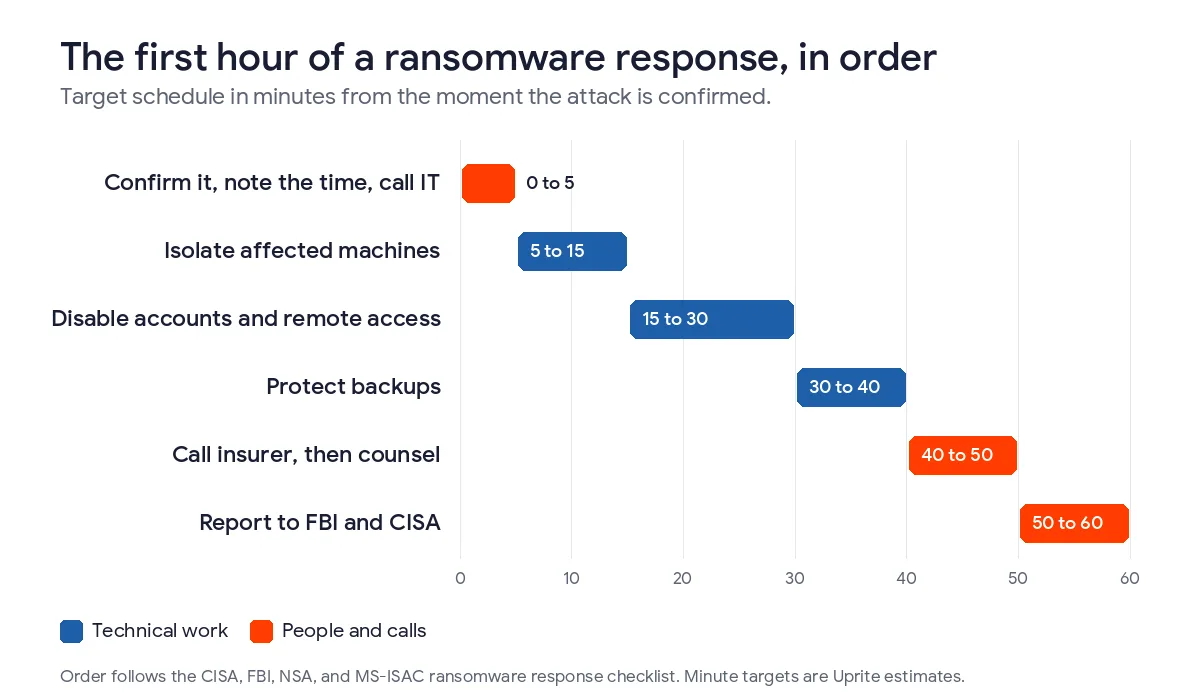
A 3-person office with no IT lead will run slower. That’s fine. A company with a managed provider already on the line will run several rows at once, and the first 3 can overlap almost completely. Order beats minutes.
How Do You Stop the Spread Without Destroying Evidence?
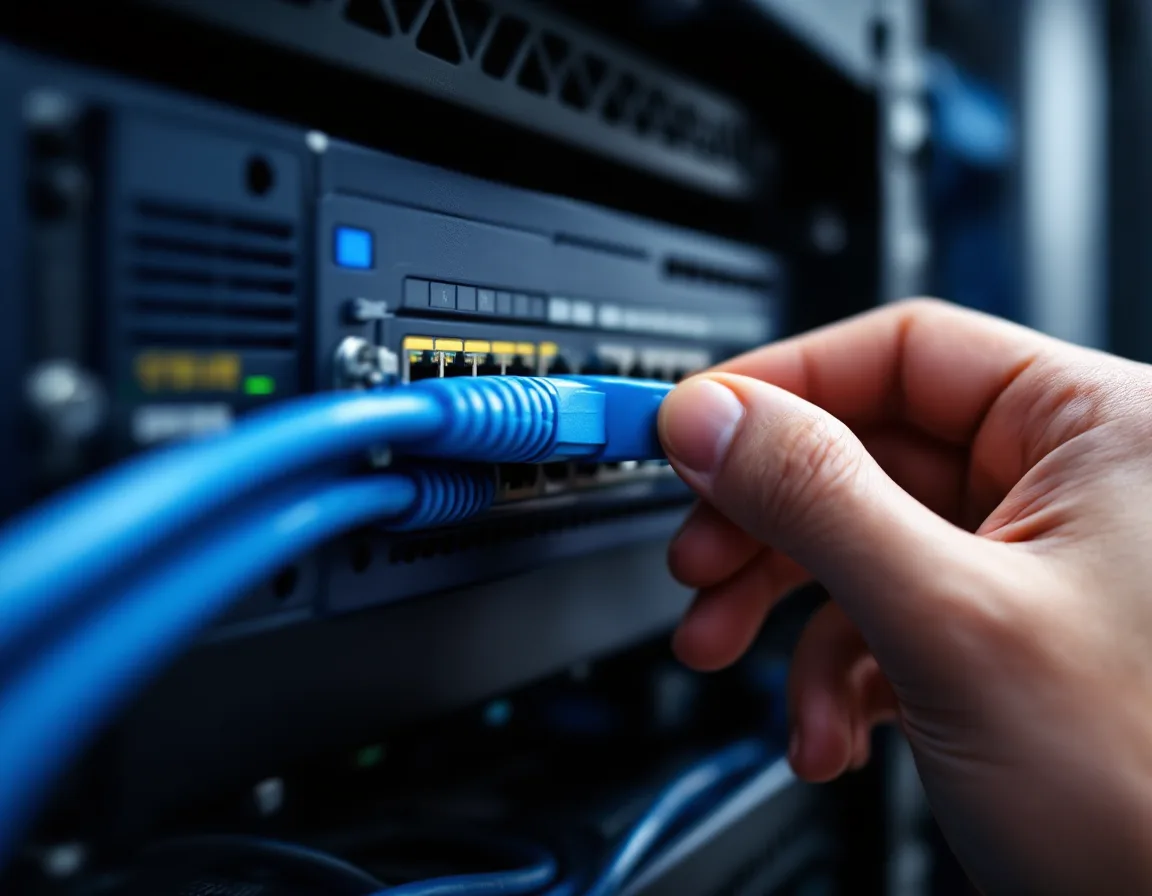
Disconnect. Don’t shut down. CISA says to isolate affected systems immediately, and if several systems or subnets look hit, to take the network offline at the switch level.
Power is the exception. CISA tells you to power devices down only when you can’t disconnect them, and it warns that doing so loses infection artifacts and evidence held in volatile memory. So the rule isn’t “always leave it on.” If a machine is still chewing through files and you can’t reach its cable, pull the plug. Spread is the bigger loss. You’re trading evidence for data, and in my view the data usually wins that trade.
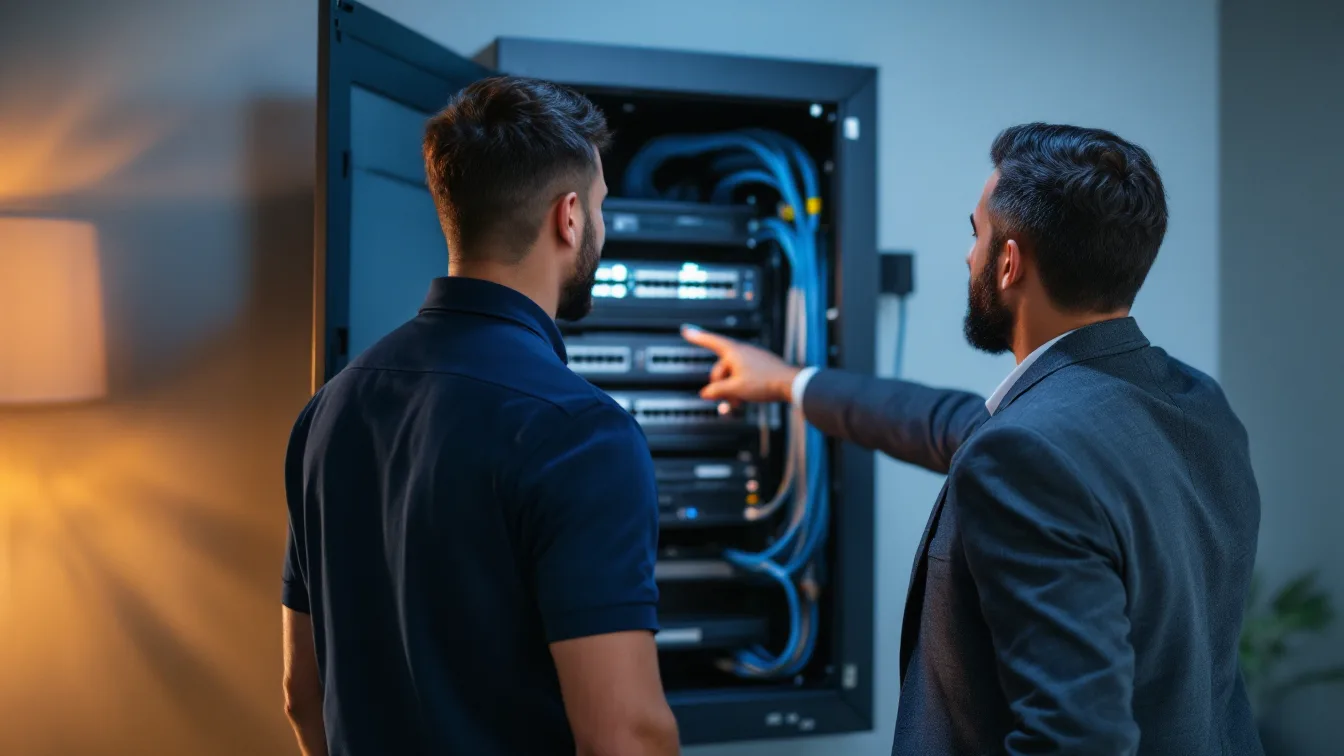
Here’s the part owners don’t expect. “Switch level” means a closet. In plenty of small offices nobody on staff knows which closet it is, who holds the key, or which port feeds the Wi-Fi, and ten minutes of searching on the worst morning of the year is a delay you can remove on a quiet Tuesday. It’s cheap to fix.
Take the response off the network, too. CISA warns that attackers may watch your email and chat to see whether they’ve been spotted, and that tipping them off can push them to deploy ransomware widely before the network is down. Use phone calls. Use personal cell phones if you have to. Don’t open a Teams channel called “ransomware.”
If part of your environment lives in the cloud, CISA adds one step for it. Snapshot the volumes. That gives investigators a point-in-time copy.
Which Accounts and Backups Do You Lock Down First?
Once the machines are cut off, the attacker’s other way back is your accounts. CISA’s containment steps include disabling VPNs, remote access servers, single sign-on, and cloud or other public-facing assets that could carry on unauthorized access. In Microsoft 365 that means disabling the accounts you suspect and revoking their active sessions. Disable them. Don’t reset them yet. CISA puts mass password resets at the end of the process, after the environment is cleaned and rebuilt, which makes sense, because a new password typed on a compromised network is a new password for the attacker.
Then look at your backups, because the attackers already have. A Sophos survey run in early 2024 across 2,974 IT and security professionals hit by ransomware found that 94% said attackers tried to compromise their backups, and 57% of those attempts worked. Where backups were compromised, median recovery cost was $3 million. Where they weren’t, $375,000. Just 26% of the first group was fully recovered within a week, against 46% of the second. The gap is wide.
The backup job is boring. Disconnect the backup repository from the network. Pause the scheduled jobs. Don’t mount a backup to an infected machine to see what’s there. Write down the timestamp of the last restore point you believe is clean, and then leave the actual restoring for a time when someone has confirmed the environment around it is safe.
Who Do You Call in Houston, and in What Order?
Order matters here, and the official guidance doesn’t rank anyone. It lists your IT department, security providers, insurer, and law enforcement side by side. The ranking below is mine. Argue with it.
| Order | Who | Why now | How to reach |
|---|---|---|---|
| 1 | Your IT provider or MSP | They can isolate and preserve evidence while everyone else is still dialing | Uprite at (866) 570-3065 |
| 2 | Your cyber insurer’s claims line | Notice terms and approved vendors can decide what the policy pays for | Number on your policy declarations page or your broker’s claims page |
| 3 | Outside counsel, often through the insurer’s panel | Counsel advises on notification duties before anyone writes them down | Your insurer or broker can name a panel firm |
| 4 | FBI Houston field office | Takes the report and may know whether a decryptor exists for your strain | (713) 693-5000 or tips.fbi.gov |
| 5 | FBI Internet Crime Complaint Center | Files the formal federal complaint | ic3.gov |
| 6 | CISA | Takes incident reports and can offer assistance | 1-844-729-2472 or cisa.gov/report |
My honest take is to call the insurer before the FBI. The FBI’s Houston office will take your report, and it may be able to point you to a decryptor, but it won’t rebuild your servers or pay for the rebuild. Your policy might do both, and it often comes with conditions on who you hire and when you tell the carrier. Skipping that call to phone the government first is the order of operations I’d push back on. You should still report. CISA recommends it, and so do we.
The office sits at 1 Justice Park Drive, covers southeastern Texas, and answers tips around the clock. You can also file at ic3.gov from any computer that isn’t on the affected network. The Houston Police Department’s cyber crimes unit lists ransomware among the offenses it handles, though its page doesn’t publish a reporting process, so ask your insurer whether it wants a police report number before you assume one is needed. For a business, the federal route is usually the useful one. Our guide on who to report a ransomware attack to in Houston covers the reporting rules in full.
What Do You Write Down Before Anyone Else Arrives?
Start a timeline in a paper notebook or a note on your phone. Not in email. Record when each symptom showed up, who saw it, which machines were hit, what you disconnected and when, who you called and when, and the exact wording of the ransom note, since insurers, counsel, and investigators will all ask for it. Nobody needs it neat.
One entry matters more than the rest. Write down when you first had reason to believe personal data might have been taken. Texas gives you 60 days from the date you determine a breach occurred to notify affected residents, and a determination date nobody recorded is a hard thing to explain later. Our data breach response plan for Texas walks through that clock. Hour one doesn’t start that clock. Hour one’s notes can.
Some evidence disappears on its own. CISA lists system memory, Windows Security logs, and data in firewall log buffers as highly volatile or limited in retention. Firewalls overwrite. That’s by design. Ask your IT provider to export the firewall logs in hour one, before the buffer rolls over.
What Should You Never Do in the First Hour?
- Reboot machines to see whether the problem goes away. A reboot throws out the memory CISA wants preserved.
- Wipe or reimage a computer before anyone has copied what’s on it.
- Write to the attacker. Negotiation is a specialist’s job, done after scoping, with counsel and your insurer involved.
- Delete the ransom note or the encrypted files, because both are evidence.
- Log in to an affected machine with a domain admin account. Credentials typed into a compromised computer are credentials the attacker may collect.
- Announce it on company email or chat.
- Decide that no data left the building. Encryption is loud. Theft is quiet.
What Can Wait Until Hour Two?
A lot, and that’s a relief. These are the questions everybody wants answered in the first 10 minutes, and the honest answer to every one of them is that the information to answer well doesn’t exist yet and guessing costs more than waiting an hour. None of them need an answer now.
| Question | Why it waits |
|---|---|
| How did they get in? | You can’t answer it until the evidence is preserved and someone has looked at logs, and guessing sends the response in the wrong direction |
| Should we pay? | Nobody can weigh it before they know what was taken and what can be restored |
| What do we tell customers? | Counsel should shape it, and the Texas clock runs from when you determine a breach occurred |
| When do we restore? | Restoring into an environment that still has the open door risks a second hit |
| Who’s to blame? | Not an hour-one question |
Why Is Hour One Shorter Than It Used to Be?
Attackers got faster at handing off. Mandiant’s M-Trends 2026, drawn from its 2025 investigations, measured the median time between an initial foothold and the handoff of that access to a secondary group that runs operations like ransomware. In 2022 it was more than 8 hours. In 2025 it was 22 seconds.
The same report put the global median dwell time, across every kind of intrusion, at 14 days. And prior compromise was the top initial infection vector in ransomware operations at 30%, up from 15% the year before. In plenty of cases the ransom note isn’t the beginning of the attack. It’s the second chapter.
Verizon’s 2026 Data Breach Investigations Report puts ransomware in 48% of breaches, which means the question for a Houston company with 50 employees isn’t whether this could happen but whether anyone has rehearsed the first hour. So plan as though the attacker has been inside longer than the note suggests. Don’t spend your hour trying to prove otherwise when that time is better spent on isolation, backups, and the call list.
What Does an IT Provider Do in the First Hour?
We’re a managed IT and security provider, not a digital forensics firm, and in a serious incident forensic imaging and attribution go to a specialist, usually one your insurer has already approved. What we handle is the middle of the table above. Isolating machines. Disabling accounts. Protecting backups, pulling firewall logs, and keeping the timeline honest.
Our first response averages about 5 minutes across all clients, and every ticket is triaged inside 10 minutes. That’s a help desk figure. It isn’t a ransomware promise. We run offices in Houston, San Antonio, Dallas, and Katy, so isolation doesn’t always have to happen over a screen share.
If you already have a full-time security team and a retained response firm, you don’t need us for this hour. You’ll still want the call sheet.
The cheapest fix is on paper. Write the call table above with your own numbers, tape it inside the network closet door, and give a copy to your office manager. Our guide to ransomware protection for Houston businesses covers the controls that make this hour rarer, and the piece on what IT downtime costs puts a price on the hours after it.

Questions Houston Owners Ask in the First Hour of a Ransomware Attack
Should I turn off my computers after a ransomware attack?
No, not first. Disconnect affected machines from the network and leave them powered on, because CISA says to power down only when you can’t disconnect them and warns that shutting down loses evidence held in memory. If a machine is still encrypting and you can’t reach its cable, pull the power.
How long do I have to tell my cyber insurance company?
Your policy sets the deadline, so find the notice clause today. Terms vary by policy. Late notice can put a claim at risk. Call your broker or the claims line before you hire anyone, because many policies also name approved forensic and legal vendors.
Who do I report ransomware to in Houston?
Call the FBI Houston field office at (713) 693-5000 or use tips.fbi.gov, file a complaint at ic3.gov, and notify CISA at cisa.gov/report. CISA’s guidance lists all three routes. You don’t have to wait for your response team to finish before you report.
Does calling the FBI mean agents take over my network?
They don’t. The FBI takes your report and may know of a decryptor for your strain, but it doesn’t run your recovery. CISA recommends asking federal law enforcement about decryptors even when you can mitigate on your own, and our post on free ransomware decryption tools covers what’s out there.
Is hour one the time to decide about paying the ransom?
Paying is a decision for later. Make it only after you know what was taken and what you can restore, with counsel and your insurer involved. In hour one, the only question to ask is whether a free decryptor exists for your strain.
What if the attack starts overnight or on a weekend?
Run the same sequence and start with the phone call, because isolation is what limits the damage at 2 in the morning. Keep the call sheet where the on-call person can reach it, and make sure at least 2 people know where the network closet is and who has the key.
Do I have to notify customers or the Texas Attorney General in hour one?
Not yet. Texas starts its notification clock when you determine a breach occurred, with 60 days to notify affected residents and 30 days to notify the Attorney General once 250 or more Texans are involved. Hour one’s job is to record what you knew and when.
What Happens After the First Hour?
Next comes the 72-hour window. Our guide to ransomware recovery in Texas covers it. If you’d rather have the call sheet written before you need it, we’ll build it with you.
We’ll walk through your network closet, your backup repository, and your insurance notice clause, and write the call sheet with you. If you’re in the middle of an attack right now, call (866) 570-3065 instead of filling out a form.
Book a Ransomware Readiness Review








