
Cloud IT for construction companies works best as a placement decision made one workload at a time. Email, identity, documents, project software and device management move well. Revit central models, some accounting ERPs and anything that needs a fat pipe to the trailer need a plan first. The jobsite uplink decides more of this than the data center does. For the wider picture, start with our guide to managed IT services for construction companies.
Cloud IT for construction companies means running identity, email, files and project software from hosted services instead of an office server, and managing every laptop and tablet over the internet. Most of the work moves cleanly. A few workloads don’t.
That second part is where contractors get hurt.
I’m a Lead vCIO, which means I spend a lot of my week inside other companies’ IT plans, and construction plans have a pattern. Somebody decides the file server has to go, usually because it’s old or because the Windows Server version under it is running out of support. Then the whole office gets pointed at SharePoint in one weekend. Rushed, usually. The Revit team finds out on Monday. So does the accounting department. And the superintendent in a trailer 40 miles out finds out when their video call freezes on the first coordination meeting of the week.
None of that is a reason to stay on premises. It’s a reason to sort the workloads before you move them. Sort first. Move second. This post does the sorting, using the vendors’ own published limits, so you can decide what goes, what waits and what needs a different cloud than the one you were planning.
What does cloud-first IT mean for a construction company?
Cloud-first IT means a contractor treats a hosted service as the default home for every new system and every system being replaced, and keeps something on premises only when there’s a specific technical, contractual or cost reason. It doesn’t mean everything moves. It means the office server stops being the automatic answer.
For a contractor, the cloud usually lands in 4 places. Identity and email move to Microsoft 365 and Microsoft Entra ID. Office documents and closed-job archives move to SharePoint and OneDrive. Project, field and design collaboration run in platforms that were already hosted, like Procore, Autodesk Construction Cloud and Bluebeam Studio. And every laptop, tablet and phone gets managed from the cloud through Microsoft Intune instead of a group policy that only reaches machines plugged into the office network. That last one matters most.
The appeal is obvious. Your people don’t work in the building. A superintendent, a project engineer and an estimator can sit 3 counties apart on the same afternoon, and a cloud-first setup gives all 3 the same files, the same sign-in and the same security policy wherever they happen to be sitting. Same files, same rules. If you want the vendor-side version of that decision, our overview of cloud services for businesses covers the platforms.
Which construction workloads belong in the cloud?
Most of them. Not all.
Here’s how I’d place the typical contractor’s systems, with the limit that should shape each decision.
| Workload | Best cloud home | What to check before it moves |
|---|---|---|
| Email, calendars and sign-in | Microsoft 365 with Entra ID | Multifactor authentication and Conditional Access for every account, including temporary ones |
| Office files and closed-job archives | SharePoint and OneDrive | Microsoft’s 400-character path cap and its 300,000-file sync guidance |
| Project management and field reports | Already hosted in Procore or Autodesk Construction Cloud | Who owns the admin accounts and what happens to them when a job closes |
| Revit central models | Autodesk’s own cloud worksharing | Autodesk doesn’t support file-based worksharing in SharePoint |
| Accounting ERP | A hosting partner or a SaaS ERP, depending on the product | Whether your ERP was built for the cloud or only hosted in it |
| Laptops, tablets and phones | Entra join with Intune management | Existing domain-joined laptops need a reset to convert |
| Plotters, site cameras and trailer networks | Stay local, managed remotely | Uplink capacity and a failover path at every active site |
Two rows cause most of the trouble. Documents and Revit.
Why can’t Revit central models live in SharePoint?
Because Autodesk says they can’t. Its support article on the “Cannot find central model” error lists the cause plainly, noting that file-based worksharing using SharePoint is not a supported environment. Autodesk says the same thing about models stored in Dropbox-synchronized folders.
That matters more than it sounds. File-based worksharing expects every user to open one central file over a fast local network and save changes back to it. A sync engine copies files between machines on its own schedule. Put the two together and you get conflicts nobody notices until a model won’t open. By then it’s too late.
So the Revit team needs its own cloud. For most firms that means Revit Cloud Worksharing through Autodesk’s collaboration products, which Autodesk built for exactly this job, or a file server that stays put until the design group moves. Pick one before the migration weekend. Not after.
Here’s my honest take. This single line item is behind more “the cloud doesn’t work for us” complaints than anything else I hear from design-build firms, and the cloud was never the problem. The wrong cloud was.
What breaks when a construction file server moves to SharePoint?
Folder depth, file counts and permissions. In roughly that order.
Microsoft publishes the limits in its SharePoint service description, and 4 of them land squarely on construction data.
- The full decoded file path, folder names plus file name, can’t run past 400 characters
- Microsoft recommends syncing no more than 300,000 files, counted across every library a person syncs
- Once a library or folder holds more than 100,000 items, you can’t break permission inheritance on it
- A single upload tops out at 250 GB, which rarely matters, except for the drone survey folder
Take the path limit. A made-up but typical submittal path, like Projects/2026 Jobs/26-014 Northside Medical Office Building Phase 2/05 Construction/03 Submittals/23 HVAC/Approved/230713-01 Variable Air Volume Boxes Product Data Rev 2.pdf, is already 173 characters. Nobody designed it to be long. It grew that way, one sensible folder at a time. Every firm has these. Add the nested “Copy of” folders that every closed-job archive seems to collect and you’ll hit the cap faster than anyone expects.
The sync guidance bites next. A contractor with 15 years of job folders can easily hold more than 300,000 files, and if a project manager syncs the whole archive to a laptop, OneDrive slows down for everyone who does the same. Microsoft’s advice is to sync less. Ours is to split the archive by year or by job status, so active work syncs and closed work stays browser-only. Simple fix.
Then there’s permissions. File servers collect years of one-off exceptions, like the owner’s rep who needed a single folder or the sub who got read access in 2019. Nobody remembers why. Rebuild that on purpose instead of copying it, because a library past 100,000 items won’t let you fix it later.

What should happen to the construction accounting ERP?
It depends on what the ERP was built to be.
Sage lays out 3 routes for Sage 300 Construction and Real Estate customers in its choosing your path to the cloud data sheet. You can run it in a private cloud you manage yourself, hand it to a hosting partner who runs it in a vendor cloud or on Azure, Google Cloud or AWS, or move to a native SaaS product like Sage Intacct Construction. The first 2 keep the same software. Only the third changes it. That’s the real choice.
Trimble’s Viewpoint Vista and Spectrum sit in similar territory. As ForConstructionPros reported in 2022, both were designed for on-premises use and are now hosted as single tenancies in the cloud, with existing customers able to move their instance into Microsoft Azure. Hosted is real progress. It still isn’t the same as software written for the cloud from the start. Know which one you’re buying.
Timing often makes this decision for you. Microsoft ends support for Windows Server 2016 on January 12, 2027, per its own end of support announcement, and plenty of construction ERP servers still run on it. A server that needs replacing anyway is the cheapest possible moment to ask whether it should exist at all. We’ve written separately about why construction ERP systems need a managed IT partner, including the gap between what an ERP vendor supports and what Microsoft still patches.
How much bandwidth does a cloud-first jobsite trailer need?
More than most trailers have. Much more.
When the file server lived in the office, a weak trailer connection was an annoyance. Once documents, sign-in, meetings and the ERP all live in the cloud, that connection sits on the critical path for every person in the trailer. So size it with real numbers. Not guesses.
Microsoft publishes per-endpoint bandwidth figures for Teams in its network planning guidance. We multiplied them out for a trailer with 6 people joining the same weekly coordination meeting on their own laptops.
| Teams meeting video, per Microsoft | Per endpoint, up and down | 6 endpoints in one trailer, up and down |
|---|---|---|
| Minimum, up to 240p video | 150 kbps up, 200 kbps down | 0.9 Mbps up, 1.2 Mbps down |
| Recommended, up to 1080p video | 2,500 kbps up, 4,000 kbps down | 15 Mbps up, 24 Mbps down |
| Best performance | 4,000 kbps up, 4,000 kbps down | 24 Mbps up, 24 Mbps down |
Look at the upload column. Plenty of cellular and satellite plans advertise a healthy download speed and a much smaller upload, and it’s the upload that carries 6 cameras, a shared screen of the latest drawings and every photo the field team syncs from a tablet. That’s the whole trailer’s upload budget on one meeting. Gone.
Microsoft also recommends routing Teams traffic around the VPN instead of through it, a setup called split tunneling, because VPNs weren’t built for real-time media and add latency on top. If your trailers still tunnel everything back to the office, fix that first. It’s cheap.
And plan for the outage. A second carrier, or a cellular backup behind a fixed connection, turns a dead uplink into a slower afternoon instead of a lost day, which on a job with a liquidated damages clause is the difference that actually matters. Worth every dollar. We cover the schedule side of that risk in the IT risks that stop projects on Texas job sites.
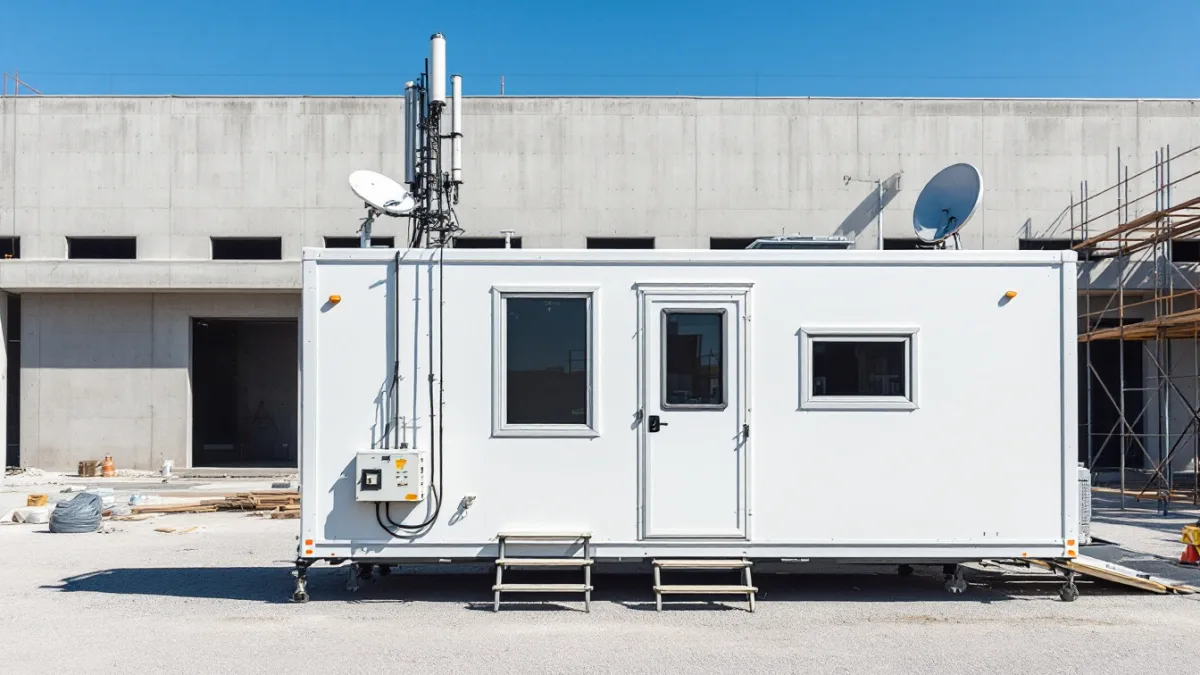
Why do Entra-joined laptops matter on a jobsite?
Because a jobsite laptop can’t see your domain controller.
Microsoft’s guidance on Entra join types spells out the difference. A hybrid-joined laptop is still joined to your on-premises Active Directory, so it needs a line of sight to a domain controller for its first sign-in and for password changes, and a remote user needs a VPN to sign in once cached credentials expire. An Entra-joined laptop doesn’t. It signs in, gets its policies from Intune and reaches Microsoft 365 from any connection with internet access. No VPN, no office.
Microsoft recommends Entra join as the default for new and reset devices, and says hybrid join shouldn’t be anyone’s long-term goal. The catch is that there’s no supported way to convert an existing domain-joined laptop without resetting Windows. So don’t do it all at once. Convert each machine at its next hardware refresh or rebuild, and the fleet turns over on its own. Slowly, but cleanly.
Licensing usually isn’t the obstacle. Microsoft 365 Business Premium includes Intune and Entra ID P1, which is where Conditional Access lives, for organizations up to 300 users. Count carefully. Most contractors we support fit under that cap once they count supported seats instead of headcount. Our Microsoft 365 services team handles the tenant setup and the device rollout.
What does a construction cloud move look like in practice?
We’ve done this. Here’s one we can describe.
A Texas construction company came to us keeping its project files on old server shares that really only worked inside the office. Crews got around it with personal storage and emailed attachments, folder permissions had piled up over years of projects, and on-premises Active Directory tied every login to one building. Sound familiar?
The engagement started with an assessment of the on-premises environment, the file shares and the identity dependencies. Legacy shares moved into SharePoint on a rebuilt site and permissions structure instead of a straight copy. Identity got a phased path off on-premises Active Directory toward Entra-joined devices managed in Intune. And a network assessment checked the environment could carry the material metrics and reporting the company wanted to add next. Four steps, in order. The full write-up is in our construction cloud-first migration case study.
The client didn’t publish numbers, so we won’t invent any. What I’d point to is the sequence. Assess, rebuild the permissions on purpose, then move identity in phases. Nothing about it happened in a weekend. It shouldn’t.

In what order should a contractor move to the cloud?
Identity first. Files later. The ERP last, or on its own clock.
- Inventory every workload and every account, including jobsite logins, Procore admins and the shared mailbox nobody owns
- Lock down Microsoft 365 with multifactor authentication and Conditional Access before anything else moves into it
- Test each active trailer’s upload speed and add a failover path where one is missing
- Split the file server by active and closed work, fix long paths, then rebuild permissions in SharePoint
- Give the Revit team Autodesk cloud worksharing, or leave their models on a local server until they’re ready
- Choose the ERP’s path, whether that’s hosting, a SaaS move or a supported on-premises server, before the old server’s support ends
- Enroll new and rebuilt laptops through Windows Autopilot as Entra-joined devices managed in Intune
Order matters because each step makes the next one safer. Here’s why. Security that’s in place before the files arrive never has to chase them. A tested uplink means the first bad week in the trailer is a known risk instead of a surprise. And moving the ERP on its own schedule keeps a payroll run from depending on a file migration going perfectly.
Is cloud-first always the right call for a contractor?
No. I’d push back on anyone who says it is.
Some things stay local for good reasons. Plenty, actually. Plotters and large-format scanners live where the paper lives. Site cameras and trailer switches need local hardware, even if you manage them remotely. An estimator working with huge local datasets on a powerful workstation may get more from a fast local drive with a solid backup than from any sync client. And a stable ERP on a supported server doesn’t need to move this quarter just because the file server did.
The industry is already most of the way there anyway. In the 2025 AGC and Sage outlook survey of more than 1,100 contractors, Sage reported that 61% of firms use cloud software for project management and 48% use it for accounting. The same survey found 41% named keeping company data secure from hackers as a top IT challenge, which is a useful reminder. Moving to the cloud doesn’t move your security problem out of the building. It moves it into your sign-in page. Guard it.
Cost is the other honest question. A cloud-first setup trades server purchases for monthly subscriptions and management, and the right comparison is total cost over 5 years, not one invoice. Run the math. Our breakdown of what construction IT services cost per seat shows how we price the managed side, and our comparison of cloud hosting versus managed cloud services explains who does what once the servers are gone.

Questions contractors ask about moving to the cloud
Can a construction company run entirely in the cloud?
Almost, but rarely completely. Email, identity, documents, project software and device management can all run in the cloud, while plotters, site cameras, trailer networks and sometimes a Revit or ERP server still need local hardware or a specialized hosted option.
Is SharePoint a good replacement for a construction file server?
For office documents and closed-job archives, yes. Plan around Microsoft’s 400-character path cap and its guidance to sync no more than 300,000 files, and rebuild permissions on purpose rather than copying them. Keep Revit central models out of it, since Autodesk doesn’t support file-based worksharing in SharePoint.
Where should Revit central models go in a cloud-first setup?
Into Autodesk’s own cloud worksharing, or onto a local server until the design team is ready to move. Sync services like SharePoint, OneDrive and Dropbox aren’t supported for file-based worksharing, and sync conflicts can damage a central model.
Do we have to move Sage 300 CRE to the cloud?
No. Sage describes 3 paths, which are a private cloud you run yourself, a hosting partner or a move to Sage Intacct Construction, and a supported on-premises server remains an option. What forces the decision is usually the server underneath it, especially any machine still on Windows Server 2016, which loses support on January 12, 2027.
How fast does a jobsite internet connection need to be?
Size it by upload. Microsoft recommends 2,500 kbps up per endpoint for Teams meeting video, so 6 people in one trailer need about 15 Mbps of upload for a single meeting, before any file or photo sync. Add a second carrier or cellular failover at every active site.
Should field laptops be Entra joined or hybrid joined?
Entra joined, for new and rebuilt machines. Microsoft recommends it as the default, and it removes the need to reach an office domain controller from the field. Existing laptops can’t be converted without a reset, so switch them at their next refresh.
Planning a cloud move and not sure which workloads are ready? Uprite’s team of 42 maps every system, account and jobsite connection first, then moves them in the order that keeps your projects running, with construction IT support from offices in Houston, Dallas and San Antonio.
Speak to an IT Expert