ERP cloud migration for a Texas manufacturer should start with a usage inventory, not the vendor’s quote. List the modules, shop-floor workflows, and integrations the plant actually runs. Then price every option against that list, including staying put.
Usage first, price second. That’s the order of work in the engagement below, where a client under pressure to buy an expensive cloud ERP platform made the call on evidence instead. It’s also how we approach ERP decisions as part of our manufacturing IT services in Houston. We don’t name the client, its industry, or its ERP product. That stays private. What carries over is the method, plus the plant-floor details a manufacturer has to add to it.
A vendor’s support deadline is real. Its price isn’t automatically right. In 2025, Texas had about 30,800 manufacturing establishments averaging 32 employees, so plenty of plants run their ERP without a dedicated administrator and without a current record of what they use. Build that record first. Then add the costs cloud quotes tend to leave off, like Texas sales tax on the subscription, a second internet circuit, shop-floor integrations, and rules on where export-controlled data can live.
What does ERP cloud migration mean for a Texas manufacturer?
ERP cloud migration means moving the system that runs orders, inventory, production, purchasing, and accounting from servers the plant owns to a subscription platform the vendor hosts. For a manufacturer, it also moves scheduling, shop-floor transactions, and traceability records off-site. That changes the math. Your internet link becomes production equipment.
Big plants are already there. Deloitte’s 2025 smart manufacturing survey of 600 U.S. manufacturers with at least $500 million in revenue found 57% using cloud computing at the facility or network level. ERP projects lean cloud too. Panorama Consulting’s 2026 ERP Report counted 73.5% of the projects it surveyed as cloud deployments, and manufacturers made up 18.2% of its respondents.
Texas plants are mostly small, though. That shapes everything else here.
| Area | Manufacturing establishments, 2025 | Manufacturing jobs, 2025 | Jobs per establishment | Average annual pay |
|---|---|---|---|---|
| Texas | 30,778 | 988,649 | 32 | $97,490 |
| Harris County (Houston) | 5,151 | 177,304 | 34 | $107,145 |
| Dallas County | 2,966 | 124,714 | 42 | $99,339 |
| Tarrant County (Fort Worth) | 1,951 | 93,180 | 48 | $100,302 |
| Bexar County (San Antonio) | 1,124 | 42,362 | 38 | $81,319 |
Those figures are 2025 annual averages for private manufacturing from the BLS Quarterly Census of Employment and Wages, and the Census Bureau’s County Business Patterns for 2023 tells the same story from another angle, with 91.7% of 21,034 Texas manufacturing establishments under 100 employees. Census counts establishments differently from BLS, so its total runs lower. Only 244 had 500 or more employees.
A 34-person plant doesn’t employ an ERP administrator. It can’t justify one. In Houston, a network and computer systems administrator averaged $108,200 in wages in May 2025, according to BLS occupational wage data, and the BLS employer cost survey puts private-industry total compensation at roughly 1.43 times wages as of June 2026. Call it $154,700 a year. So the ERP ends up run by the controller, a production planner, and whoever configured it years ago, each of whom knows their own corner of the system and nobody the whole of it. Nobody holds the usage list. The vendor knows it.
The deadline came from the vendor, and so did the budget

Pressure of this kind rarely arrives as a threat. It arrives as a recommendation. This client’s was straightforward. Its current environment was nearing the end of its useful life, and the vendor’s cloud platform was pitched as the natural next step, with a number attached that was large enough to reshape the client’s technology budget for several years.
- Pricing sat well above what the business already spent running its current ERP.
- The recommendation carried a timeline, which squeezed the window for any serious evaluation.
- Nobody inside the business held a current list of which ERP features were in use.
- Integrations between the ERP and surrounding systems had piled up over years and were thinly documented.
- Every number in the cost case came from the vendor’s own description of what the new platform would deliver.
That last point mattered most. A vendor recommendation isn’t a requirements document. It’s a sales position. Sometimes the vendor is right. Often enough, actually. You just can’t know until you know what you’re running today.
Why is an ERP upgrade really a usage question?
Every ERP replacement decision comes down to one comparison. What does this business need the system to do, and which options can do it? Plenty of evaluations skip the first half and compare feature lists instead. That’s a mistake. Feature lists always favor the pricier product, because it carries more features nobody asked for.
- Licensed modules and used modules are rarely the same set, and the gap is usually wider than anyone inside the business expects.
- Workflows live in the habits of the people doing the work, not in vendor documentation.
- Integrations are the expensive part of any migration, and they’re almost never fully inventoried before a quote gets signed, which is how a scheduled export nobody remembers turns into a change order halfway through the project.
- Reporting needs tend to be specific, few, and satisfiable on more than one platform.
- Compliance and audit obligations are real constraints, but they narrow the field less often than people assume.
Evidence exists. Zylo, drawing on its 2026 SaaS Management Index, puts license utilization across the organizations it tracks at 54% in 2025, up from 47% the year before. Close to half of what companies pay for still goes unused. An ERP seat isn’t a SaaS seat, so the comparison is imperfect. The pattern holds anyway. And the money’s bigger. Working out where a business sits on that curve is the kind of question our IT consulting services exist to answer.
How we built the evidence before anyone talked price

Our engagement ran as 4 connected workstreams. None began with a product. It ran alongside the client’s managed IT services agreement.
1. We inventoried what was being used
We went module by module through the existing environment and separated 3 categories. What the business paid for. What it had configured. What people opened in a normal working month. Those weren’t the same list. They never are. That gap between licensed and used is the single most useful number in an ERP evaluation, and almost nobody has it on hand when a vendor quote lands on the desk.
2. We mapped workflows and integrations, not modules
Module names describe how software is packaged. They don’t describe how work gets done. So we traced the actual paths instead, following a transaction from where it enters the business to where it lands in the financials and recording every system it touched along the way. That’s where the integrations surfaced. Some were formal connectors. Others weren’t. One was a scheduled export feeding a spreadsheet somebody built years ago. Both kinds cost real money to rebuild, and only one had ever appeared on an inventory.
3. We measured the proposed cloud platform against the real list

With a requirements list built from observed usage rather than a wish list, the vendor proposal became testable. Some of what it offered was genuinely valuable. Credit where it’s due. Some duplicated capability the client already owned, including tooling inside its existing Microsoft 365 environment. And a meaningful share of the premium was attached to functions the business had no plan to use. The same Panorama report found that more than a quarter of organizations went over their ERP project budgets, and the most common reason was an unexpected need for additional technology. That’s what an unexamined requirements list produces later.
4. We evaluated alternatives against the same scorecard
Then we widened the field. Our requirements list gave us a fixed standard, so every option got measured the same way, including the option of staying put and investing in the current environment. Some alternatives covered the confirmed requirements at a much lower total cost. Others didn’t. We said so plainly. Finding the cheapest product was never the point. It was about making sure the price the client paid bought something it had a use for.
What does a manufacturing ERP usage inventory need to cover?
Those 4 workstreams apply to any business. Plants are different. A plant adds layers an office-only company doesn’t have, and those layers are where cloud migrations stall. Before a Texas manufacturer reads a cloud ERP proposal, its usage inventory should answer these questions.
- Which MRP and scheduling functions run every week, and which were configured once and forgotten?
- How do shop-floor transactions reach the ERP today? Barcode scans, labor tickets, and machine counts each need a path to a hosted system.
- Which customers and suppliers trade EDI with you, and which documents ride on it, from purchase orders to advance ship notices and invoices?
- Where do traceability records live? Heat numbers, material test reports, lot and serial genealogy, and inspection results often sit half in the ERP and half on a file share.
- What prints from the ERP on the floor? Labels, travelers, pick tickets, and packing slips go to local printers that a hosted system still has to reach.
- Which engineering data feeds the bill of materials, and does anything export from CAD or PLM on a schedule?
- Which reports does the plant manager open every Monday?
Write the answers down. Our teams already support SAP, Epicor, NetSuite, and Fishbowl Inventory in Texas plants, and the answers look different on every one of them.

Give traceability extra time. Houston fabricators that build pressure vessels, wellhead components, or process skids ship a package of paperwork with the steel, and a customer’s inspector won’t release the order until every heat number, weld record, and test certificate in it matches what the ERP says was built. A migration that breaks the link between a heat number and its material test report doesn’t cause an IT ticket. It stops an invoice.
Add one more line for plants with connected equipment. If controllers or machine monitoring feed production counts into the ERP, the hosted version shouldn’t need a new inbound path into the control network. NIST SP 800-82 Rev. 3 describes how to keep that boundary, and our guide to OT and IT security for Texas manufacturers shows where plants usually draw it.
What does an ERP upgrade cost in Texas beyond the subscription?
Beyond the subscription, budget for Texas sales tax, a second internet circuit, integration rework, data migration, and cutover downtime. We haven’t found a sourced Texas benchmark for those lines, so the table shows where each one comes from rather than a dollar figure. Subscription pricing is clear. Everything around it is vague. This table compares the cost lines a plant faces when it chooses between upgrading on-premises and moving to a hosted platform.
| Cost line | Upgrade on-premises | Move to cloud ERP | Why the first quote misses it |
|---|---|---|---|
| Software | License upgrade plus annual maintenance | Per-user subscription, usually on a multi-year term | Quotes often price every named user, not the users the inventory found |
| Texas sales tax | License and seller maintenance taxed as tangible personal property, at the full rate | Taxed as a data processing service on 80% of the charge | Easy to leave out when 2 quotes sit side by side |
| Servers and database | New hardware plus Windows Server and SQL Server licenses | Removed from the plant and folded into hosting | Staying put has its own deadlines, covered below |
| Internet | The existing circuit is usually enough | A second circuit and cellular failover become production equipment | Nobody on the ERP project owns the network |
| Integrations | Existing connectors keep working | EDI, label printing, scanners, and CAD exports need rebuilding or re-pointing | They can’t be priced until the inventory exists |
| Data migration | Little or none | Item masters, open orders, and traceability history move and get checked | Cleanup is labor, not license |
| Cutover | Often a weekend | A planned slowdown, usually timed to a maintenance shutdown | Production pays for the lost days |
Read the last column twice. Then run the tax math before comparing totals. The Texas Comptroller treats software as a service as a data processing service, and 20% of a data processing charge is exempt, so tax falls on the other 80%. At the top combined rate of 8.25%, a $10,000 monthly subscription carries $660 a month in sales tax. That’s $7,920 a year and $39,600 over a 5-year term, and none of it shows on a subscription price sheet. Small line, big total.
That’s not a cloud penalty. Under the Comptroller’s rule on computer programs, an on-premises license and the seller’s maintenance charges are taxed at the full rate, with no 20% exemption. Tax belongs in both columns. And don’t assume the manufacturing exemption covers either one, since the Comptroller’s guide to that exemption lists office equipment among items that aren’t exempt and says nothing about ERP software. Your controller should confirm the local rate with the Comptroller before the numbers go to the owners.
ERP is rarely the only system that moves in a manufacturing cloud migration. File shares, backups, and email tend to follow, which is the wider work our cloud services in Houston team handles for Houston-area businesses. Planning them together avoids paying for the same network upgrade twice.
Can a plant keep shipping when the internet goes down?
Not without a plan. With an on-premises ERP, a dead internet circuit slows email. With a hosted ERP, it can stop receiving, picking, and shipping at the same moment, because every scan now crosses that circuit.
Texas gives plants plenty of reason to plan. Hurricane Beryl cut service to about 2.26 million CenterPoint Energy customers at its peak in July 2024, according to CenterPoint’s own quarterly filing. Power and connectivity tend to fail together in a storm, and a hosted ERP only helps a plant that can still reach it.
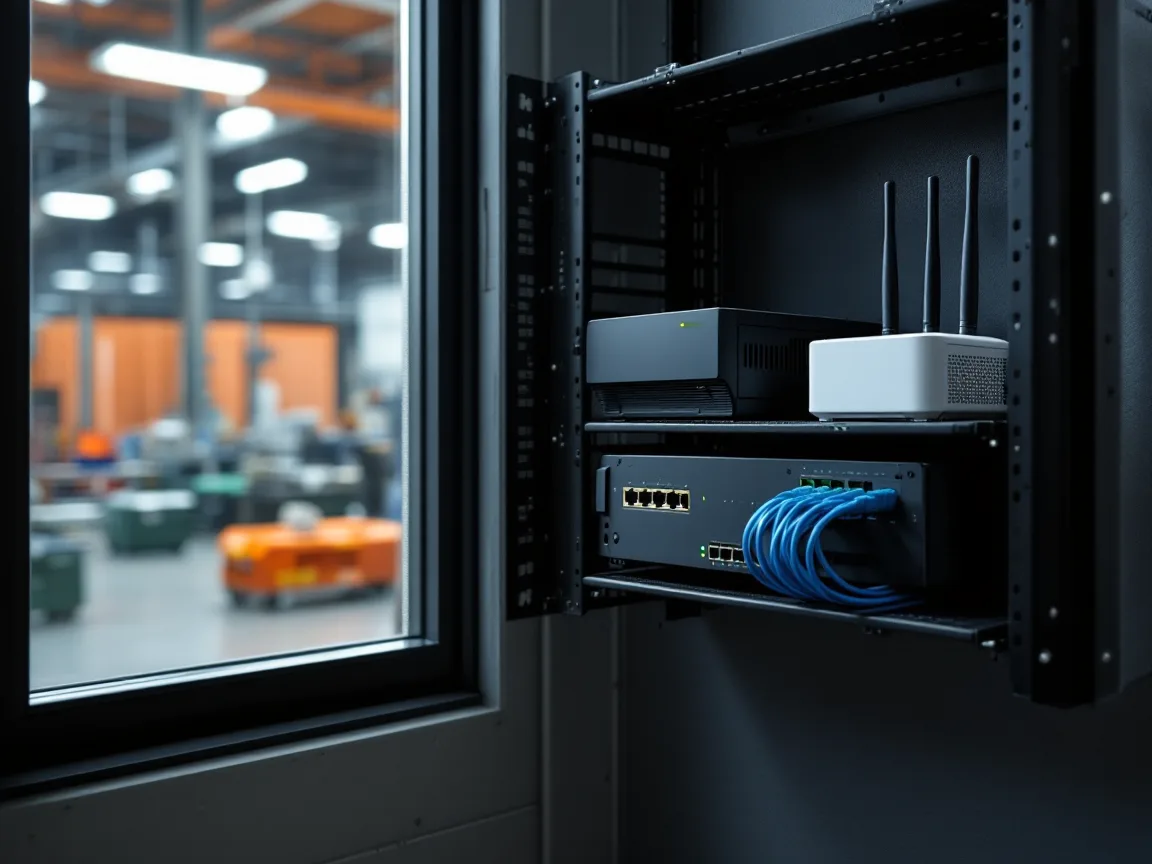
- A second internet circuit from a different carrier, over a different physical route where one exists.
- A cellular failover router that keeps scanners, printers, and ERP sessions alive when the wired links drop.
- A local print path, so labels and pick tickets still print while the plant is running on the backup link.
- A written offline procedure for receiving and shipping, with paper travelers and a plan for keying transactions afterward.
- A clear answer from the vendor on what its service commitment covers and what counts as the customer’s outage.
Those items belong in the plant’s wider disaster recovery planning in Houston, not in a side document the ERP project owns and nobody tests. Then test it.
Does defense or export-controlled work limit where the ERP can live?
Yes. Settle it before any demo. Aerospace and defense suppliers around Dallas and Fort Worth, and plenty of Houston machine shops, hold drawings and specifications covered by export controls or DoD contract clauses. Those files end up attached to ERP items, routings, and purchase orders more often than anyone intends.
- DFARS clause 252.204-7012 requires any cloud provider that stores, processes, or transmits covered defense information for you to meet security requirements equivalent to the FedRAMP Moderate baseline, which a December 2023 DoD memo defines as 100% compliance, assessed by a FedRAMP-recognized third-party assessor. An offering that’s already FedRAMP Moderate authorized can be used without further assessment.
- ITAR’s 22 CFR 120.54(a)(5), in force since March 25, 2020, says storing unclassified technical data isn’t an export if it’s encrypted end to end with FIPS 140-2 compliant modules, their successors, or protection at least as strong as AES-128, and isn’t stored in a country proscribed under section 126.1.
- CMMC Phase 1, which puts Level 1 and Level 2 self-assessment requirements into DoD contracts, took effect on November 10, 2025. The Department of War suspended Phase 2 on July 13, 2026 and kept every Phase 1 self-assessment requirement in place.
Ask whether the product you’ve been quoted runs in a commercial cloud or a government cloud region, because that one answer decides whether controlled data can live there at all. Get it in writing. Our guide to IT documentation for Texas aerospace suppliers covers the records primes ask for at supplier qualification, and our page on CMMC compliance in Dallas covers the assessment itself.
The biggest win was that the decision stopped being the vendor’s to make

What came out was a decision the client could defend to a board, to an auditor, or to itself in 3 years. Evidence, not trust.
- Today the business holds a documented list of the ERP features, workflows, and integrations it depends on.
- Vendor claims were tested against that list rather than against the vendor’s own marketing.
- Alternative platforms were scored on the same criteria, so the comparison stayed consistent instead of anecdotal.
- No money went to capability the business had no operational need for.
- Its chosen path fits both the current budget and where the business is heading over the next several years.
Worth being precise here. Avoiding unnecessary spend isn’t the same as avoiding change. The client still moved, deliberately. It just made the move it needed, on a timeline it chose, at a price it could justify. Every engagement we publish is listed on our client case studies page.
An end-of-support date is a real constraint, not a blank check
None of this means deadlines are invented. They aren’t. Microsoft announced the end of support for Dynamics GP, and the dates below come from each publisher’s own lifecycle pages.
| Product | Milestone | Date |
|---|---|---|
| Microsoft Dynamics GP | Product support and tax updates end | December 31, 2029 |
| Microsoft Dynamics GP | Security updates end | April 30, 2031 |
| Microsoft Dynamics NAV 2018 | Extended support ends | January 11, 2028 |
| Microsoft Dynamics AX 2012 R3 | Extended support ended | January 10, 2023 |
| SAP Business Suite 7, including ECC 6.0 | Mainstream maintenance ends | End of 2027 |
| SAP Business Suite 7, including ECC 6.0 | Optional extended maintenance ends | End of 2030 |
| SQL Server 2016 | Extended support ended | July 14, 2026 |
| Windows Server 2016 | Extended support ends | January 12, 2027 |
| SQL Server 2017 | Extended support ends | October 12, 2027 |
| Windows Server 2019 | Extended support ends | January 9, 2029 |
Don’t skip the server rows. An on-premises ERP whose database runs on SQL Server 2016 stopped getting security updates on July 14, 2026, even if the ERP publisher still supports its own code. Microsoft sells Extended Security Updates a year at a time. That buys time. Not a decision. Some businesses also move to third-party maintenance once the publisher’s support ends, which keeps the system running but doesn’t bring back the publisher’s own security fixes. Our post on construction ERP support explains why vendor support and Microsoft support run on different calendars, and the same split shows up in a plant. Running business systems past these dates carries real risk, which is why CISA lists unsupported software as a bad practice rather than a tolerable way to save money on a system that still seems to work. Our cybersecurity team treats an unsupported ERP database the same way it treats an unpatched server, and our overview of manufacturing cybersecurity in Texas explains how ERP integrations open a path from the office network to the plant floor.
A deadline tells you when to act. Not what to buy. Those are separate questions, and vendors have an obvious interest in letting them blur. Several years of runway is enough for a proper evaluation, which is exactly why it should start early rather than in the last quarter before support lapses. The same discipline applies to the cloud migration decisions that usually follow, and to the day-to-day support an ERP needs once it’s live.
What can a manufacturer take from this?
Here’s the short list. The first 3 come straight from the engagement, and the 4th is what a plant has to add. All 4 apply to any plant being pushed toward an expensive platform decision.
- Build the requirements list before you read the proposal. Once a quote is in front of you, it frames every conversation that follows, and you end up negotiating on the vendor’s terms rather than your own.
- Measure usage instead of surveying opinion. Ask a department head which modules matter and you’ll get an honest answer that reflects habit rather than data. Pull the actual usage.
- Price the integrations, not just the licenses. Subscription cost is the visible number. Rebuilding the connections between systems is where migration budgets quietly go.
- Put the network and the tax on the same page as the subscription. A second circuit, a failover router, and Texas sales tax belong in the comparison from day one.
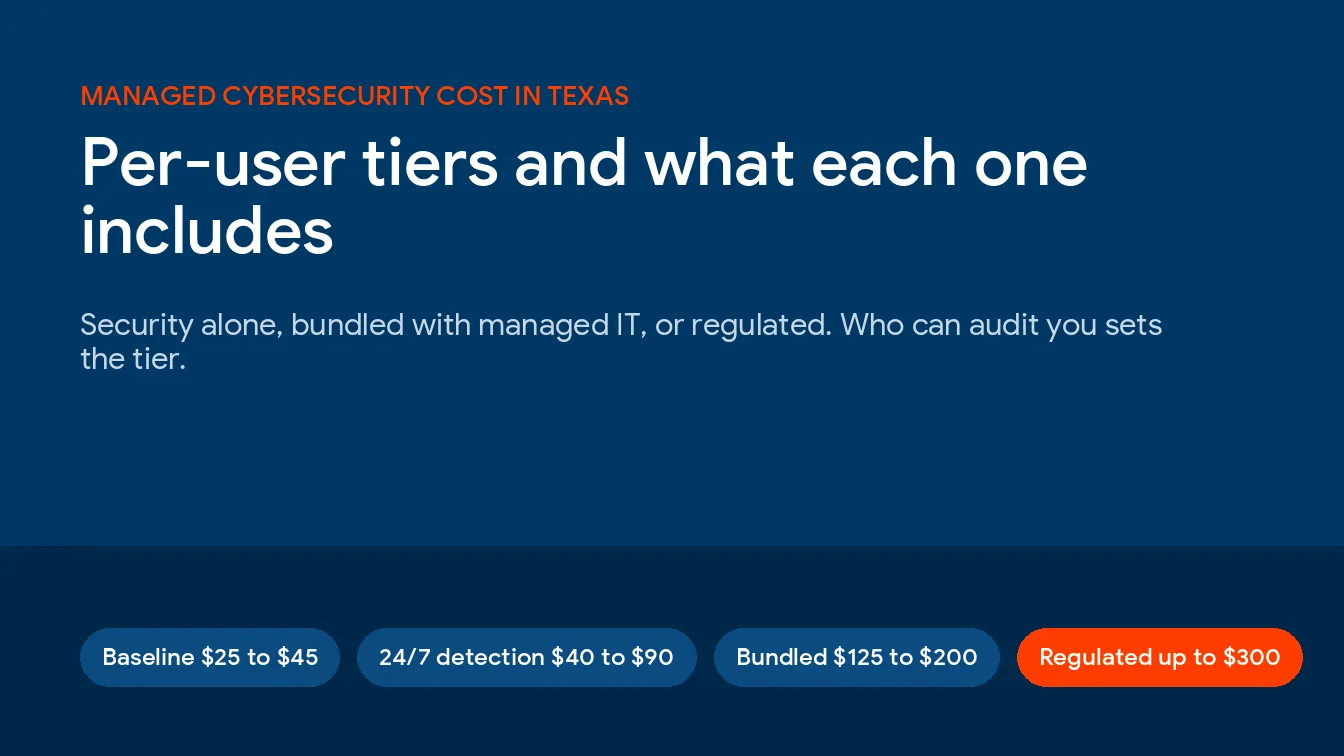
If the decision ends with ongoing support rather than a one-time project, our breakdown of managed IT pricing in Texas shows what that costs per user.
What Texas manufacturers ask about ERP cloud migration
Is cloud ERP cheaper than upgrading on-premises?
Sometimes, but not by default. Cloud ERP takes servers, database licenses, and backup hardware out of the plant and turns a large upgrade into a subscription. It also adds a second internet circuit and integration rework, and both routes carry Texas sales tax. Compare 5-year totals against a usage inventory, not list prices.
Does Texas charge sales tax on a cloud ERP subscription?
Texas taxes a cloud ERP subscription as a data processing service, with 20% of the charge exempt, so tax applies to 80% of the bill at a combined rate of up to 8.25%. That works out to at most 6.6% of the subscription. An on-premises license and the seller’s maintenance are taxed at the full rate instead. Confirm your local rate.
Can ITAR or CUI data live in a cloud ERP?
It can, if the hosting meets the rules for that data. Covered defense information needs a cloud provider that meets FedRAMP Moderate equivalent requirements under DFARS 252.204-7012. ITAR technical data needs hosting that keeps it away from foreign-person access and proscribed countries, or end-to-end encryption that meets 22 CFR 120.54(a)(5). Ask before the first demo.
What should manufacturers know about ERP and cybersecurity?
Treat the ERP as the plant’s most valuable target, because it holds customers, pricing, drawings, and supplier payment details in one place, and an attacker who reaches it can stop shipping as surely as one who reaches a machine controller. Require multifactor sign-in for every user and every vendor support account. Keep the database on a supported version. Don’t let machine connections open a path into the control network.
What happens to scanning and shipping if the plant loses internet?
With a hosted ERP, scanning and shipping stop unless there’s a backup path. A second circuit from another carrier, a cellular failover router, local label printing, and a paper procedure for receiving and shipping keep the dock moving until the link comes back.
Do Dynamics GP users have to move to the cloud by 2029?
No. Microsoft ends Dynamics GP product support on December 31, 2029 and security updates on April 30, 2031, but it doesn’t force a move to any particular platform. GP users can move to Dynamics 365 Business Central, choose another ERP, or stay on GP while support lasts. Start the usage inventory well before 2029 either way.
How early should a plant start an ERP evaluation?
A year ahead of the deadline driving the decision is a sensible minimum. Panorama’s 2026 ERP Report put the median project timeline at 9 months, and the evaluation has to finish before that clock starts. The usage inventory and integration mapping take the longest, because they depend on the same people who are running production, closing the month, and answering customer calls while the evaluation happens. Cutover works best inside a planned slowdown or maintenance shutdown.
Is your ERP vendor setting your budget? We’ll start where this engagement started, with an honest inventory of the features, workflows, integrations, and plant-floor connections your business uses. Call (866) 570-3065 or book an assessment.
Get an ERP Assessment