
A cybersecurity checklist for a Fort Worth small business should match its headcount under Texas SB 2610, with password rules and training under 20 employees, the 56 CIS IG1 safeguards at 20 to 99, and a full framework at 100 to 249.
I’m the CTO at Uprite, and the checklists I’m handed by Fort Worth owners tend to have the same problem. They were written for a company with an IT department, so a 9-person insurance agency on Camp Bowie gets the same 40 items as a 200-person plant in north Fort Worth, and nobody finishes it. If you want the service side of this rather than the do-it-yourself side, our page on cybersecurity services in Fort Worth covers what we run for clients. This post is the list I’d hand an owner who wants to do the work first, sized to the number of people on payroll, with the proof you should keep for each item.
Texas sorts small businesses into 3 cybersecurity tiers by headcount. In Tarrant County, 82.7% of the 47,656 business establishments the Census Bureau counted in 2023 had fewer than 20 employees, which is the tier where the law asks for password policies and employee training. Do the items for your tier, keep dated proof that each one was done, and you’ll be in a stronger spot with insurers, customers and a court.
What does Texas law expect from a small business’s cybersecurity?
Since September 1, 2025, a Texas business with fewer than 250 employees that holds sensitive personal information can’t be hit with exemplary damages after a breach if it had a qualifying cybersecurity program in place at the time. The program has to fit the company’s size, and the law spells out what that means at 3 headcount levels.
The law is Chapter 542 of the Texas Business and Commerce Code, added by SB 2610. It only blocks exemplary damages, which are the punitive part of a lawsuit. Actual damages are still on the table, and the law doesn’t create a new way to sue you either. I’d still treat it as the best free checklist a Texas legislature has ever written for small companies, because it tells you which framework fits your size.
| Employees | What SB 2610 asks for | Tarrant County establishments, 2023 | Share |
|---|---|---|---|
| Fewer than 20 | Simplified requirements, including password policies and employee training | 39,411 | 82.7% |
| 20 to 99 | Moderate requirements, including CIS Controls Implementation Group 1 | 6,891 | 14.5% |
| 100 to 249 | Full compliance with a recognized framework such as NIST CSF or ISO 27001 | 947 | 2.0% |
| 250 or more | Not covered by the safe harbor | 407 | 0.9% |
The establishment counts come from the Census Bureau’s County Business Patterns file for Tarrant County, the latest year available. One caution on reading them. The Census counts locations, and the law counts employees of the business entity, so a 6-branch dental group with 15 people at each office shows up as 6 small establishments even though the company has 90 employees. Count your whole company, including part-timers, before you pick a tier.
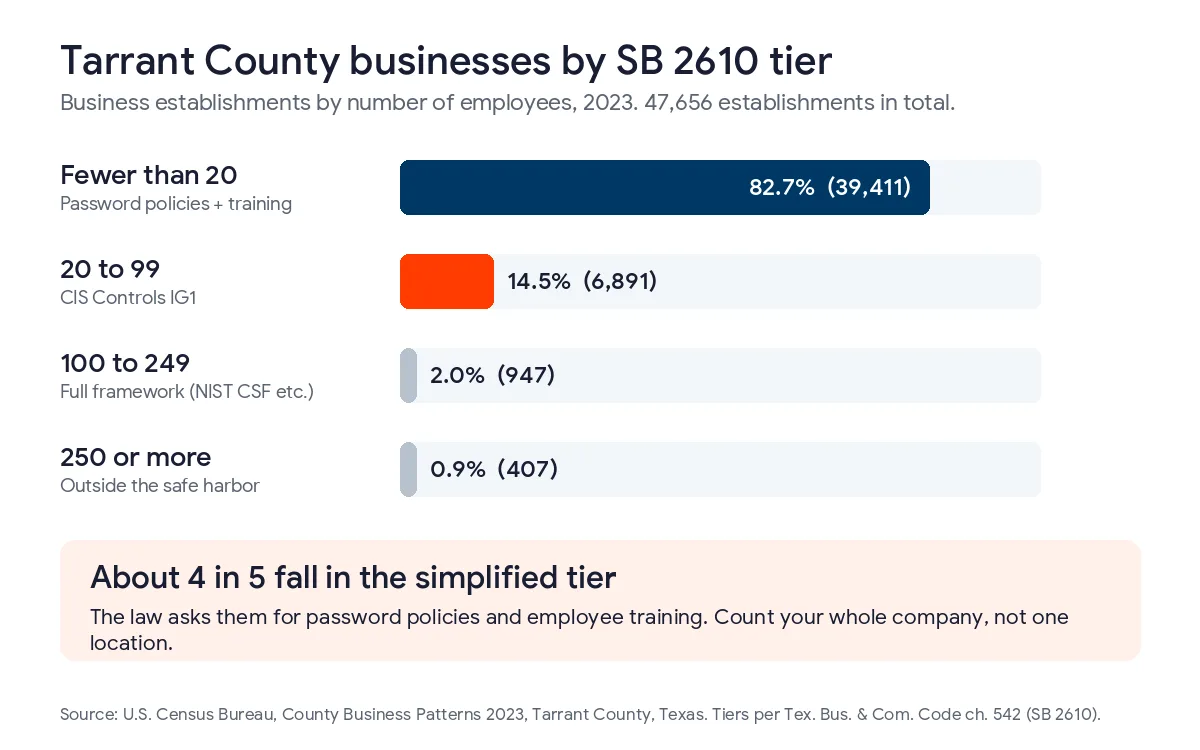
A little over half of Tarrant County’s establishments, 24,819 of them, had fewer than 5 employees. Those are the businesses I worry about least for complexity and most for follow-through, since nobody’s job title includes security.
The checklist for a business with fewer than 20 employees
If you’re in this group, the statute names password policies and training, and I’d add 5 more items because they’re cheap and they stop the attacks I see most in small offices. Each line is something one person can finish in an afternoon.
- Write a one-page password policy and give everyone a password manager. Follow NIST SP 800-63B-4, finalized in 2025, which sets 15 characters as the minimum for a password used on its own and drops forced resets every 90 days.
- Turn on multi-factor sign-in for email, banking, payroll and anything with admin rights. On Microsoft 365, security defaults do this for free and make every user register on their next sign-in.
- Run 1 hour of training a year, then send a short reminder whenever a new scam is going around. Make sure everyone knows who to tell when an email looks wrong.
- Set computers, phones and the firewall to update automatically, and replace anything the maker no longer patches.
- Back up company files to a copy that ransomware can’t reach, and test a restore once a quarter.
- Write down where Social Security numbers, driver’s license numbers and bank details live, then delete what you don’t need.
- Agree on a phone callback rule for any request to change payment details, so nobody wires money because of an email alone.
The callback rule isn’t in the statute. I added it because business email compromise cost victims $3 billion nationally in 2025, according to the FBI’s 2025 Internet Crime Report, and Texas filed 97,912 complaints, second to California. A 30-second phone call to a number you already have on file is the cheapest control on this page.
The training line deserves a number too. Fort Worth area private employers paid an average of $38.08 an hour in September 2026, according to preliminary BLS figures, so an hour of training for 15 people costs about $571 in wages. That’s the biggest line in this tier’s budget, and it’s still smaller than a single wire sent to the wrong account. If you want a sense of what fake invoices and login pages look like this year, our guide to phishing attacks in 2026 has current examples.
What changes once you have 20 employees?
At 20 employees the law points to the CIS Controls Implementation Group 1, a set of 56 safeguards the Center for Internet Security calls essential cyber hygiene. You’ll recognize the items from the previous list. What IG1 adds is inventory and routine.
The gap I find most often at this size is the inventory. A 40-person company in Haltom City usually can’t tell me how many laptops it owns, who still has a login after leaving, or which cloud apps people signed up for with a company card. IG1 starts there for a reason, since you can’t patch or back up a device you don’t know about. CIS offers a free hosted self-assessment tool called CSAT that walks you through each safeguard and keeps a record of your answers, which is handy when someone later asks what you’d done.
The other IG1 items that tend to be missing at 20 to 99 people are a written incident response plan, a review of vendor access, audit logging turned on in Microsoft 365, and a standard setup for new computers. None of them needs new software. They need somebody who owns them and a date on the calendar. If your company handles Defense Department work, IG1 won’t be enough, and our post on CMMC for Fort Worth aerospace suppliers explains what changes.
Is a 100-person company expected to do more?
Yes. From 100 to 249 employees, SB 2610 expects a full recognized framework, and for a company without a security team the practical starting point is the NIST Cybersecurity Framework 2.0.
NIST wrote a Small Business Quick-Start Guide for it, published as SP 1300, with one page for each of the framework’s 6 functions. The function I see skipped at this size is Govern, which means somebody senior signs off on the risks the company is accepting and reviews them each year. If you’re also covered by HIPAA or the Gramm-Leach-Bliley Act, the law says you have to meet those rules too, so a medical group or a lender in this tier has 2 sets of requirements to satisfy.
Which proof should you keep for each item?
Keep anything that shows the control was working on a specific date, because the safe harbor only applies if your program was in place when the breach happened. A checklist you finished in March doesn’t help much if you can’t show it was still running in October.
| Checklist item | Time to set up | Proof to keep | How often |
|---|---|---|---|
| Password policy and manager | Half a day | Signed policy, list of enrolled users | Each new hire, review yearly |
| Multi-factor sign-in | 1 to 2 hours | Admin center export showing every user registered | Quarterly |
| Employee training | 1 hour per person | Attendance sheet with dates and topics | Yearly, plus new hires |
| Automatic updates | 2 to 4 hours | Patch report or screenshot of update status per device | Monthly |
| Offline or immutable backup | Half a day | Restore test log with the file and date restored | Quarterly |
| Sensitive data map | 2 to 3 hours | A list of systems holding SSNs, license numbers and bank details | Yearly |
| Payment change callback rule | 30 minutes | Written rule, plus notes from each callback | Every request |
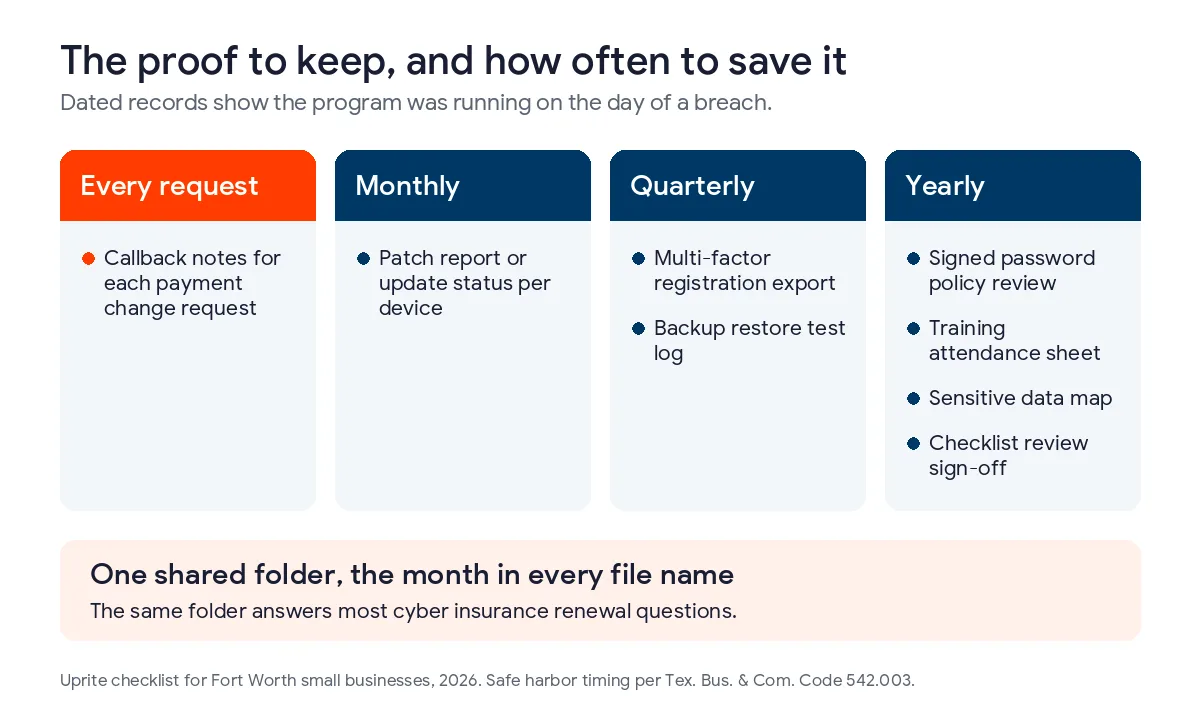
I’d keep all of it in one shared folder with the month in each file name. When an insurer sends a renewal questionnaire, most of the answers will be sitting in that folder already, and our cyber insurance renewal checklist for DFW businesses shows which items underwriters ask about. If you already pay an IT provider, the folder is also a good way to check their work, and our Houston checklist for what your provider should be doing applies to Fort Worth too. When it is time to bring in outside help, our list of the best cybersecurity companies in Fort Worth compares 8 local firms side by side.
What should you do if something gets through anyway?
Call your IT contact and your insurer before you touch the affected machines, then start the Texas notice clock in writing. Under Business and Commerce Code 521.053, you have 60 days from the date you determine a breach happened to notify affected people, and 30 days to notify the Texas Attorney General if 250 or more Texans were affected.
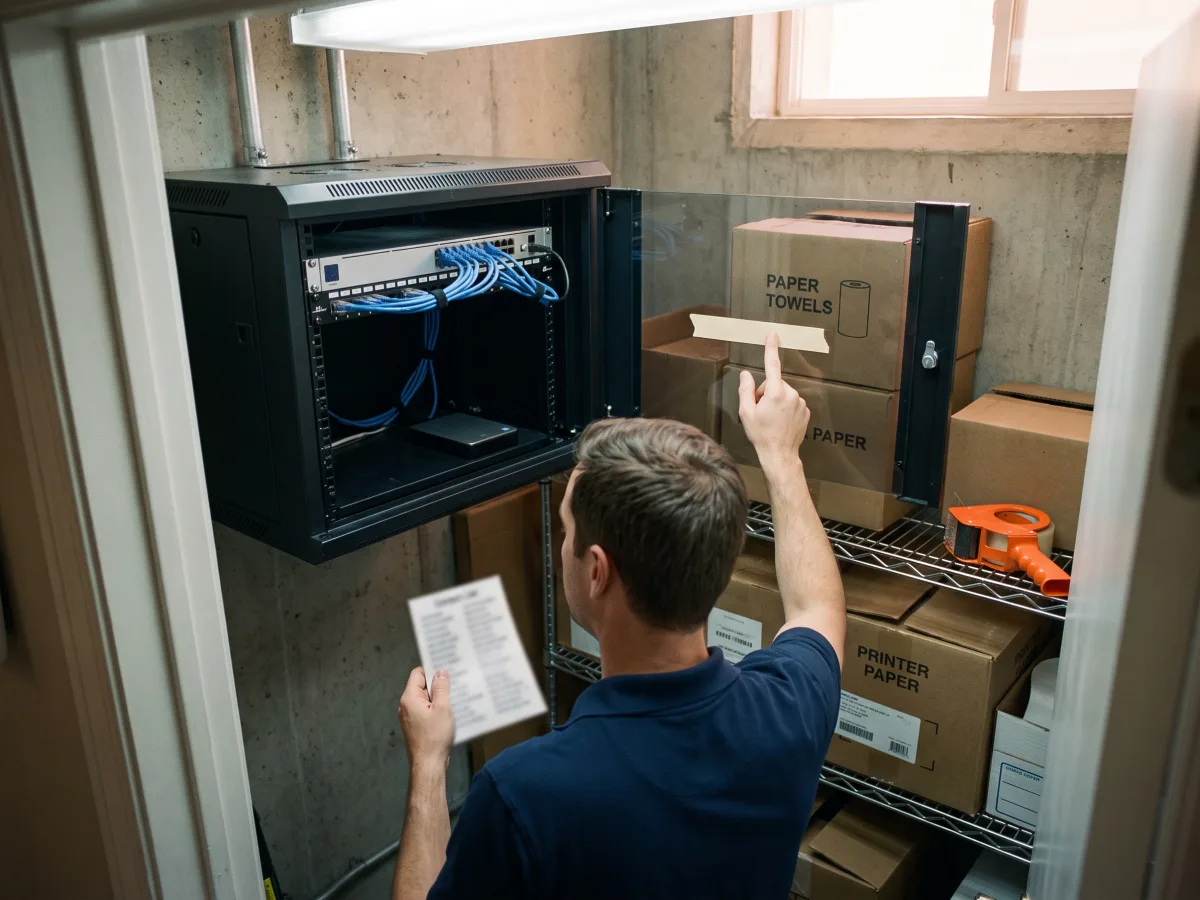
Those clocks run whether or not you’ve finished the investigation, which is why I put the contact list on the checklist itself. Print it. A ransomware attack that locks the file server also locks the document that says who to call. Our Texas data breach response plan has a template you can fill in.
An honest limit on all of this is that a checklist lowers your odds and improves your legal position, but it doesn’t make you safe. A 6-person office with Microsoft 365 security defaults, a password manager and tested backups can run this list without us, and I’d tell that owner so. Once you’re past 20 people, or you hold patient records, defense data or customer payment details, it’s worth having someone who does this every day check the work. We do that through managed security services in Fort Worth, from our Dallas office at 5757 Alpha Road, and our help desk answers in about 5 minutes on average.
What Fort Worth owners ask about a cybersecurity checklist
Does SB 2610 apply to a business with 12 employees?
It does, if the business owns or licenses computerized data that includes sensitive personal information about people. At 12 employees you’re in the simplified tier, so password policies and employee training are the core of what the law expects.
Can we run this checklist without an IT company?
Under 20 employees, yes. Everything in that tier can be done by an organized office manager with admin access to Microsoft 365 or Google Workspace and a free afternoon each month.
Are Microsoft 365 security defaults enough?
For a small office, they cover the multi-factor part well. They don’t back up your files, patch your laptops or train your staff, so they’re 1 line on the checklist, not the whole thing. Microsoft lists Defender for Business, its endpoint protection for small companies, at $3 per user per month as a standalone add-on.
How often should we redo the checklist?
Review it once a year and after any big change. A new office, a new accounting system or a layoff all change who has access to what, and the proof you keep should show the review happened.
Which of our records hold sensitive personal information?
Payroll and HR files almost always do, because Texas law covers a name kept alongside a Social Security number, a license number or a bank account and its password. Patient and health records count too, so a clinic’s charts are in scope.
Does following the checklist stop us from being sued?
No. SB 2610 only blocks exemplary damages, so a customer can still sue for actual losses. What a documented program changes is how a court and an insurer view your company after a breach.
Send us your headcount and the checklist items you’ve already done. We’ll tell you which SB 2610 tier you fall in and which 3 items to do next, at no charge.
Check My Cybersecurity TierPrefer the phone or email? Both are on our contact page.