A Fort Worth business gets real ransomware protection from 7 layers, and each layer blocks a step Medusa and similar gangs take, starting with unpatched internet-facing systems and ending with deleted backups and leaked data.
I’m Uprite’s CTO. In a normal week I spend part of a day inside a client’s firewall rules or backup console, usually at a company of 15 to 150 people somewhere between Dallas and Weatherford. After a local attack makes the news, Fort Worth owners call and ask what they should actually have in place. I don’t answer with a shopping list. I walk them through how the attackers work, step by step, and then show which control stops which step. Our page on cybersecurity services in Fort Worth lists what we deploy and manage. This post explains why each piece is on that list, using a gang that has already worked in Tarrant County.
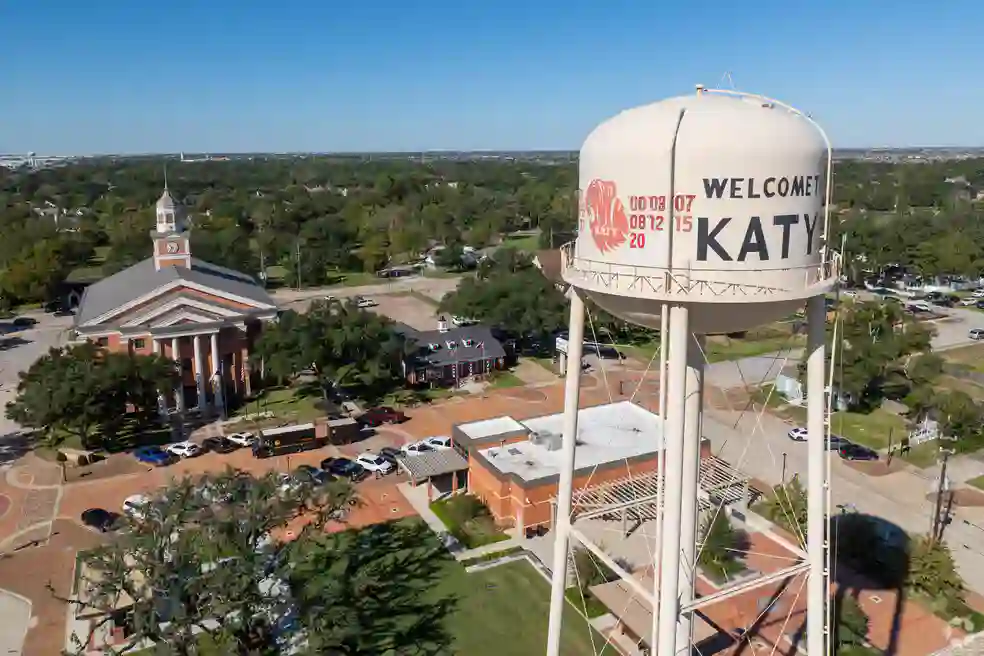
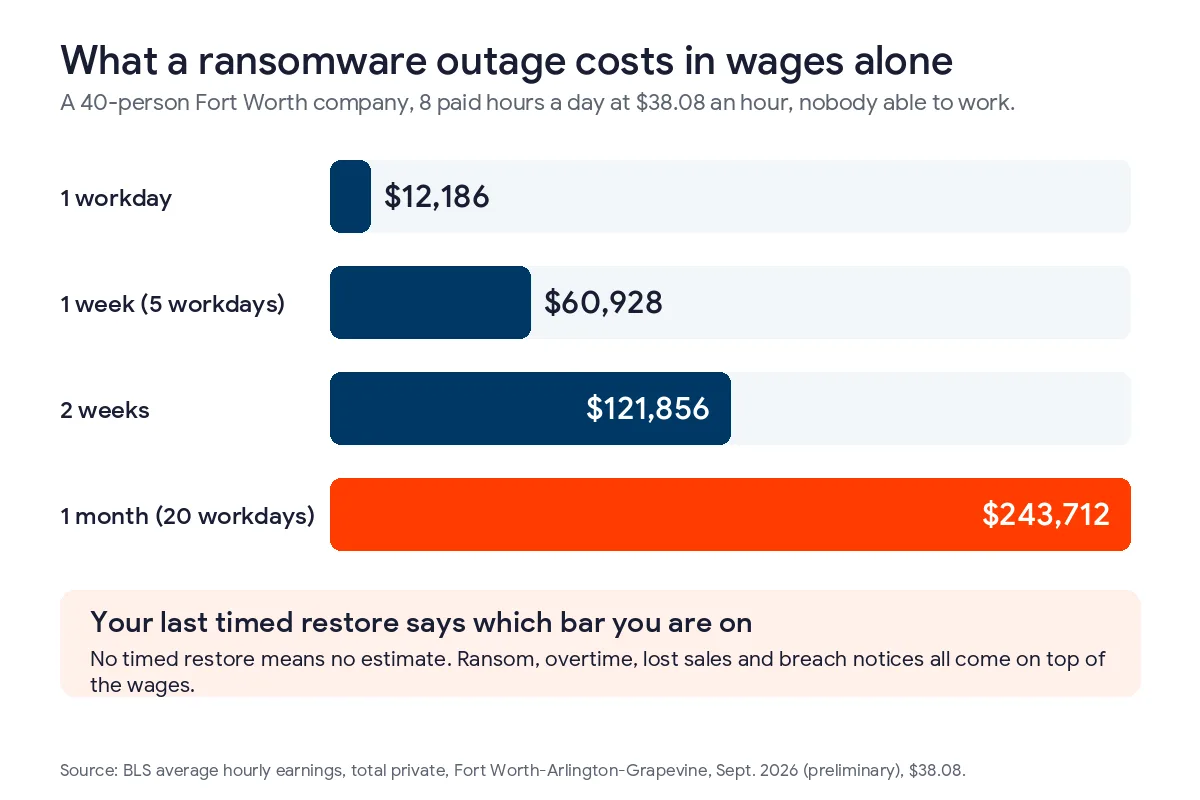
Ransomware is a local problem in Fort Worth. The Tarrant Appraisal District was hit by the Medusa gang in March 2024, refused a $700,000 demand and still had taxpayer data posted online. CISA’s advisory on Medusa lists how the group gets in, moves around and stops recovery. The 7 layers here match those steps. A 40-person Fort Worth company that loses a full week to an attack pays about $60,928 in wages for work that can’t get done.
What does ransomware protection mean for a Fort Worth business?
Ransomware protection is everything that stops an attacker from getting in, spreading, locking your files and stealing data to extort you, along with the backups and plans that let you recover without paying. At a Fort Worth company with a few dozen people, that usually comes down to patching, account security, monitoring, network zones, backups and a written plan.
Owners sometimes expect one product to cover it. I understand why, since antivirus was sold that way for 20 years. But the gangs active in 2026 mostly log in with stolen passwords and then use Windows’ own admin tools, which antivirus was never built to question. NIST’s ransomware profile, IR 8374 Revision 1, was updated for the Cybersecurity Framework 2.0 in June 2026, and it spreads ransomware defense across governance, protection, detection, response and recovery for the same reason.
What happened at the Tarrant Appraisal District in 2024?
On March 21, 2024, the Tarrant Appraisal District reported a network disruption that left its systems and data out of reach. Medusa later claimed the attack. Officials told an emergency board meeting the gang wanted $700,000, and the district said it would not pay.
Refusing didn’t end it. In April, the district confirmed that sensitive data for fewer than 300 property owners had been posted on Medusa’s leak site, and it mailed notices and offered credit monitoring to the people affected. The appraisal protest deadline was pushed to May 24 because the online systems weren’t fully back. You can read TAD’s statement on the network disruption for the district’s own account.
I bring this case up with Fort Worth clients because it shows the 2 ways a modern attack hurts you. The first is downtime. The second is the data that leaves before anything gets encrypted. Good backups fix the first problem and do nothing about the second. That’s why a plan built only around backups isn’t enough anymore.
How does a Medusa-style attack move through a network?
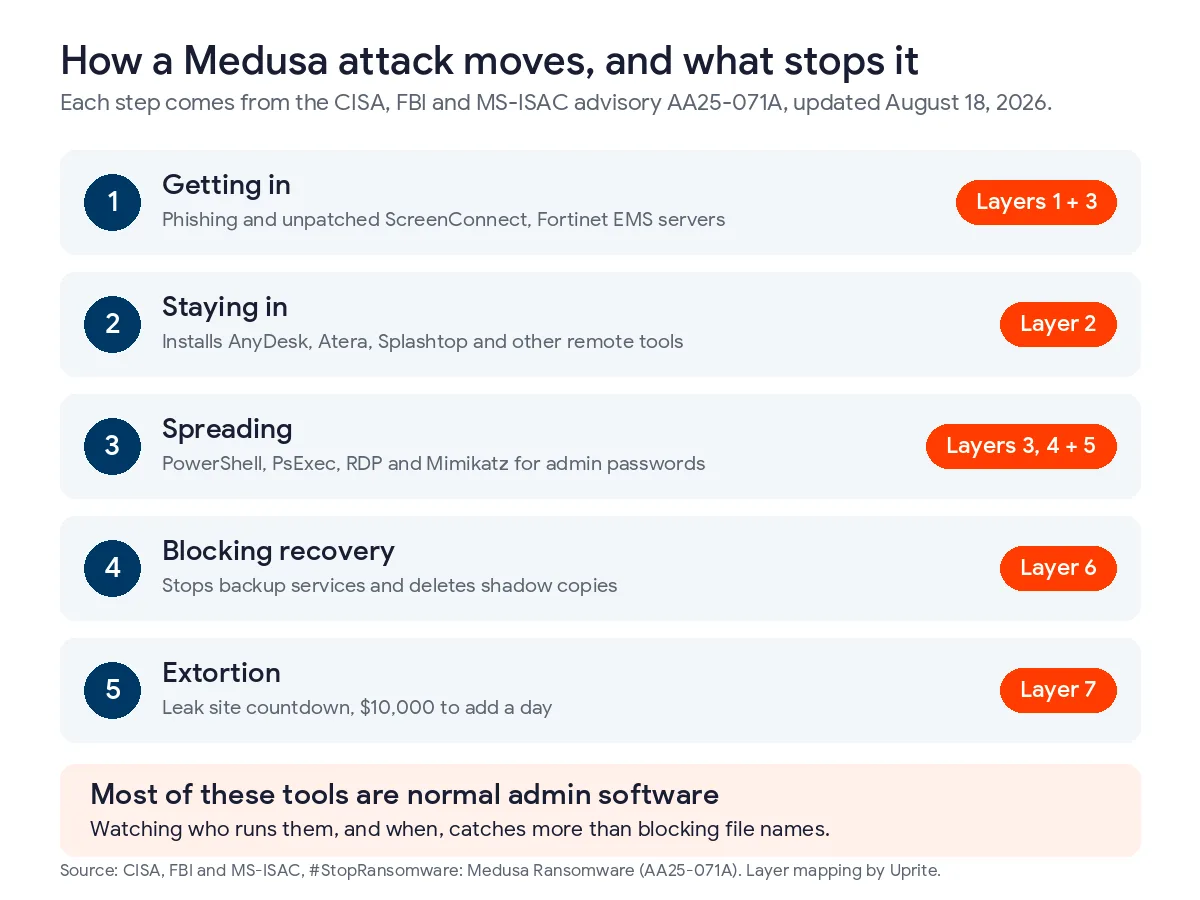
CISA, the FBI and MS-ISAC published a joint advisory on Medusa in March 2025 and updated it on August 18, 2026. By April 2026, the group had hit more than 500 victims in medical, education, legal, insurance, technology and manufacturing. The #StopRansomware advisory on Medusa describes each step in detail, and the table below sums it up.
| Attack step | What CISA says Medusa does | Layer that breaks it |
|---|---|---|
| Getting in | Phishing for passwords and exploiting unpatched software such as ScreenConnect and Fortinet EMS | Layers 1 and 3 |
| Staying in | Installing remote access tools like AnyDesk, Atera, ConnectWise, Splashtop and SimpleHelp | Layer 2 |
| Spreading | Using PowerShell, PsExec, RDP and Mimikatz to collect admin passwords and reach more machines | Layers 3, 4 and 5 |
| Blocking recovery | Stopping backup services and deleting shadow copies before encrypting files | Layer 6 |
| Extortion | Posting victims on a leak site with a countdown, and charging $10,000 to add a day | Layer 7 |
Read the tool names in that table again and you’ll recognize most of them. Your own IT person has probably used PowerShell this month. PDQ Deploy is how a lot of small IT shops push patches. When an attacker runs those tools, the activity looks a lot like a normal Tuesday, so I put more weight on who is running a tool and when than on the tool’s name.
What are the 7 layers of ransomware protection, in the order I’d build them?
I’ve numbered them in the order I’d fund them for a Fort Worth company with 10 to 200 employees. Each one lines up with a row in the table above. If a company skips one, the attacker gets that step for free.
1. Close the internet-facing doors
CISA’s advisory names 2 main ways Medusa gets in. One is phishing. The other is software that sits on the internet and hasn’t been patched, and the advisory names 4 products it used that way. They were ScreenConnect, Fortinet EMS, Fortra GoAnywhere and BeyondTrust. A company puts every one of those online on purpose, usually so someone can work from home or a vendor can get in.
So my first step at a new client is to list everything the firewall exposes and check each item against CISA’s catalog of known exploited vulnerabilities. If an item is on that catalog, somebody has already used the flaw in a real attack, and it gets patched this week. Remote desktop gets its own rule. CISA’s #StopRansomware Guide says not to expose services like RDP on the web, and when we find it open on a client’s address, we move it behind a VPN with MFA the same day.
2. Control which remote access tools can run
Of the 7, this is the layer I most often find missing in Fort Worth. After Medusa gets in, it installs ordinary remote support software, the same kind a help desk uses, so it can come back later. Antivirus lets that software run because it’s signed by a real vendor and installed on millions of computers.
We handle it with a short approved list. The business picks 1 remote support tool, we tie it to named accounts and policy blocks every other one from installing. I should be honest that MSPs, us included, rely on tools from that same category every day. The software isn’t the problem. A second copy of it that showed up on a Tuesday night, installed by someone nobody can name, is the problem.
3. Make stolen passwords useless
Medusa phishes for passwords to get in, and once it’s inside, it pulls more passwords out of memory with Mimikatz. A strong password doesn’t help much against either one. CISA’s Medusa guidance asks for phishing-resistant MFA on every service where that’s possible.
For our clients that turns into 3 changes. Anyone with admin rights signs in with a passkey or a hardware key, because a code sent by text can be phished like a password. Admin work happens in a separate account that never opens email or a browser. And our help desk won’t reset a password or an MFA method until we’ve called the employee back at a number we already had on file. The callback costs nothing. It also shuts the door on the phone trick several gangs have used to talk their way past MFA.
4. Watch for attacker behavior around the clock
Attackers like to start encrypting late on a Friday or over a holiday weekend, when nobody is reading alerts. Endpoint detection and response, or EDR, records what each computer is doing, and a security operations center reviews that activity all night and isolates a machine when something is off.
Here’s the kind of thing that wakes up an analyst. Someone creates an admin account at 1 a.m. and there’s no ticket for it. PowerShell starts scanning the network from the receptionist’s PC. PsExec touches 40 machines in 2 minutes, or a remote tool that isn’t on the approved list starts up. CISA’s Medusa guidance specifically asks companies to look for new or unrecognized accounts. Our page on managed security services in Fort Worth explains how we staff that overnight watch.
5. Segment the network so one PC can’t reach everything
Many small offices still run a flat network, where every computer can reach every server. It’s easy to manage. It’s also how one infected laptop ends up encrypting the file server and the ERP system in the same night.
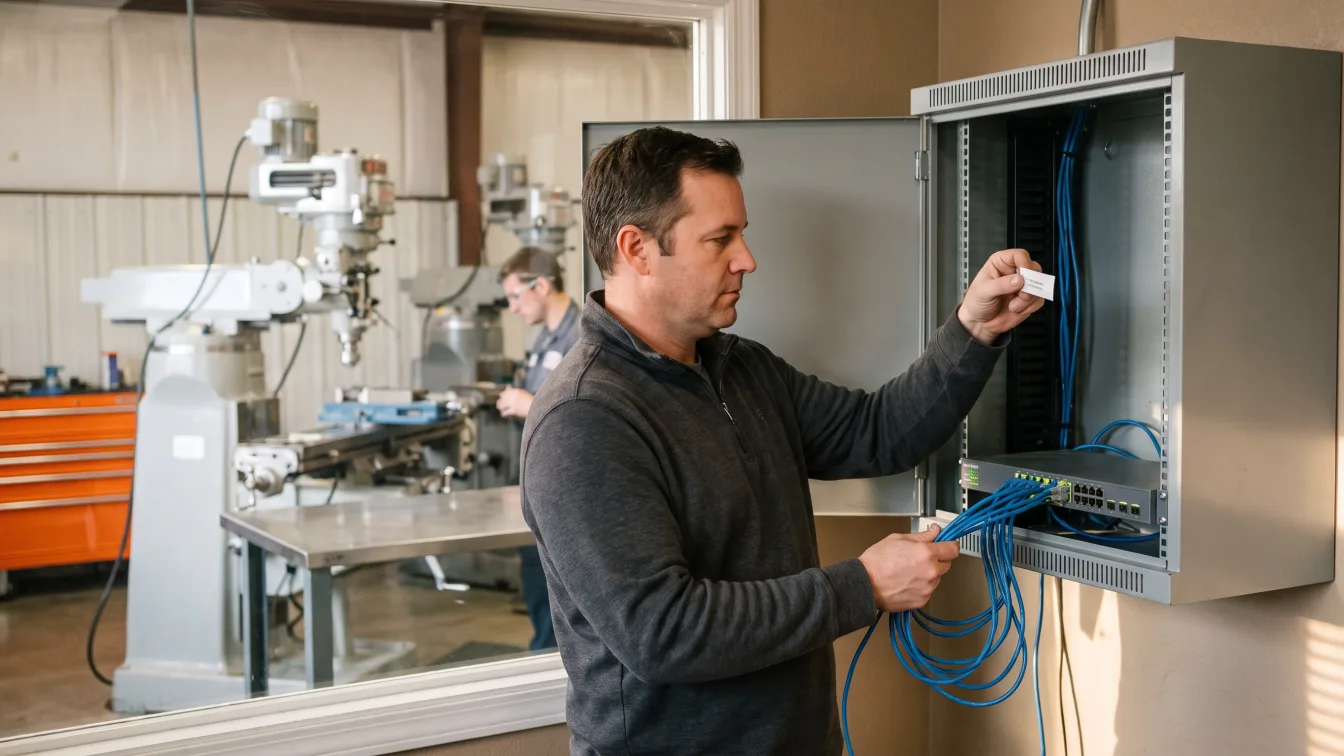
This matters a lot in Fort Worth because so many companies here make things. A machine shop near Alliance or a parts supplier to the area’s aerospace plants often has its production equipment on the same network as the front office. I’d separate the plant floor, the servers, the backups and the guest Wi-Fi into their own zones and allow only the traffic each zone needs. Workstations shouldn’t be able to open RDP or file shares on each other. CISA’s advice to disable unused ports fits here as well.
6. Keep backups an attacker can’t delete
Before Medusa’s encryptor locks anything, it stops backup services and deletes Windows shadow copies. If your backups sit on the same network and use the same admin password, they usually go down with everything else. CISA’s Medusa guidance asks for offline backups that are encrypted and immutable, which means nobody can change or delete them until a set period runs out.
We also time a restore every quarter. A backup job that says it succeeded only proves a file got written. Restoring your most important server and timing it tells you how many days you’d actually be down. That number matters in Fort Worth. The BLS series for Fort Worth-Arlington-Grapevine put average private-sector pay at $38.08 an hour in September 2026, a preliminary figure, so a 40-person company pays about $12,186 in wages for every workday it can’t work. Our disaster recovery in Fort Worth service is built around that restore test.
7. Write down the plan for the extortion week
Medusa gives a victim 48 hours to make contact, and the hardest calls of the whole attack land in that window. I’d make them before anything happens. Who is allowed to talk to the attackers? Is paying ever on the table? Who calls the insurance carrier, and who calls outside counsel?
Texas law adds deadlines of its own. Under Texas Business and Commerce Code Section 521.053, you have to notify affected people within 60 days of determining a breach happened. If 250 or more Texans are affected, the Attorney General has to hear from you within 30 days. CISA’s guide asks for an incident response plan that gets practiced, and I’d put 2 more items on its first page. One is the FBI’s IC3 reporting site. The other is the claims number for your cyber insurance carrier, because many policies want that call before you hire anyone. Our guide to ransomware recovery in Texas goes through the first 72 hours in more detail.
Why isn’t security awareness training one of the 7 layers?
We do run phishing training for clients, and it helps. I left it off this list because trained people still click sometimes, and the 7 layers are there to hold up when they do.
Go back to Medusa’s ways in. Several of them were unpatched servers that no employee could have protected, however good their training was. Training cuts down the number of bad clicks. MFA, monitoring and network zones decide what a bad click costs you. If there’s room in the budget for 1 more thing this quarter, I’d spend it on layers 1 through 3 before buying a new training platform.
How do the 7 layers line up with Texas SB 2610?
SB 2610 took effect on September 1, 2025. It added Chapter 542 of the Business and Commerce Code. Under that chapter, a Texas business with fewer than 250 employees can’t be ordered to pay exemplary damages in a breach lawsuit if it had a qualifying cybersecurity program running when the breach happened.
What qualifies depends on how many people you employ. The 7 layers cover most of each tier, and the rest is mostly paperwork. Our Texas SB 2610 compliance guide explains the tiers in full.
| Employees | What Chapter 542 asks for | Where the 7 layers help |
|---|---|---|
| Fewer than 20 | Password policies and employee training, inside a program that follows a recognized framework | Layer 3 covers passwords. Add training and write it all down |
| 20 to 99 | The CIS Controls Implementation Group 1 safeguards | Layers 1 through 6 map to most IG1 safeguards |
| 100 to 249 | Full conformance with a framework such as NIST CSF, ISO 27001 or HITRUST CSF | All 7 layers, plus the policies and evidence an assessor expects |
Keep in mind that the safe harbor only removes exemplary damages. Someone can still sue you for actual losses, so the law doesn’t replace insurance or a recovery plan. What it does is reward companies that can prove their controls were running. A cyber insurance readiness review in Dallas-Fort Worth gathers a lot of the same proof, so we usually do the 2 together.
Where does Uprite fit, and what should a small Fort Worth office do first?
Since we sell this service in Fort Worth, my advice here comes with a bias, and you should know that.
Our DFW office is at 5757 Alpha Rd in Dallas, about 35 miles from downtown Fort Worth. Nearly all security work happens remotely, and our engineers drive out to clients across Tarrant and Parker counties when something needs hands on site. Our first response on live tickets averages about 5 minutes, and the monitoring runs 24/7. New clients also get a 120-day guarantee. If you’re not satisfied within 120 days, you can leave the contract.

Not every business needs all 7 layers at full strength on day 1. Take an 8-person accounting office in the Cultural District with everything in Microsoft 365 and no servers. I’d start that office on layers 3 and 6, meaning passkeys on every account and a copy of its Microsoft 365 data kept outside Microsoft’s own systems, then write the plan. A 120-person manufacturer near Alliance with plant equipment, an ERP server and a VPN needs all 7, starting with the edge and the remote tools. For a view from the other side of the metroplex, our post on ransomware protection in Dallas walks through how the City of Dallas attack unfolded.
Questions Fort Worth owners ask about ransomware protection
Should a Fort Worth business ever pay a ransom?
The FBI and CISA advise against paying, and the Tarrant Appraisal District case shows one reason. Paying doesn’t guarantee the stolen data gets deleted. If paying ever comes up, make the call with your lawyer and your insurer, and check federal sanctions rules before any money moves.
Is cyber insurance enough protection?
No. Insurance pays for part of the damage after an attack, and it doesn’t stop one. Most carriers now ask about MFA, EDR and backups before they quote, so the layers in this plan often decide whether you can get coverage at all.
Do we have to report a ransomware attack in Texas?
If personal information was exposed, yes. Texas law gives you 60 days to notify affected people, and you have to tell the Attorney General within 30 days if 250 or more Texans are involved. Reporting to the FBI is voluntary, and we recommend doing it.
How often should we test a backup restore?
Every quarter for your most important systems, and after any big change such as a new server or a move to the cloud. Time the restore from start to finish, because that number tells you how many days of payroll an attack would cost.
Will antivirus stop a gang like Medusa?
Usually not by itself. Medusa uses PowerShell, PsExec and real remote access products, and antivirus is built to trust that kind of software. You need EDR and someone reviewing its alerts at night, because that’s when most encryption starts.
Does a 10-person office need all 7 layers?
It needs a version of each one, but some are small. With no servers on site, segmentation might just mean a separate guest network. MFA, a backup outside Microsoft 365 and a 1-page response plan matter at any size.
Tell us your headcount, what runs on site and how you back it up today. We’ll show you which of the 7 layers your Fort Worth business already has and which ones are missing. Replies usually come back within about 5 minutes.
Check My Ransomware GapsPrefer the phone or email? Both are on our contact page.