Managed Detection and Response in San Antonio, TX
Managed detection and response in San Antonio means a security team watches your devices, sign-ins, and email 24/7 and shuts down confirmed attacks. Uprite runs it from $40 per user per month. It sits under our managed IT services in San Antonio and next to our cybersecurity services in San Antonio, and the statewide program is our managed cybersecurity services in Texas.
Ten of 21 San Antonio breach filers caught it within a day. Seven needed more than 90. MDR is how you land in the first group.
Talk to a Security ExpertFree and no pressure. Tell us what you run and who looks at alerts after hours, and we’ll say plainly whether MDR makes sense for you.In Texas Since 1999 | MSP 501 Winner 7 Years Running | SOC 2 Type 1 (2023) | 120-Day Satisfaction Guarantee
Talk to a Security Expert
Recognized Across Texas for Cybersecurity and Managed IT









Why San Antonio Companies Ask About MDR
San Antonio Breaches Split Into Two Groups: Caught Fast or Caught Late
Most breaches don’t start with a loud crash.
Take a 60-person home health agency off Medical Drive. On a Friday at 9:15 p.m., someone logs in to the VPN with an account that belonged to a billing contractor who left in August. By 10:30 the same account is browsing the file server where patient intake forms live. The firewall recorded the connection, and the server logged every folder that was opened. Nobody read either record until Monday’s payroll run failed. The NIST Cybersecurity Framework 2.0 names Detect as one of its six functions because of gaps like that one.
We checked how this plays out locally, using public filings.
A business that loses data on 250 or more Texans has to report it to the Attorney General, and the office lists every report on its data security breach page. We downloaded that list on November 25, 2026 and kept the filers with a San Antonio-area address. There were 23 in the past 12 months, covering 322,745 Texans, and 15 of the reports involved Social Security numbers. Eighteen of the filers were in San Antonio proper, two in Floresville, and one each in Windcrest, Converse, and New Braunfels.
The reports also give a start date and a discovery date, and 21 filers listed both. The results split hard. Ten organizations caught the breach the same day or the next, while seven needed more than 90 days and one went past a full year. The median was 26 days, but almost nobody sat near it, because a company either had someone watching or didn’t.
Size didn’t protect anyone. Nine filers were medical providers and six were retailers, and 14 of the 23 reported fewer than 5,000 affected Texans. A physical therapy group in Stone Oak, a title office near The Pearl, and a parts distributor on the East Side all hold records that sell.
Our San Antonio team already handles managed IT services in San Antonio from 11831 Radium Street, so for existing clients MDR is added on top of the patching, backups, and access rules we run now. It helps that we already know which devices belong on the network.
Coverage
What Does MDR in San Antonio Actually Monitor?
Monitoring only works on what’s connected.
We connect the six data sources shown in the cards below. An attacker who moves through a system that was never connected leaves nothing for an analyst to see.
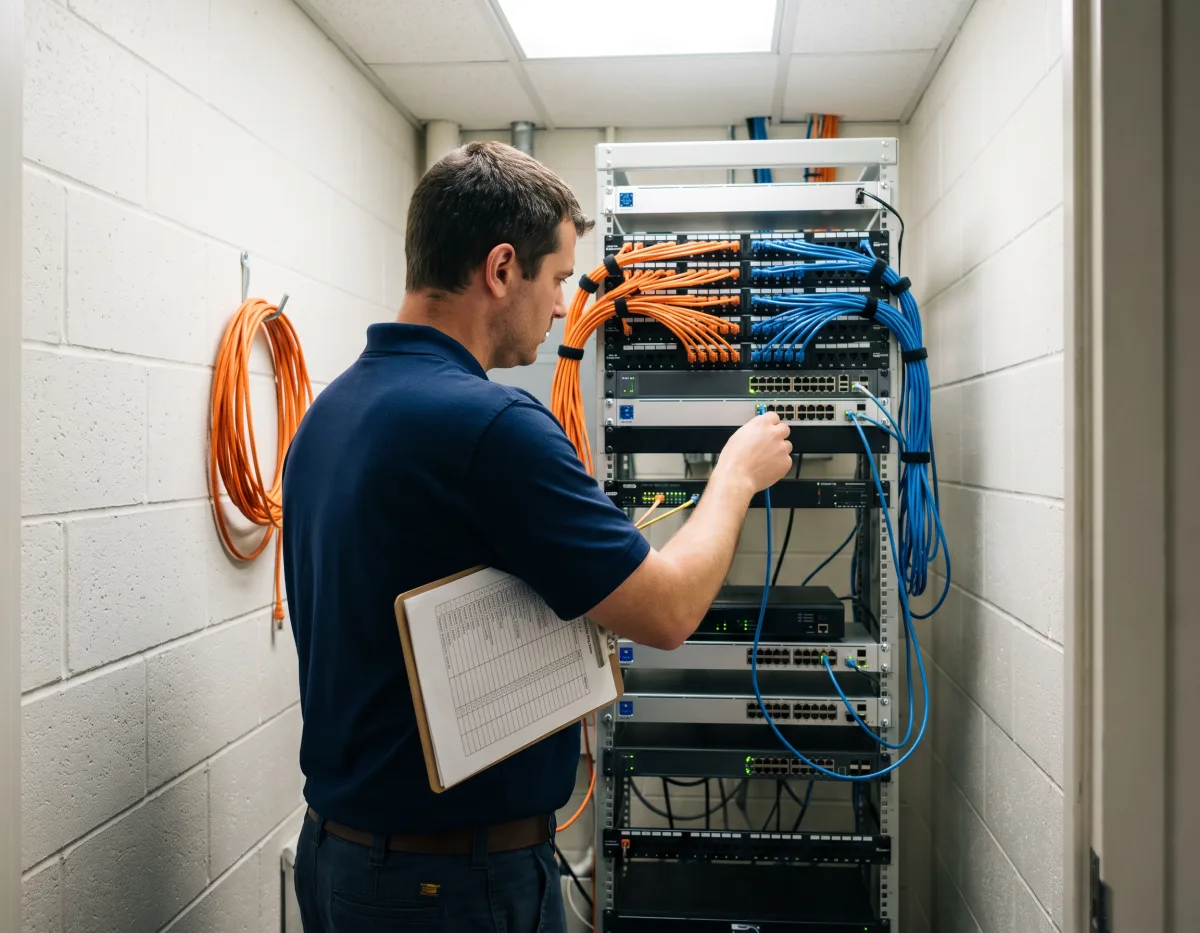
Laptops and servers carry the most weight. An EDR agent records each program that starts, what it opens, and where it connects. A spreadsheet macro that launches PowerShell, or a process that encrypts 300 files on a shared drive in under a minute, shows up in that record within seconds, and ransomware usually looks like the second one.
Sign-in records are next. A staff member in Schertz who suddenly signs in from Brazil, an admin account used at 4 a.m. on a Sunday, or a burst of failed passwords followed by one that works all deserve a look. CISA’s #StopRansomware Guide recommends logging sign-in attempts and watching them for brute force and password spraying, which is the same habit applied every night.
Email, firewall traffic, and cloud file activity finish the set. A phished password usually shows up in two of those places at once, a strange sign-in and a new forwarding rule, so the analyst reads them side by side.
Whoever you hire, ask for their source list on paper. It should name each source, how long logs are kept, and who gets told when a source stops sending data.
Ask who on their staff can open your files, too. We’d put that question near the top of the questions to ask an MDR provider in San Antonio, whether the quote comes from an IT company or a security firm.
Six Sources We Connect Before Day One
Endpoints
Every laptop and server runs an EDR agent whose record a person actually reads.
Identity
Logins from new countries, odd hours, new devices, and repeated failures.
Mailboxes
Phishing that slipped past filters and forwarding rules your staff never set up.
Network
A badge reader or camera that starts sending data overseas.
Cloud Files
OneDrive and SharePoint links opened to personal email addresses.
Firewall Events
Allowed and blocked traffic checked against current threat intelligence feeds.
The machine we find missing most often is an aging server. Microsoft stopped supporting Windows Server 2012 in October 2023, yet we still walk into San Antonio offices where one runs the accounting database. Forgotten VPN logins from former contractors come a close second. A free network assessment finds both before any monitoring is switched on.
Rules and Contracts
Which Rules Push San Antonio Companies Toward MDR?
Fifteen of the 23 San Antonio-area breach reports this year exposed Social Security numbers. The push toward 24/7 monitoring usually arrives on paper, though, through a federal rule, a customer questionnaire, or a cyber insurance renewal. Our managed security services in San Antonio handle the wider program.
The FTC Safeguards Rule spells it out. 16 CFR 314.4(d)(2) tells covered businesses to run continuous monitoring, and those without it must get an annual penetration test plus vulnerability assessments at least every six months. If you’re weighing that second path, our piece on penetration tests vs vulnerability scans in San Antonio walks through it. Lenders, tax preparers, and dealerships that arrange car loans are covered, and the 2023 County Business Patterns count 3,292 finance and insurance establishments in the San Antonio-New Braunfels metro.
HIPAA works through records. 45 CFR 164.312(b) requires systems holding electronic patient data to record activity and requires someone to examine those records. MDR isn’t named anywhere, and neither is a 24-hour schedule. Our HIPAA cybersecurity services in San Antonio cover the rest of that rule.
Most questionnaires start from NIST.
CSF 2.0 lists Detect as a core function, and NIST SP 800-61 Revision 3, published April 2025, ties incident response to that framework. Private companies aren’t required to follow either document. Defense suppliers around Port San Antonio and Joint Base San Antonio feel the pull hardest, since prime contractors ask about monitoring in CMMC compliance in San Antonio reviews, and our vCISO services in San Antonio can own that paperwork.
FTC Safeguards Rule
Monitor continuously, or test once a year and scan every six months.
HIPAA Audit Controls
Patient data systems keep activity logs, and a person reviews them.
NIST CSF 2.0 Detect
Where most vendor questionnaires copy their monitoring questions from.
Insurers and Customers
No law, just a form asking who answers alerts after hours.
When Something Fires
What Happens After an MDR Alert Fires?
An example from a fictional New Braunfels manufacturer shows the order of work.
Ten of the 21 San Antonio-area filers that listed both dates found their breach within a day. Getting a company into that group is the whole job. Suppose a server at a 50-person New Braunfels plant starts renaming files on the shared drive at 11:40 p.m. on a Thursday. Someone on shift has to confirm it, find which accounts and folders it touched, and decide whether to pull that server off the network before the night crew clocks in.
Every case moves through the six stages below, always in this order.

From Alert to Closed Case
Detect
Endpoint, sign-in, mail, firewall, and cloud file data land in a single queue for 24/7 threat monitoring, with an analyst on it every hour of the year.
Triage
The analyst compares the account, the device, and the activity with that user’s normal pattern and rules out routine jobs such as a scheduled backup.
Contain
A confirmed threat gets the device isolated or the account disabled, and each step is logged with the time it happened.
Investigate
We trace how it got in, for example a malicious invoice attachment or a reused password, and list every file and account it reached.
Report
You receive a dated written summary, the same record an insurer or a Safeguards Rule examiner asks to see.
Review
At the next quarterly review we close the gap, maybe by blocking macro files or adding multi-factor sign-in to one more system.
Does Uprite run the entire incident?
Only part of it. We contain confirmed threats and document what we did. Under Texas law a business has 60 days after it determines a breach happened to notify affected residents, and 30 days to notify the Attorney General when 250 or more Texans are involved. From that point the work turns into an incident response engagement, scoped and priced on its own.
We stop the damage first and write it up second.
Compare the Options
MDR vs EDR, SIEM, MSSP, and an In-House SOC
Vendors mix these five labels up all the time.
Costs range from $40 per user per month on our plan to about $629,150 a year in wages for a staff of your own.
EDR is software installed on each device that records activity and blocks known bad behavior. A SIEM collects logs from your firewall, servers, and Microsoft 365 into one searchable store. MDR is people, the analysts who read what EDR and the SIEM report and step in when a threat is real. An MSSP handles the whole security program, firewall management and compliance reporting included. Building an in-house SOC means hiring five of the 1,350 information security analysts BLS counts in the San Antonio-New Braunfels metro.
What Each Option Leaves Uncovered
| Option | What it does | Who watches, and what it costs |
|---|---|---|
| EDR software | An agent on each laptop and server that logs activity and blocks behavior it already recognizes | No one, until somebody is assigned to its console |
| SIEM | One searchable store for firewall, server, and Microsoft 365 logs | Whoever writes and runs the searches |
| MDR | A staffed team that verifies threats, then isolates devices or disables accounts | Analysts on shift at midnight, on Sundays, and on holidays |
| MSSP | The full program: firewall management, SIEM, threat intelligence, scanning, and compliance reports | Uprite, starting at $40 per user per month on MSSP Security Focus |
| In-house SOC | Security employees of your own covering every shift | Roughly $629,150 a year in wages for five San Antonio-New Braunfels analysts |
EDR alone logs an attack and blocks the patterns it recognizes. Something new that begins at 6 p.m. before a Fiesta weekend or a long holiday can keep running for three days before anyone opens the console.
MDR supplies the person on the other end of the alert, and that’s the real difference when you compare MDR vs EDR in San Antonio.
A SIEM stores logs and answers questions. It won’t ask any by itself.
An in-house SOC suits a hospital system or a large bank. For an 80-person company, five analysts at the $125,830 BLS mean wage work out to roughly $7,865 per employee each year, compared with $480 per user per year on our plan.
Our order of operations is EDR on every device, then people watching it, then extra tools. The mistake we run into most is a company paying for a SIEM license that nobody has been assigned to read.
That’s why our first question is always who’s watching right now.
The Numbers
MDR in San Antonio by the Numbers
Sources are the BLS, the Texas Attorney General’s breach list, Census business counts, and federal rules, plus our published rates and our own arithmetic.
1,350
information security analysts work in the San Antonio-New Braunfels metro, per BLS data for May 2025.
$125,830
is their mean annual wage, before benefits, training, or tools.
10 of 21
San Antonio-area breach filers found the intrusion within a day. Seven took more than 90 days.
23
San Antonio-area organizations reported a breach to the Texas AG in the 12 months to November 2026.
$40
per user per month is where our security monitoring with a staffed 24/7 SOC starts.
| Metric | Data Point | Source |
|---|---|---|
| Hours in a week, against one analyst’s shift | 168, against about 40 | Our arithmetic |
| Analysts needed to staff every hour | 4.2 at minimum, 5 with vacation and sick days | Our estimate from the row above |
| Information security analysts, San Antonio-New Braunfels | 1,350 employed | BLS OEWS, May 2025 |
| Mean and median annual wage for those analysts | $125,830 mean ($60.49 an hour), $122,560 median | BLS OEWS, May 2025 |
| Wages for 5 analysts at the mean | $629,150 a year, before benefits, tools, and a manager | Our arithmetic from the BLS mean wage |
| San Antonio-area breach reports to the Texas AG, 12 months to Nov 25, 2026 | 23 filers, 322,745 Texans, 15 with Social Security numbers | Texas AG data security breach reports, our count by filer city |
| Filers reporting fewer than 5,000 affected Texans | 14, of which 9 included Social Security numbers | Same reports |
| Breach start to discovery, 21 filers that gave both dates | 10 within a day; 7 over 90 days; median 26 days | Our arithmetic from the same reports |
| Finance and insurance establishments, San Antonio-New Braunfels | 3,292 | Census County Business Patterns, 2023 |
| Texas AG reporting threshold | 250 or more Texans affected | Tex. Bus. & Com. Code 521.053 |
| FTC Safeguards Rule monitoring | Continuous monitoring, or a yearly penetration test plus scans every 6 months | 16 CFR 314.4(d)(2) |
| HIPAA Security Rule audit controls | Record and examine activity in systems holding patient data | 45 CFR 164.312(b) |
| Uprite MSSP Security Focus, per user per month | From $40, SIEM and SOC monitoring included | uprite.com/pricing |
| The same plan at 40 users | $1,600 a month, $19,200 a year | Published rate times 40 users |
| Uprite average first response | 5 minutes | Measured across all tickets and priorities |
Pricing
What Does MDR Cost in San Antonio?
At Uprite, MDR starts at $40 per user per month inside MSSP Security Focus. A 40-person office pays $1,600 a month.
You won’t see a San Antonio market average on this page, because no price survey we’ve seen holds up. Our own rates for MDR services in San Antonio sit on our pricing page so your office manager can compare before anyone gets on a call.
| Plan | Cost | Built for | What it includes |
|---|---|---|---|
| Network assessment | No charge | Companies without a current list of devices and accounts | A read-only review that produces a network diagram, an asset list, findings ranked by risk, and a costed plan |
| MSSP Security Focus, MDR included | From $40 per user per month | Companies with their own IT staff that want a security team behind them | Firewall management, SIEM and SOC monitoring, threat intelligence, vulnerability scanning, incident response, compliance automation, and quarterly security reviews |
| Fully Managed IT | From $138 per user per month | Companies without any IT staff | Help desk, patching, tested backups, vCIO planning, the full security stack, and after-hours response |
| Co-Managed IT | From $100 per user per month | Companies with a single in-house IT person | Engineers who work next to your IT person and cover the gaps |
Headcount drives an MDR quote more than anything. At $40, a 20-user office in Alamo Heights pays $800 a month and a 120-user company pays $4,800. After that come the data sources connected, whether the provider acts on a threat or just sends an email, and the after-hours terms. A fair list of the best MDR providers in San Antonio should say which firms commit to a response time in writing.
You can check the in-house math yourself. Covering 168 hours a week with analysts who work about 40 each takes 4.2 people, and five once vacation and sick days are counted. At the BLS mean wage for San Antonio-New Braunfels of $125,830, that’s $629,150 a year before benefits. Our plan for 40 users runs $19,200 a year, roughly one thirty-third of the wage bill.
For a line-by-line view of MDR cost in San Antonio, those four factors matter far more than the brand name on the proposal. Our San Antonio cybersecurity cost guide covers the rest of a security budget.
Fully Managed IT starts at $138 per user per month and includes the security stack. Co-Managed IT starts at $100 for companies that already have an IT person and want engineers backing them up.
Managed plan rates are locked for the first year, nothing is hidden in the fine print, and a 120-day satisfaction guarantee applies. Software licensing and custom projects are billed separately on all plans.
Tell us who sees your alerts after hours and what they’re allowed to shut off.
You’ll get a written list of your coverage gaps, what MDR changes, and the monthly price for your number of users.
Talk to a Security ExpertGetting Started
How Does MDR Start With Uprite in San Antonio?
Onboarding follows your calendar. We won’t roll agents out to every laptop during month-end close, open enrollment, or the week of a big job bid unless you tell us to. If something comes up, the schedule moves.
Step 1. Inventory Everything
We record every device, server, user account, cloud tenant, and firewall. A device left off the list can’t be monitored, which is why the free network assessment happens first.
Step 2. Deploy EDR
The endpoint agent goes on each laptop and server. Anything that can’t run it is documented so the gap is on record.
Step 3. Connect Identity, Mail, and Network Data
Microsoft 365 sign-ins, mail flow, firewall logs, and cloud apps get connected, and we tighten admin accounts and multi-factor sign-in at the same time.
Step 4. Agree on the Call List
Before go-live we put in writing who gets called after midnight, which actions an analyst may take alone, and which need your sign-off.
Step 5. Watch, Log, and Review
Analysts cover all 168 hours of the week, record every action, and bring findings to your quarterly security review.
Timing depends on what we find. A 25-person office with an up-to-date device list has about 25 agents to install. A 110-person company running two antivirus products, an old file server, and a shared admin password has cleanup to do first, and cleanup almost always runs longer than the owner expects.
Who It Fits
San Antonio Companies MDR Is Built For
| Right fit |
|---|
| San Antonio-area companies with roughly 20 to 200 employees, a small IT team or none, and nobody assigned to alerts after hours |
| Lenders, tax preparers, and car dealers that arrange financing, all covered by the FTC Safeguards Rule at 16 CFR 314.4 |
| Clinics and home health agencies around the South Texas Medical Center keeping HIPAA audit records under 45 CFR 164.312(b); 9 of the 23 local breach filers were medical providers |
| Defense suppliers near Port San Antonio and Joint Base San Antonio answering monitoring questions from a prime contractor |
| Firms in Stone Oak, The Pearl, and downtown whose cyber insurance renewal asks who responds overnight |
| Offices in New Braunfels, Schertz, Boerne, and Seguin that bought endpoint software and a firewall years ago and never assigned anyone to read the alerts |
If you see yourself in this list, a short call is enough to begin. Have your most recent cyber insurance application handy if there is one.
Common Objections
What Holds San Antonio Companies Back From MDR?
Four objections come up on nearly every first call.
“Our antivirus already covers this.”
Keep it running. Antivirus stops files it has seen before. MDR analysts watch for behavior no signature catches, such as a real password used in a way its owner never would. Our EDR vs MDR vs XDR guide lays out where each layer ends.
“Microsoft 365 sends us alerts.”
It does, and the follow-through depends on your license and who’s on call. Ask who locks a stolen account at 2 a.m. If that person is you, half asleep with a phone, you’ve bought a tool rather than a service.
“Nobody targets a company our size.”
The state’s own list disagrees. Fourteen of the 23 San Antonio-area filers reported fewer than 5,000 affected Texans, and nine of those 14 lost Social Security numbers. Attackers chase records that are easy to reach, whatever the size of the company holding them.
“Our IT company handles security.”
It might. Get three answers in writing. Who reads alerts at night, what can they disable, and how fast do they move? Many IT plans end at the notification. Uprite’s own IT Essentials plan sends alerts without responding, while Fully Managed IT and MSSP Security Focus include the response.
Definition
What Is Managed Detection and Response in San Antonio?
Three Things That Set Uprite’s MDR Apart
People on Every Shift
Nights, weekends, and holidays all have an analyst assigned. Ask any San Antonio managed detection and response provider, us included, who picks up an alert at 3 a.m. The answer should be a team you can name, not a product.
Prices You Can Check
MSSP Security Focus costs $40 per user per month, co-managed IT $100, and fully managed IT $138, each locked for year one. The network assessment costs nothing. All of it is listed on our pricing page.
A Local Office on Radium Street
Our San Antonio engineers work out of 11831 Radium Street, a few minutes from San Antonio International Airport and Loop 410. When a flagged server needs someone on site, an engineer from that office drives over.
Client Reviews
What Uprite Clients Say
Gerardo Sanchez was very helpful & professional. Uprite Services has great customer service and outstanding technicians. We have used them for several years and will continue our business with them.
Jacob Sandoval was a delight to work with. We are so thankful for the Uprite team in San Antonio. They always deliver quick solutions with fantastic customer service.
I’ve been extremely satisfied with Uprite Services and would recommend them without hesitation. They consistently deliver reliable, high-quality work and truly feel like a true partner rather than just another vendor. A special thank you goes to Arvin Ebueng, he is always quick to respond to our needs and incredibly easy to communicate with. No matter how busy things get, Arvin makes sure we’re taken care of promptly and with a smile. His responsiveness and clear communication have made every interaction smooth and stress-free. Thank you, Arvin and the entire Uprite team, Peerless Equipment is a customer for life!
Great service by Juan and Jacob. Always helping us out at Alamo City Trailer Sales. We have been using this company for over 10 years and always happy with the work they do.
Jacob Sandoval has helped me a few times with my various IT issues and each time he's been very friendly and thorough ensuring the issue is fully resolved. Thanks so much for all your help!
FAQ
Questions San Antonio Companies Ask About Managed Detection and Response
It includes round-the-clock monitoring of endpoints, sign-ins, email, network traffic, and cloud apps, with analysts who verify alerts and contain real threats. Uprite packages it in MSSP Security Focus alongside firewall management, a SIEM, threat intelligence, vulnerability scans, and a quarterly security review.
Uprite’s MDR starts at $40 per user per month in MSSP Security Focus, or $1,600 a month for 40 users. Licensing and project work cost extra, and a messy network takes longer to onboard. Five in-house analysts at the BLS San Antonio-New Braunfels mean wage would run about $629,150 a year in wages alone.
EDR is the agent on each device, while MDR is the team reading its alerts and responding. EDR without MDR just fills a console that someone has to check. MDR puts an analyst on that console day and night. Our EDR vs MDR vs XDR comparison explains where XDR fits.
That depends on the data you keep. The FTC Safeguards Rule calls for continuous monitoring or an annual penetration test with scans every six months, and HIPAA expects someone to examine activity logs. Neither one requires MDR by name. Contracts and insurers often add monitoring terms of their own.
The analyst on shift checks it, decides if it’s real, and contains a confirmed threat by isolating the device or disabling the account. Every step is logged with a time. If data has left the building, the Texas deadlines in Tex. Bus. & Com. Code 521.053 start, and the case becomes incident response.
It can catch ransomware early, but nobody honest promises to stop every attack. CISA’s #StopRansomware Guide lists log monitoring and offline, encrypted backups as core steps. We watch for mass file changes and disabled security tools and isolate the device fast. Our article on ransomware lessons for San Antonio businesses covers prevention, and tested disaster recovery covers what slips through.
No. MDR works alongside your IT staff and your existing endpoint software. Your IT person still owns users, printers, and vendors, and the SOC takes the midnight alert from the EDR agent you have now or the one we deploy.
We watch six sources: endpoints, sign-ins, email, network traffic, cloud apps, and the firewall. A provider blind to Microsoft 365 sign-ins misses the stolen-password logins behind most business email compromise. Ask every provider for its source list in writing and hold it against the six cards above.
Most likely, though carriers word it differently. Applications usually ask whether you have EDR, whether multi-factor sign-in protects email and remote access, and who responds after hours. Answer truthfully and ask your broker if a written coverage list from your provider will do. Our post on pen tests for cyber insurance in San Antonio covers the testing side, and cyber insurance monitoring requirements in San Antonio are changing at most renewals.
Our average first response is about 5 minutes across every ticket and priority. That’s a measured average, not a contract promise. A confirmed threat on a device is contained before it’s explained, and anything bigger moves to incident response.
Start Here
Find Out Who Is Watching Your Network After Hours
Who sees your alerts at midnight? Which laptops, accounts, and mailboxes are actually covered? Who would lock a stolen login before your staff arrives? Seven San Antonio-area breach filers this year needed more than 90 days to find out they’d been hit.
Start with our free network assessment. It gives you a written record of what you own, what’s exposed, and what to fix first, and you keep it whether or not we work together.
Ten filers caught it within a day. Be one of those.
Get an analyst on your alerts before an attacker finds your quiet hours.
Rather call? Our San Antonio office at 11831 Radium Street picks up at (210) 366-4811, or reach us through the contact page.