San Antonio accounting firms can use Copilot and ChatGPT on client work, but only through business-tier accounts that don’t train on your data, and never by pasting client returns into a personal account. Two federal rules decide the rest.
Staff already use these tools. The question is whether your firm picked them or they picked themselves. If you run a practice that’s covered by our IT services for accounting firms in San Antonio, this guide to AI for accounting firms sets out the client-data rules first and the tool choices second, because the rules are what a regulator or an angry client will ask about. Start there.
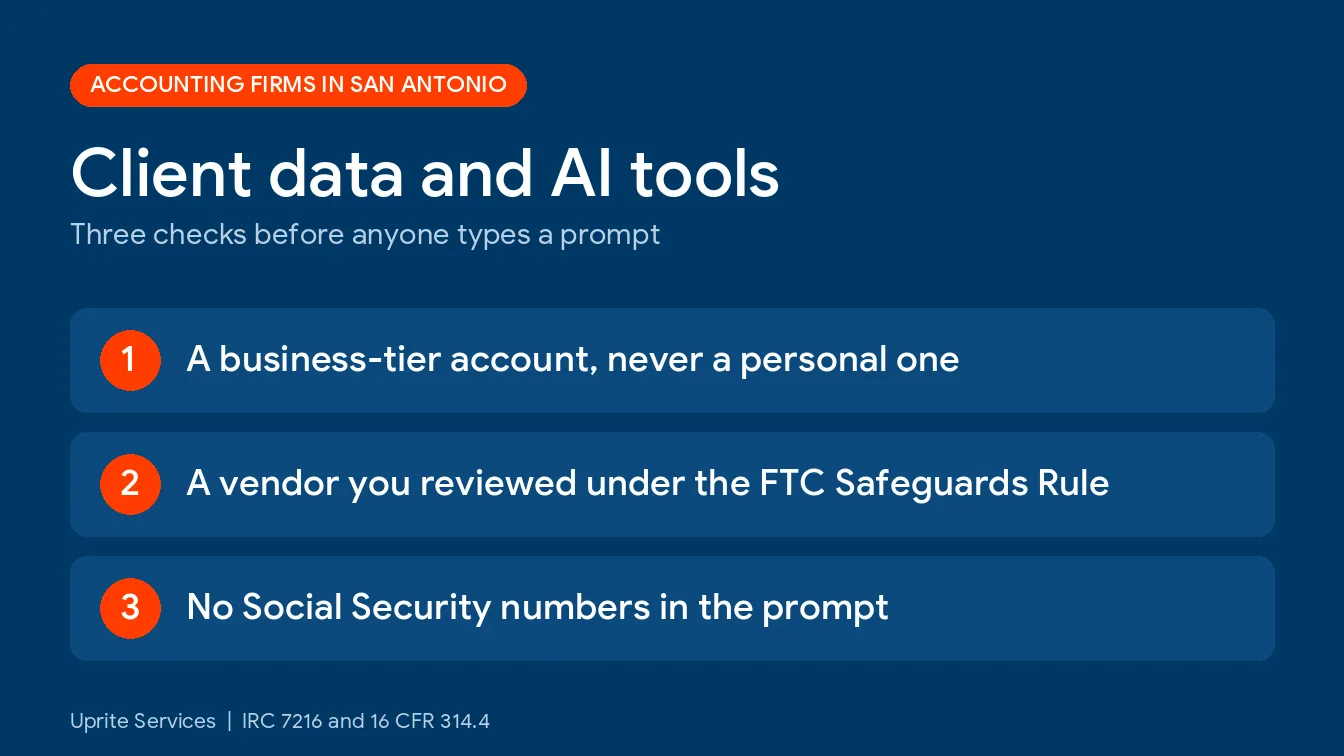
Use business-tier AI only, and keep client data out of personal accounts. A tax return is protected the moment a client hands it over, and a convicted preparer faces a fine of up to $1,000, up to a year in prison, or both, per violation. Copilot only shows what a user can already open, so fix folder permissions first. Write a one-page policy, keep a short approved-tool list, and review every AI vendor under the FTC Safeguards Rule.
What counts as client data when you use an AI tool?
Client data is anything a client gave you so you could prepare a return or deliver a service. The tax code calls the return side of it tax return information, and it covers the return, workpapers, Social Security numbers, bank details, and your own notes about the client. A prompt that carries any of it sends that data to a third party. That’s a disclosure question.
That’s wider than most people assume. A pasted engagement letter counts. So does a bank statement a client emailed for bookkeeping, though the tax code’s rules cover return work and the FTC’s rule covers the rest of the file. Either way, the habit is simple. Treat every prompt like an email to an outsider.
What do IRC 7216 and the Safeguards Rule actually say about AI?
Neither one mentions it. I couldn’t find IRS guidance that names generative AI, and the IRS’s own Section 7216 information center deals with software and e-file providers, not chatbots. Old rules, new tool. That’s the whole job.
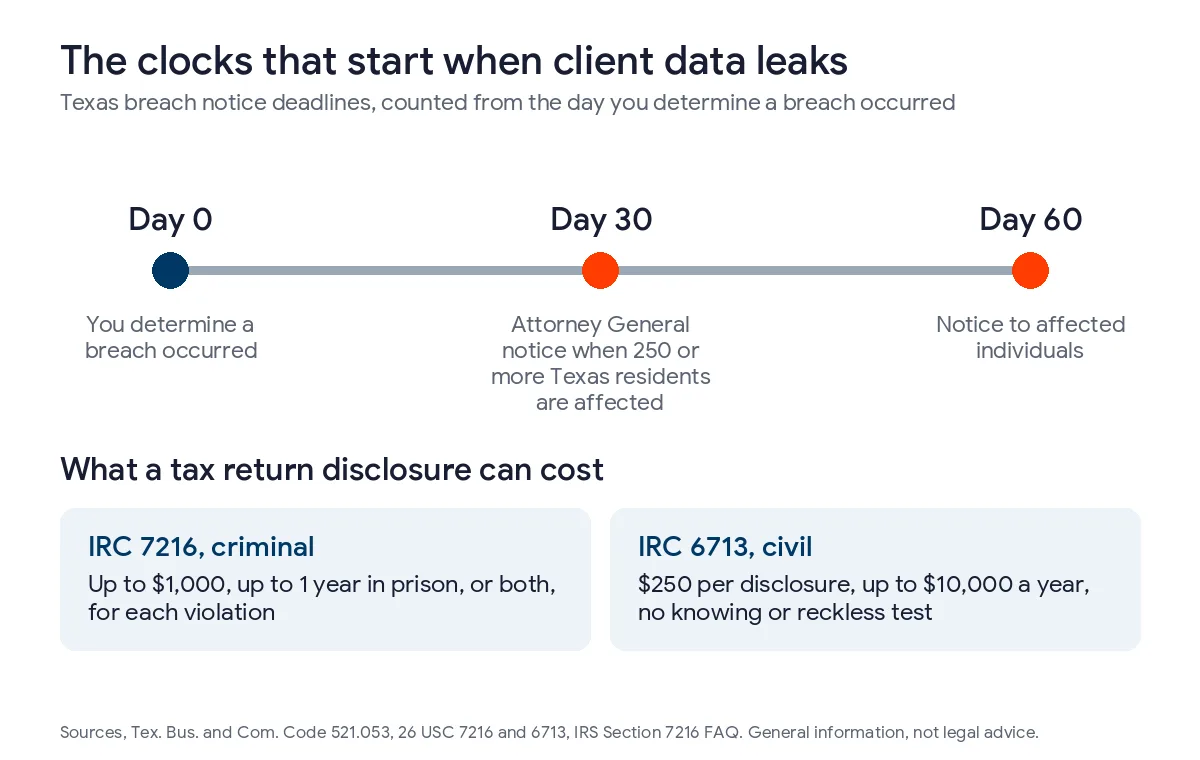
Start with the criminal statute. Section 7216 reaches anyone in the business of preparing returns, or providing services connected to preparing them, who knowingly or recklessly discloses return information or uses it for something other than the return. A conviction carries a fine of up to $1,000, up to a year in prison, or both, for each violation. Each one counts. The civil twin, Section 6713, adds $250 per disclosure up to $10,000 a year, and it doesn’t require that the disclosure be knowing or reckless. No intent required.
Some disclosures need no consent. Under Treasury Regulation 301.7216-2, you can pass information to another U.S. preparer for non-substantive help, and to contractors who program, maintain, repair, test, or procure your equipment and software. Substantive help from another preparer needs the client’s consent. Contractors count as preparers too. An AI vendor that processes return data for you lands in a gray zone. Not a clean answer. Whether a business-tier AI vendor fits the contractor exception is a question for counsel, since the exception is written around equipment and software work, and a personal chatbot account clearly isn’t covered by it.
Consent is the other path. It has its own rules. Under 301.7216-3, the client signs and dates a written consent before you disclose anything, and it lasts one year if it doesn’t say otherwise. You also can’t make your services depend on getting it, because a consent obtained that way is treated as involuntary, with a narrow exception for consent to share with another preparer who helps prepare the return. So “sign this or find another CPA” isn’t available for AI. Plan accordingly.
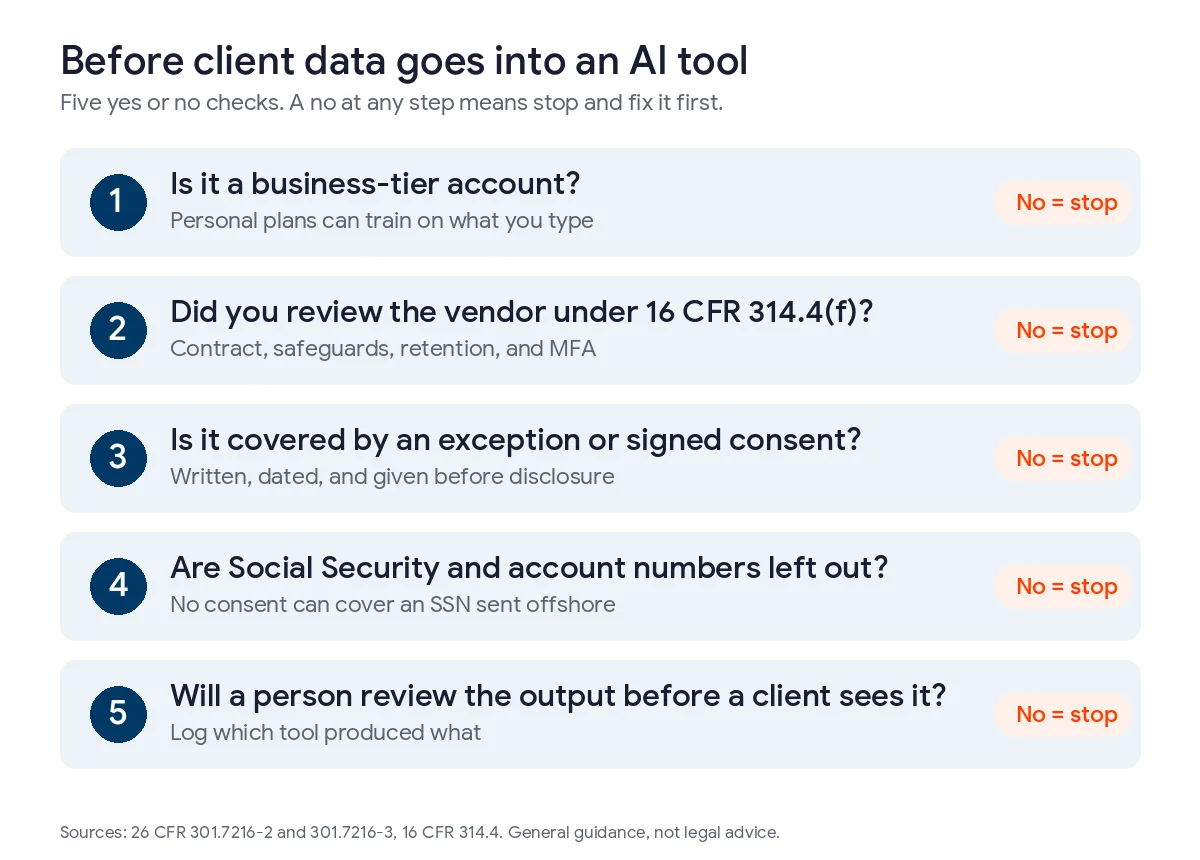
Location matters too. Consent is required before return information goes to a preparer outside the United States, and the same regulation generally bars a firm from getting consent to send a Social Security number offshore. Microsoft’s own Copilot privacy documentation says model calls go to the closest data center but can reach other regions when capacity runs tight. Whether that triggers the offshore rule for your firm is a question for counsel. It’s also the best reason I know to keep Social Security numbers out of prompts entirely. No exceptions.
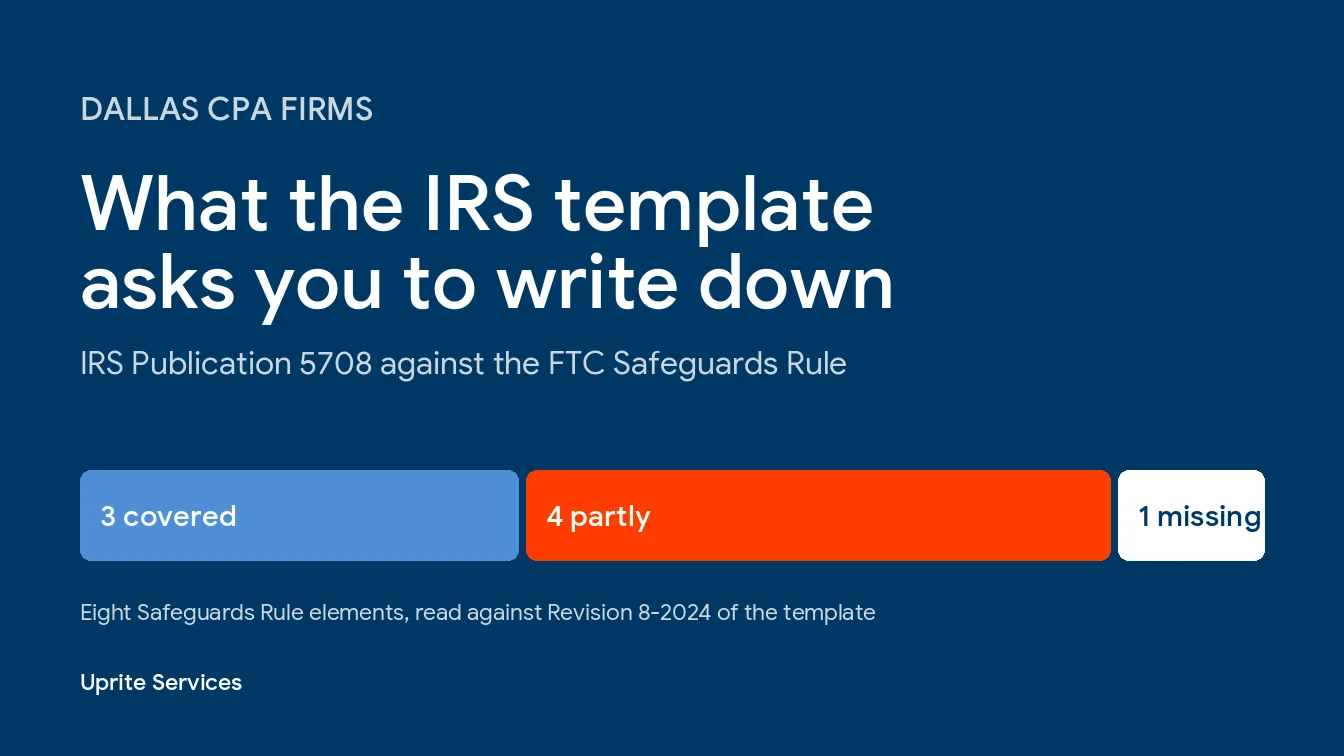
Then there’s the FTC. The FTC treats tax preparers as financial institutions under the Safeguards Rule, and section 314.4(f) tells you to pick service providers that can protect customer information, require safeguards in the contract, and reassess them as risk changes. An AI vendor holding client files is a service provider by any ordinary reading. The small-firm exemption for under 5,000 consumers skips only a few items, and vendor oversight isn’t one of them. Multi-factor authentication is in the same section for any system that touches that data, unless your Qualified Individual approves an equivalent control in writing. Write it down.
Which AI tool can touch which client data?
Tier matters more than brand. Same chatbot, different rules. It behaves differently on a personal plan and a business plan, and OpenAI says so itself. Its business data page says ChatGPT Business, Enterprise, and API data isn’t used for training by default, while its help center says personal Free, Plus, and Pro accounts share data for training unless the user switches off the “Improve the model for everyone” setting.
| Tool | Trains on your data? | Reasonable use | Keep out |
|---|---|---|---|
| Personal ChatGPT (Free, Plus, Pro) | It can, unless the user opts out | Public research, rewording a generic letter | Client names, returns, any number tied to a person |
| ChatGPT Business or Enterprise | Not by default, per OpenAI | Drafting and summaries once your policy and counsel approve the account | Social Security numbers, full returns |
| Microsoft 365 Copilot | No, per Microsoft’s documentation | Summaries of files and email the user may already open | Social Security numbers in prompts, files with loose permissions |
| AI features inside your tax software | Depends on the vendor’s contract | Whatever the written terms allow | Everything, until you’ve read those terms |
| Meeting notetakers and browser plug-ins | Depends on the vendor | Internal staff meetings | Client calls and screen shares |
A quick correction. Nobody’s rule says CPAs can’t use ChatGPT. The risk sits in the account type and the data you feed it, not in the logo on the website.
The Journal of Accountancy ran a risk column from CNA back in October 2023 that told firms to prohibit sharing confidential client and firm information with generative AI tools. That’s a 2023 view written before business-tier plans matured, so read it as the conservative floor rather than the current ceiling. Not gospel.
What breaks first when a San Antonio firm turns on Copilot?
Permissions. Microsoft says Copilot only surfaces organizational data a user has at least view access to. That sounds like protection, and it is, but it also means Copilot is exactly as discreet as your file shares.
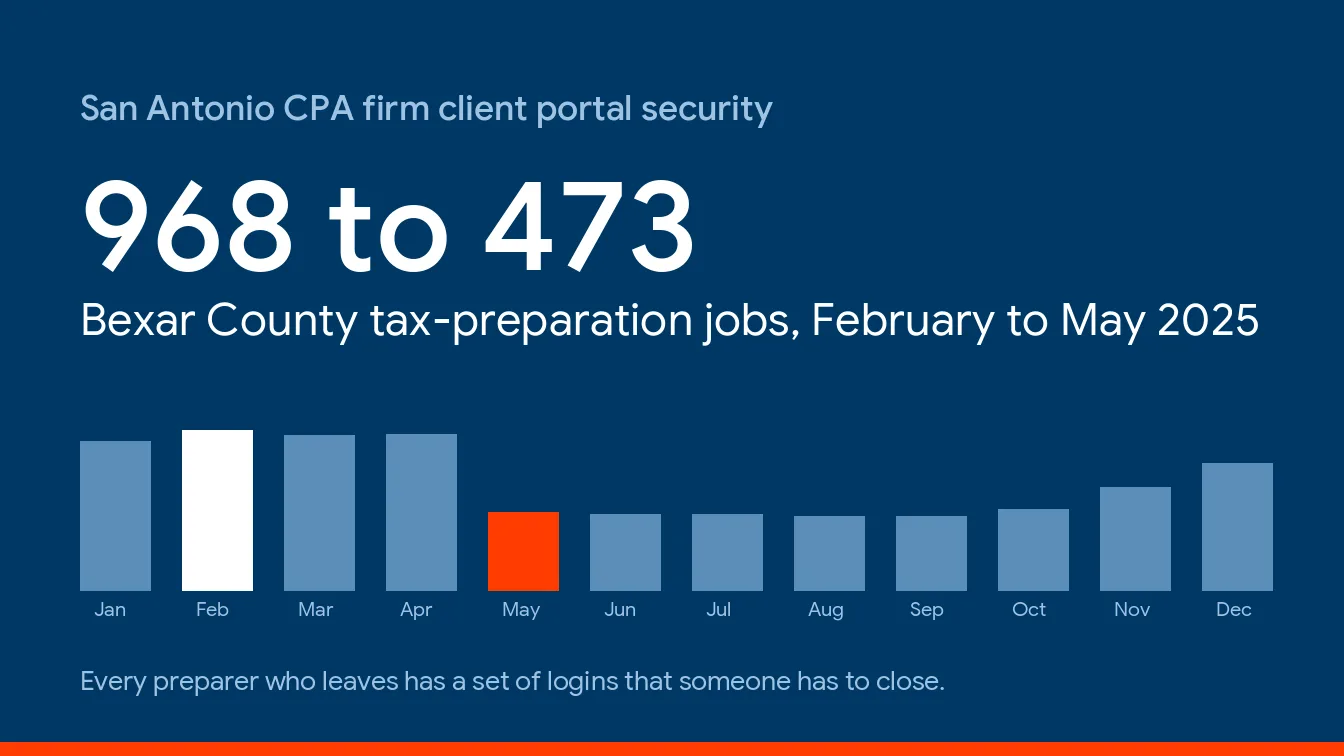
Small firms rule San Antonio. Census Bureau County Business Patterns for 2023 shows 82.9% of the metro’s CPA offices have fewer than 10 people, a number we break down in our San Antonio accounting firm IT cost guide. In offices that size, nobody prunes access. The shared drive grows for a decade and stays open to everybody. Sound familiar?
Picture a 6-person firm where the whole team can open every client folder, the payroll workbook, and the partners’ compensation sheet. Nobody ever looks. Then a new hire asks Copilot a plain question about recent client work and gets an answer assembled from files that person should never have reached. Nobody would catch it until a client or a partner asked how that detail ended up in a draft. No hack was involved. Copilot just did its job.
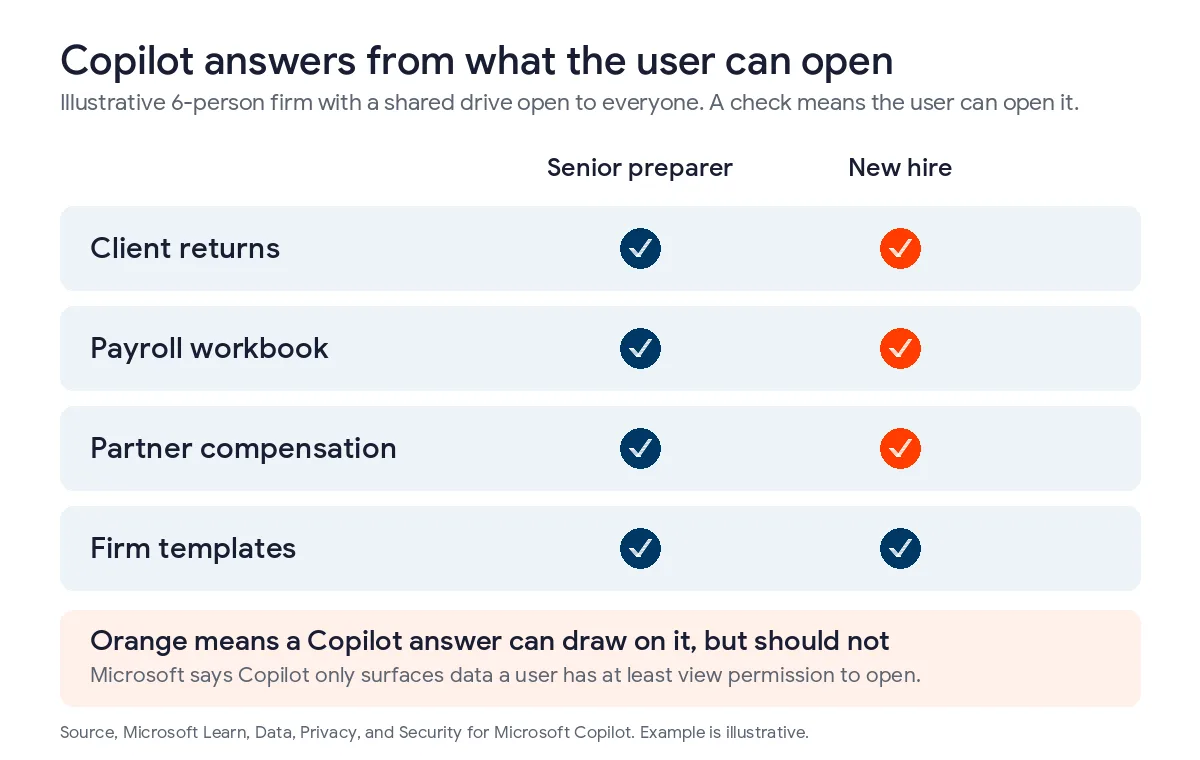
Clean up first, before the license goes live. Match access to engagement teams, label the sensitive folders, and check who has guest access. Microsoft stores prompts and responses as interaction history and lets admins set retention for it through Purview, so decide how long you want those records before someone asks you in a dispute. Admins can also choose whether Copilot uses Anthropic or OpenAI models as subprocessors, and extra terms may apply when they do. Our Copilot data oversharing guide walks the permission checks step by step.
How do you write an AI policy for a 6-person firm?
Short. A 5-person practice doesn’t need a 20-page binder, and nobody reads one. It needs a page that names the approved tools, the banned inputs, and the person who answers questions. If you want a starting template, our AI acceptable use policy guide covers the standard clauses. Below is the accounting layer.
- List every AI tool in use, including the free ones people installed on their own. Ask the staff directly, then check browser extensions and Microsoft 365 app consents.
- Approve a short list of business-tier tools, and prohibit personal accounts for anything touching a client.
- Ban Social Security numbers, bank and account numbers, and full returns from prompts until counsel clears a specific use.
- Decide your consent path. Any disclosure of return information that doesn’t fit a regulatory exception needs the client’s signed consent first, so put counsel’s wording in the engagement letter or a separate form.
- Review each vendor under section 314.4(f). Read the contract, check retention and training terms, and confirm multi-factor authentication.
- Require a human to review every output before it reaches a client, and log which tool produced what.
- Train staff before tax season starts, then retest twice a year, because the tools and the terms keep changing.
Add it to your plan. The Safeguards Rule expects a written information security plan, and our GLBA compliance cost guide prices what building one involves.
| Scenario | Where the risk sits | Safer path |
|---|---|---|
| Drafting a client email with no return details | Little, since no tax return information is in the prompt | Use an approved tool and review the draft |
| Summarizing a client’s return in a personal chatbot | A disclosure to a third party with no contract and possibly no consent | Don’t do it, or use an approved business-tier account under your policy |
| Asking Copilot about files in your own tenant | Oversharing if permissions are loose, region routing | Clean up access first and leave Social Security numbers out |
| Sending recordings to an offshore transcription service | Offshore consent rules, and generally no consent for a Social Security number | Use a vendor that keeps processing in the United States, confirmed in writing |
Does the Texas AI law change any of this?
Less than you’d think. The Texas Responsible Artificial Intelligence Governance Act took effect January 1, 2026, and HB 149 targets intentional harms such as manipulation, discrimination, and unlawful content. It gives the attorney general exclusive enforcement, no private lawsuits, and a 60-day cure window. It doesn’t tell a CPA whether Copilot may read a return. Not its job.
One part helps. The act limits liability when a violation is found through testing, such as red-team testing, or through an internal review process at a defendant that substantially complies with a recognized framework such as the NIST AI Risk Management Framework. A documented policy helps you there too. We explain the scope in what the Texas AI law requires of small businesses, and the governance side in our AI governance and compliance for Texas businesses service.
Texas breach law is the clock that matters more. Under Business and Commerce Code 521.053, you notify affected individuals within 60 days of determining a breach occurred, and the attorney general within 30 days when 250 or more Texas residents are involved. Whether pasted client data is a reportable breach depends on the facts. Ask counsel early. And tell your cyber insurer sooner than feels comfortable.
When is it worth bringing in help?
When the policy is written but nobody can say who has access to what. Policy is the easy half. The harder half is permissions, vendor reviews, logging, and keeping the approved list current as the tools change every month. That’s infrastructure work. It’s how we run managed AI services, from Copilot deployment to governance, with controls and monitoring behind it. We’ve supported Texas businesses since 1999, and there’s a 120-day exit if the program isn’t delivering. For a local view, see our managed AI services in San Antonio.
Only 4 people? Do the free parts yourself. Write the page, clean the folders, pick one business-tier tool. Call someone when the folders turn out worse than you thought.
Want your folder permissions checked and an AI policy in place before tax season? Talk through it with a San Antonio IT expert.
Speak to a San Antonio IT ExpertWhat San Antonio CPAs ask before turning on AI
Can I paste a client’s tax return into ChatGPT?
Not into a personal account, because a return is tax return information and sharing it without a covered exception or the client’s signed consent risks a Section 7216 violation. Business-tier plans change the training question. They don’t change the consent question, so check your policy and counsel first.
Does Microsoft Copilot train on my client files?
No, Microsoft says prompts, responses, and Microsoft Graph data aren’t used to train the foundation models behind Copilot. The catch sits elsewhere. Copilot pulls any file the person asking is allowed to open, so a loose shared drive is the real exposure.
Do I need client consent to use AI in my firm?
Sometimes, because consent is required before certain disclosures of return information, not before every piece of software you run, so what matters is what the tool receives and where it goes. Have counsel run your tool list against the exceptions in 301.7216-2. You can’t make consent a condition of service, either.
Is a free AI notetaker okay on client calls?
Treat it as unapproved until you’ve read its terms. A client call can carry Social Security numbers, balances, and your advice, all recorded and sent to someone else’s servers. That vendor becomes a service provider you’re supposed to oversee. Start with internal staff meetings instead.
What should a small firm’s AI policy say?
One page that names the approved tools, the banned inputs, how consent gets handled, who reviews output, and who to ask. Vendor reviews and training go in the written security plan you already owe under the Safeguards Rule. A separate AI binder just gets lost.
How do I find out which AI tools my staff already use?
Ask them directly and promise a pass for anything disclosed before the policy date, then verify through browser extensions, Microsoft 365 app consents, and the firm card. Fear makes people hide tools. Amnesty gets you the real list.
What happens if someone pastes client data into the wrong tool?
Write down what went in, which account got it, and when, then delete the history if the tool allows it. Is it a reportable breach? That turns on the facts, and I wouldn’t guess. Texas starts a 60-day clock once you determine one happened, so get counsel on the phone the same day.