IT Support for Charter Schools and K-12 Districts in Texas
IT support for charter schools in Texas covers staff and student devices, campus networks, student records, and the cyber incident reports a charter owes TEA, with managed IT published from $138 per user per month. Uprite runs it from offices in Houston, San Antonio, and Dallas as part of our managed IT services.
Managed IT for open-enrollment charters, district-authorized charter campuses, and small K-12 districts across Texas, planned around the school calendar instead of the fiscal quarter.
Get Your Free Campus IT AssessmentNo obligation. We map your devices, networks, accounts, and student data systems before anything changes.In Texas Since 1999 | MSP 501 Winner 7 Years Running | SOC 2 Type 1 (2023) | 120-Day Satisfaction Guarantee
Talk to a School IT Expert
Recognized Across Texas for School and Charter IT














The Texas Charter Sector
Texas Has 182 Charter Holders Running 993 Campuses
Start with size.
The TEA report Enrollment in Texas Public Schools, 2025-26 counts 182 state-authorized charter schools operating 993 campuses. Together they served 446,633 students, or 8.2% of the 5,467,642 students in Texas public schools. Another 105 campuses run as district-authorized charters with 56,741 students between them.
Divide it out. The average state charter campus holds about 450 students, and the average charter holder runs five or six campuses with roughly 2,450 children enrolled, which is a district-sized student body sitting on top of a back office that was never built like a district’s. So the real question for each of those 182 holders is simple. Who runs the technology?
Then the law splits.
Education Code 12.101 lets the state grant an open-enrollment charter to a college or university, a governmental entity, or a 501(c)(3) organization. When the holder is a 501(c)(3), the school answers to rules written for public schools and to rules written for the nonprofit corporation behind it. Our nonprofit IT practice covers the corporate side.
The state’s cyber statutes don’t treat charters and districts the same way either. We cover the detail on our page about TEA cybersecurity requirements for charter schools, and the short version is in the rules section below.
What a charter needs from IT is mostly what any school needs. Devices that work at 7:45 AM. A network that survives testing week. Records nobody can walk out with. The difference is who answers for it when one of those fails, and at a charter that person often holds a second job title, like operations director or business manager.
Inside the Campus
IT Support for Charter Schools in Texas Starts With Devices, Rosters, and Testing Days
School networks rarely fail in dramatic ways. They fail in small ones.
Take a normal morning. A teacher can’t sign in, a cart of laptops didn’t charge overnight, and the projector in room 114 dropped off the network. None of that counts as an outage by any IT definition. All of it eats first period.
Then rosters. The student information system feeds the learning platform, the reading app, the cafeteria point of sale, and the state reporting extract, so when a student enrolls or withdraws every one of those accounts has to follow. Often they don’t. Education Code 32.156 gives an app operator 60 days to delete a student’s covered information after a school district asks, unless the contract sets other terms.
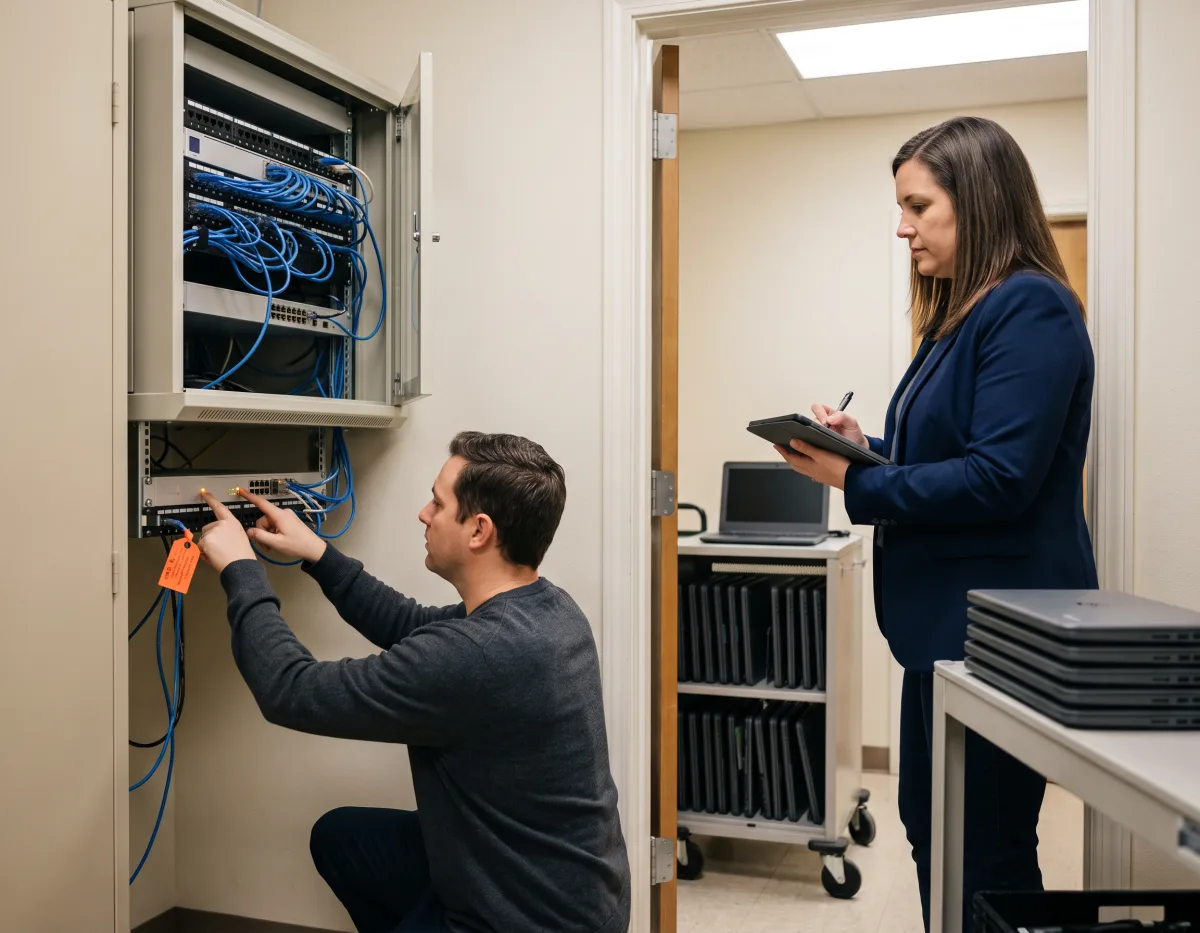
Testing windows are the week nobody gets to reschedule. If wireless drops during an online state assessment, the fix has to happen in minutes, not at the next service visit.
Student records are the quiet liability. Enrollment files hold birth certificates, immunization records, home addresses, custody orders, and sometimes Social Security numbers, spread across filing cabinets, scanned folders, and a student information system with more admin accounts than anyone remembers granting. Most of it is scattered.
Accounts churn every August and every May. Teachers, substitutes, aides, coaches, tutoring vendors, and the contractor who maintains the cameras all get access, and plenty of it outlives the job.
Here’s the division of labor. Your campus leaders own instruction and records policy. We own the network, devices, accounts, backups, and security, and we keep the systems your teachers depend on running.
What That Looks Like Across Texas Schools
Single-Campus Charters
One building, one network, sometimes a converted office or retail space, with a laptop cart per grade and a front office that handles everything.
Multi-Campus Charter Networks
Several campuses in one or more metros sharing an email tenant, a student information system, and a central office that needs to see every site.
District-Authorized Charter Campuses
Campuses chartered by an ISD that use district systems for some things and their own for others, which is exactly where account ownership gets fuzzy.
Small and Rural ISDs
Districts where the technology director may also carry testing coordination, device repair, and the phone system.
Private and Faith-Based Schools
Schools outside the public accountability system that still hold the same family records and run the same devices.
Early College and CTE Campuses
Partnerships with community colleges and employers that put student accounts on someone else’s systems and need clear rules on who sees what.
A common blind spot is assuming the cloud vendor is the IT department. Google Workspace for Education or Microsoft 365 hosts the email, but somebody still has to decide who’s an admin, turn on multi-factor sign-in, and pull a departing teacher’s access the day they leave. That somebody is usually missing from the org chart.
The Rules
Which Texas School Rules Turn Into IT Work?
Ransomware gets the headlines (our managed security services cover that side), but most school IT work comes from records and reporting rules that read like education policy.
Start with Education Code 11.175. It tells each school district to adopt a cybersecurity policy and has the superintendent designate a cybersecurity coordinator to act as the liaison with TEA. Subsection (e) reads differently. A school district or open-enrollment charter school must report a cyber attack that amounts to a breach of system security to the agency as soon as practicable after discovering it.
Read that twice. The reporting duty names charters. The policy and coordinator duties name districts, and Education Code 12.104(b), the list of district rules that carry over to charters, doesn’t include 11.175. We’d still build both, because a charter that has to report an incident needs someone who knows how, and a written policy is the first thing an insurer asks to see. Have your counsel confirm how it applies to your charter.
Then come the records laws.
Under FERPA, 34 CFR 99.31, a vendor can see education records as a school official only if it does work you’d otherwise give employees and stays under your direct control for how those records are used and kept. Texas adds its own layer. Education Code 32.155 requires every app or website operator holding covered student information to keep reasonable security procedures, and 32.152 bars selling that information or using it for targeted advertising. Our notes on student data privacy controls go further on the vendor side.
An Incident Plan With Names in It
Who calls the state, who calls the insurer, and who talks to families, all decided before the first locked screen, with the reporting path written down.
Vendors Under Your Direct Control
A current list of every app that touches student data, the contract terms behind it, and the admin accounts each vendor holds.
Filtering That Matches Your E-rate Certification
Content filtering and monitoring set up the way your internet safety policy says, because 47 CFR 54.520 has your billed entity certify that policy on FCC Form 471 every funding year.
Access Removed the Day Staff Leave
Email, student information system, learning platform, and building access closed together, with multi-factor sign-in on everything that stays, as CISA recommends.
The School Calendar
Schools Run on a Bell Schedule. IT Has to Work Around It.
A school outage is its own kind of outage. Nobody loses a sale. Thirty classrooms stall at once.
Most of the IT work that matters lands in four windows. Summer, when devices get reimaged and accounts rebuilt. The two weeks before the first day. Winter break. And the spring testing windows, when nothing changes at all. Summer is the big one.
So we plan around your calendar. Device refreshes, network changes, and account cleanups go into summer and the breaks, and testing weeks stay frozen. Our breakdown of E-rate and school IT budgets in Texas shows how the funding year lines up with that work.

What We Support on Texas Campuses
Staff and Student Devices
Chromebooks, Windows laptops, iPads, and teacher workstations enrolled in management, imaged before August, and locked or wiped remotely when one goes missing.
Campus Networks and Wi-Fi
Firewalls, switches, and wireless access points sized for a full building of devices at once, with cameras, door controls, and HVAC kept off the instructional network.
Email and Collaboration Tenants
Real admin roles in Microsoft 365 or Google Workspace for Education, multi-factor sign-in for staff, and student accounts that follow enrollment changes.
Student Data Systems
Access reviews for the student information system, the special education platform, and every app that syncs rosters from them, so a former employee’s login doesn’t outlive the job.
Content Filtering and Monitoring
The technology protection measure your internet safety policy names, kept running on campus and on take-home devices, with reports a counselor can actually read.
Backup and Recovery
Off-site copies, tested restores, and a restart order that puts the student information system and staff email first, backed by our disaster recovery services in Texas.
Has Uprite done this for a charter school before?
Not in a case study we can publish, and we won’t invent one. Here’s what we can point to instead. Our average first response is 5 minutes across every ticket, our controls were reviewed in a 2023 SOC 2 Type 1 report, and we’ve supported Texas organizations since 1999 from offices in Houston, San Antonio, and Dallas. And if the fit turns out wrong, the 120-day satisfaction guarantee covers that.
The bell rings either way. The network should be ready for it.
What We Run
Devices, Networks, Student Records, Accounts, and Vendor Access
A typical managed IT contract covers the help desk, patches, backups, and antivirus, then goes quiet.
None of them says who’s still an admin in your student information system, or whether last year’s enrollment files exist anywhere but the front office. An insurer asks both. So does a family’s lawyer after a breach.
At a charter, 5 things carry most of the risk. Devices decide whether class starts, the network decides whether testing runs, and student records decide how bad a breach gets. Accounts and vendor logins are where most trouble walks in.
What Each Line Covers
| Service line | What Uprite runs | Rule or requirement behind it |
|---|---|---|
| Staff and student devices | Management enrollment, summer reimaging, remote lock and wipe, and repair tracking | Your device and acceptable-use policies, plus insurer requirements |
| Campus networks and filtering | Firewalls, wireless, segmentation, and the filtering your internet safety policy describes | 47 CFR 54.520 certification on FCC Form 471 |
| Student records and SIS access | Access reviews, logged access, and secure storage for scanned files | FERPA, 34 CFR 99.31 direct-control condition |
| Vendors and education apps | An inventory of apps holding student data, admin account reviews, and expiring vendor sessions | Tex. Educ. Code 32.152 and 32.155, plus vendor contract terms |
| Incident response | A written plan, named contacts, and evidence preserved for the report | Tex. Educ. Code 11.175(e) reporting to TEA |
Devices come first, because that’s where the school day starts. We inventory every cart, laptop, tablet, and teacher machine, put them under management, and set a reimage and repair cycle that fits the summer break.
Testing leans hardest on the network. Timing matters most. We check wireless coverage room by room before a testing window, never during one, and keep a written fallback for the morning a switch dies.
Records hide better. Scanned enrollment folders on a shared drive, a registrar’s desktop, and the student information system all hold the same family data. We find all three and lock them down.
Nobody owns the vendor logins. Curriculum apps, the SIS vendor, the camera installer, and the food service system each got admin access once, and few were ever reviewed. We list them, and the ones you keep move behind logged sessions that expire.
Backups come last on the list and first in a crisis. We restore one every quarter, so you know it works.
That’s a lot to hand an operations director who’s also juggling buses and lunch counts. Handing it to us frees that person to run the school.
By the Numbers
The Numbers Behind School IT in Texas
You can check every figure below yourself. The enrollment counts are TEA’s, the funding numbers come from USAC and the FCC, and two numbers are Uprite’s own.
446,633
Students in Texas state-authorized charter schools in 2025-26, 8.2% of all public school students, per TEA.
993
State-authorized charter campuses run by 182 charter holders in 2025-26, about 450 students per campus.
$201.57
E-rate Category Two budget per student for FY2026 through FY2030, before a discount of 20% to 90%.
$200M
Funding cap on the FCC’s three-year Schools and Libraries Cybersecurity Pilot Program, which selected 707 participants.
$138
Uprite’s published starting rate per user per month for Fully Managed IT, on-site visits included.
| Metric | Data Point | Source |
|---|---|---|
| State-authorized charter schools (charter holders), Texas | 182 | TEA, Enrollment in Texas Public Schools, 2025-26 |
| State-authorized charter campuses | 993 | TEA, same report |
| Students in state-authorized charters | 446,633, or 8.2% of 5,467,642 | TEA, same report |
| District-authorized charter campuses | 105, serving 56,741 students | TEA, same report |
| Average students per state charter campus | About 450 | Uprite calculation from the TEA counts |
| Charter duty to report a breach of system security | To TEA as soon as practicable after discovery | Tex. Educ. Code 11.175(e) |
| App operator deletion deadline | 60 days after a district’s request, unless the contract says otherwise | Tex. Educ. Code 32.156 |
| Vendor treated as a school official | Only under the school’s direct control for records use | 34 CFR 99.31(a)(1)(i)(B) |
| E-rate discount range | 20% to 90% | USAC E-Rate Overview Guide, 2025 |
| Category Two budget, FY2026 to FY2030 | $201.57 per student, $30,175 floor | USAC Category Two budget page |
| Schools and Libraries Cybersecurity Pilot Program | Up to $200 million over 3 years, 707 participants | FCC DA 25-53, January 16, 2025 |
| Uprite rates, per user per month | Fully managed $138, co-managed $100, MSSP security $40 | uprite.com/pricing |
| Uprite average first response | 5 minutes | Measured across all tickets and priorities |
Pricing
What Does IT Support Cost a Texas Charter School?
Fully managed IT for a Texas charter starts at $138 per user per month with on-site help included, co-managed IT runs $100, and security-only coverage starts at $40.
Every rate is on our public pricing page, so your business manager and your board can check it before anyone books a call.
| Plan | Per user, per month | Built for | What it includes |
|---|---|---|---|
| Fully Managed IT | From $138 | Charters with no IT staff on payroll | On-site and remote help for teachers and staff, around-the-clock availability, network and cloud management, the full security stack, vCIO planning, and backup tests every quarter |
| Co-Managed IT | From $100 | Schools with a technology director or a one-person IT team | Shared support, compliance consulting, a technology roadmap, and clean handoffs with your own person |
| MSSP Security Focus | From $40 | Schools that need protection first | Firewall management, SOC monitoring, vulnerability scans, incident response, and a security review each quarter |
We price per user who needs IT support. At most schools that means staff, so a campus with 45 staff users would run about $6,210 a month on Fully Managed. How student devices get counted is something we settle with you on the first call rather than assume.
A small charter can start with security-only coverage at $40 a user plus tested backup and move up as it grows. The line-by-line version, devices and software included, is in our guide to what IT support costs a Texas charter school.
Funding is the second conversation. E-rate discounts eligible internet access and internal connections like switches, access points, and cabling by 20% to 90%, and the USAC Category Two budget for FY2026 through FY2030 is $201.57 per student with a $30,175 floor. For a 450-student campus that works out to $90,706.50 over five years, before the discount. Plan for both. Ask your E-rate consultant which of our line items qualify, since help desk hours and security software usually fall outside it.
On-site plans matter more for schools than for most offices. A remote-only plan can’t swap a dead access point in the gym before the 8 AM assembly.
The terms are simple. Your rate is locked for the first year, nothing is buried in fine print, and the 120-day satisfaction guarantee lets you leave if we don’t deliver.
Send us your campus count, your enrollment, and the name of your student information system.
We’ll send back a written list of gaps and exposures before any contract shows up. You keep it either way.
Talk to a School IT ExpertGetting Started
How Does Uprite Onboard a Texas Charter School?
We schedule around your calendar, and nothing changes during a testing window or the first two weeks of school.
Step 1. Inventory Every Device, System, and Login
We start in the network closet and the front office. We list the student information system, the learning platform, every cart and laptop, the cameras and door controls, and every account that still works, including the ones that belong to people who left.
Step 2. Rank the Risks Against Your Calendar and Your Rules
The inventory becomes a plan ranked by what could stop instruction, disrupt a testing window, or expose student records. Admin accounts with no owner and backups nobody has restored usually land at the top.
Step 3. Lock Down Accounts, Student Records, and Vendor Access
Accounts become school-owned, staff sign-in gets multi-factor, scanned records move into access-controlled storage, and vendor sessions run through a gateway that logs and expires them.
Step 4. Segment the Network and Test a Restore
Cameras, door controls, and building systems move off the instructional network, and we prove backup and recovery works with a real restore of the student information system and staff email.
Step 5. Run It Through Summer, Testing Season, and Storms
From there it’s 24/7 monitoring and patching, a help desk teachers can call before first period, a summer device cycle, and current answers ready for your insurer, your board, and your charter renewal.
Timelines depend on how spread out things are. A single campus on Google Workspace moves fast. A six-campus charter across two metros, with an on-premises server and its own phone system, takes longer, and we’ll tell you which one you are after the walk-through.
Who It Fits
Which Texas Schools Is Uprite Built For?
| Right fit |
|---|
| Open-enrollment charters with one to about a dozen campuses in the Houston, San Antonio, and Dallas-Fort Worth areas |
| Charter networks whose operations director or business manager has been handling the network and the device carts |
| Schools with a technology director who needs a second team for the help desk, security monitoring, or summer projects |
| District-authorized charter campuses and small ISDs that want clear ownership of accounts and student data |
| Private and faith-based schools holding the same family records without a district technology department behind them |
| Charters opening a new campus that need the network, devices, and accounts ready before the first day |
Sound like your school? Book a short call and bring a rough count of staff, campuses, and devices.
Before You Switch
What Keeps Texas Charters From Outsourcing IT?
Four objections tend to come up when a school weighs outsourced IT.
“Google handles our tech.”
For the servers, mostly. Google or Microsoft keeps email and storage running, but admin roles, sign-in rules, sharing settings, and who still has access are yours to manage. Everything around the tenant, from the Wi-Fi to the laptop carts, is yours too.
“We can’t change anything mid-year.”
You won’t have to change much. Big moves go into summer or the breaks, testing windows stay frozen, and the old access keeps working until the new setup is proven.
“Nobody targets a small charter school.”
Attackers don’t sort by size. They want staff email, payroll access, and family records, and schools hold all three. A spoofed vendor invoice or a hijacked teacher account can redirect a payment or expose a whole roster, and a small business office rarely has a second person checking.
“Outsourced IT is for big districts.”
The math points the other way. A single campus rarely justifies a full IT department, and per-user pricing ties the cost to the staff who actually need support. Our comparison of the best IT providers for charter schools in Texas covers the wider market.
Definition
What Is IT Support for Charter Schools?
3 Things That Set Uprite Apart for Texas Schools
Plans Matched to Your Staff
Fully Managed covers everything for schools with no IT staff. Co-Managed IT works beside a technology director you already have. MSSP Security Focus puts a security operations center behind your current setup when protection can’t wait.
Rates Your Board Can Check
Published rates of $138 for fully managed, $100 for co-managed, and $40 for MSSP security, each per user per month and locked for year one. Your board can see them without asking for a quote.
Technicians in Three Texas Metros
Our offices at 5718 Westheimer Road and 16441 Space Center Boulevard in Houston, 11831 Radium Street in San Antonio, and 5757 Alpha Road in Dallas put an engineer within a drive of campuses across all three metros. When a campus network drops, someone drives out.
What Clients Say
What Texas Organizations Say About Working With Uprite
Hector and Kareem are super helpful! They are always willing to take on my computer problems even if its small. I had my mouse disappear off my screen, it was an user issue but Hector didn't make me feel small or "dumb" for this error. We love uprite!
Gerardo Sanchez was very helpful & professional. Uprite Services has great customer service and outstanding technicians. We have used them for several years and will continue our business with them.
Barnes Network Solutions came recommended highly by a trusted contractor and let me tell you, they did not disappoint. Five stars.
Jacob Sandoval was a delight to work with. We are so thankful for the Uprite team in San Antonio. They always deliver quick solutions with fantastic customer service.
I had been having trouble with an IT matter that I didn't think would be fixed but Arvin Ebueng from Upright took his time with me and worked with me until we were able to resolve the issue. The issue was an internal issue with the way the program was written, but Arvin came up with a great work around so that I am now able to do what I need to do at my job. Long story short, he got me access to both things that I need access to simultaneously and daily. Thanks 😊 Arvin, you are much appreciated 👏 💐 🥳.
I’ve been extremely satisfied with Uprite Services and would recommend them without hesitation. They consistently deliver reliable, high-quality work and truly feel like a true partner rather than just another vendor. A special thank you goes to Arvin Ebueng, he is always quick to respond to our needs and incredibly easy to communicate with. No matter how busy things get, Arvin makes sure we’re taken care of promptly and with a smile. His responsiveness and clear communication have made every interaction smooth and stress-free. Thank you, Arvin and the entire Uprite team, Peerless Equipment is a customer for life!
FAQ
What Texas Schools Ask Before They Switch
Help desk support for teachers and staff, device management for laptops and tablets, campus networks and content filtering, student information system access reviews, backups, and email security. Uprite covers it under one monthly rate per user, with on-site visits from offices in Houston, San Antonio, and Dallas.
Fully Managed starts at $138 per user per month, co-managed at $100, and security-only coverage at $40. A campus with 45 staff users would pay about $6,210 a month on Fully Managed. Software licenses are billed separately, and E-rate may discount eligible network equipment.
Yes. Education Code 11.175(e) says a school district or open-enrollment charter school shall report a cyber attack that amounts to a breach of system security to TEA as soon as practicable after discovery. TEA’s May 2026 coordinator guidance also points schools to the Texas Cyber Command incident hotline.
The statute names school districts for that duty, not charters, so a charter may not be required to designate one. We’d recommend it anyway. Someone has to own the incident report, the staff training, and the written policy, and naming that person early makes every later step faster. Confirm the legal question with your counsel.
We keep scanned files and exports in access-controlled storage with logged access and multi-factor sign-in, review who holds admin rights in the student information system, and track every vendor that receives roster data. FERPA expects those vendors to stay under the school’s direct control, and Texas law requires them to keep reasonable security procedures.
We help with the technical side. Your E-rate consultant or business office files the forms, and we supply the equipment list, coverage plans, and installation work for eligible switches, access points, and cabling. Category Two budgets run $201.57 per student for FY2026 through FY2030, before your discount.
Yes. Chromebooks, Windows laptops, and iPads go under central management, get reimaged on a summer cycle, and can be locked or wiped remotely when one disappears. Filtering can follow the device home, so the internet safety policy holds off campus too.
They can, through sessions we log and time-limit. A vendor reaches only the system it supports, for as long as the job needs, with multi-factor sign-in. Permanent remote tools left running on a school server are among the first things we remove.
Yes. We document the controls you already have, close the gaps the forms ask about, and keep the evidence current. Uprite’s 2023 SOC 2 Type 1 report covers our own controls, which helps when an insurer asks who manages your IT.
Five minutes, on average, for a first response across all our tickets. Fully Managed plans answer around the clock, and a campus without a network or a down student information system gets treated as urgent until classes are running again.
Start Here
Find Out What Your Campus Is Running On
Who still has admin rights in your student information system? Where is the second copy of last year’s enrollment files? If the network failed in the middle of a testing window, what would happen in the next ten minutes? Most schools can’t answer all three.
Our assessment does. You get a written map of devices, networks, accounts, vendor access, student records, and backups, ranked by what would stop instruction first. You keep the report whether or not you hire us.
The next testing window is already on the calendar.
Your student records should already sit somewhere a stolen laptop can’t reach.
Rather talk first? Dial (866) 570-3065 and ask for the school IT assessment.