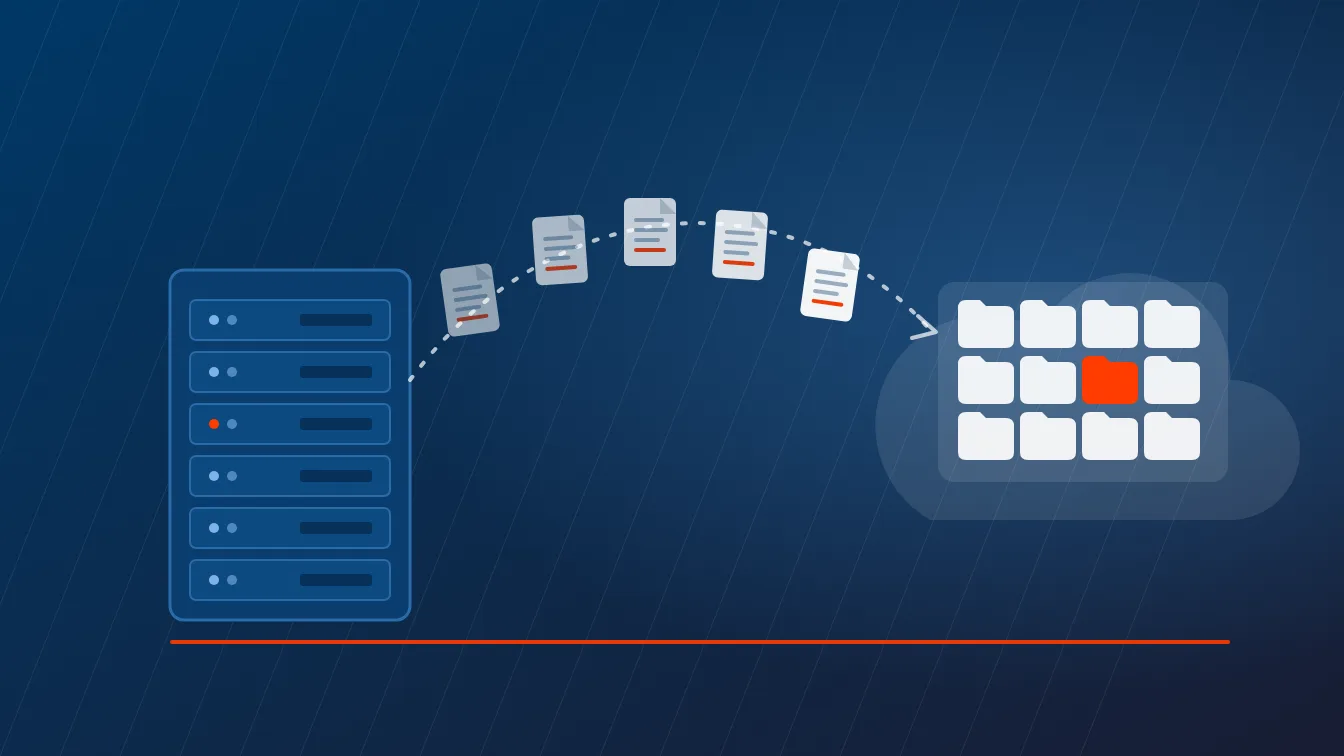
Microsoft 365 Copilot grants nobody new access. It reads what each person can already open, which turns a decade of inherited folder permissions and forgotten sharing links into something anyone can search in plain English. The cleanup belongs before rollout, not after. One Copilot licence already unlocks most of the tooling you need inside your Microsoft 365 tenant.
Copilot data oversharing happens when Microsoft 365 Copilot surfaces files a user could always open but was never meant to find. Copilot honors existing permissions exactly. It just removes the effort that used to keep those files buried.
There is a specific moment in a Copilot pilot that IT teams learn to dread. Somebody in marketing asks a plain question about salary bands, or the acquisition, or why a colleague left in March. Copilot answers. Correctly. Using a document sitting on a SharePoint site nobody has opened since 2021, on a site that was shared with the entire company by a person who left the business 2 years ago.
Nothing was breached. No permission changed that morning. The file had been readable by every employee for 4 years, and the only thing standing between it and the person asking was that nobody knew what to search for. Copilot removed that last scrap of friction. What looked like a security incident was governance debt coming due all at once.
So permissions work belongs at the front of a Copilot project, not the back, which is the first thing we scored when we compared Microsoft Copilot deployment partners across Texas. Here is what causes it, what your licences already let you see, which controls genuinely fix it, and which popular one is a pause button wearing a solution costume. In that order.
What copilot data oversharing actually is
Copilot data oversharing is the exposure that happens when Microsoft 365 Copilot surfaces documents a user technically has permission to open but was never intended to see. It is a permissions problem wearing an AI costume. Copilot creates no new access, removes no existing access, and changes nothing about who can reach what.
Microsoft says this plainly in its own architecture documentation. Copilot can only summarize or reference content the user is authorized to access, and SharePoint and OneDrive access controls shape what Copilot can discover without changing user permissions. Same files. Same access list. New front door.
That framing is uncomfortable and useful in equal measure. If Copilot showed someone a file they should not have seen, that file was available to them yesterday and every day since the permission was set. The AI did not widen the door. It published the map.
Why nobody noticed until rollout day
Discovery cost protected most tenants for years. Not policy. Not tooling. Friction.
Finding a payroll spreadsheet on a badly permissioned site used to mean guessing the right site, then the right library, then the right filename. Hardly anyone did that on purpose. Copilot works in natural language and reaches everything the user can access in a single pass, so the price of that discovery falls from an afternoon of deliberate digging to one sentence typed in plain English. That is the entire change. Permissions are 3 of the 12 gates in our wider Copilot readiness checklist, which also covers licensing, indexing and audit.
Delay is the measurable part. A 2024 Gartner survey of 132 IT leaders, reported by Computerworld, found that roughly 64% of respondents said information governance and security risks demanded significant time and resources, that oversharing concerns pushed 40% to delay their rollout by 3 months or more, and that 57% limited the rollout to low-risk or trusted users instead.
Three months is the going rate for skipping this work. Roughly the same time a deliberate cleanup takes when you run it on your own schedule instead of under an executive escalation. Same work either way.
The 4 permission patterns behind almost every finding

The same 4 patterns account for the overwhelming majority of what turns up in an assessment. None are exotic. None started as bad decisions.
| Pattern | How it usually happened | What it exposes to Copilot |
|---|---|---|
| Everyone except external users | A site or library was shared with the built-in EEEU group to unblock somebody quickly | Every internal account in the tenant, including contractors and service accounts |
| Broken permission inheritance | Access was granted on one subfolder years ago and the library stopped inheriting from the site | Access that no site-level permission review will ever show you |
| Organization-wide sharing links | The tenant default link type was left on People in your organization and links piled up | Anything ever shared by link, for as long as the link exists |
| Stale security and distribution groups | An All Staff or Old Project group kept its membership long after the project ended | Files scoped to a team that no longer exists |
EEEU deserves a closer look, because calling it a mistake misses what it is. Everyone except external users is a built-in SharePoint group that includes every internal account and excludes external guests, and it is the correct answer for a company intranet or a policy library. It was also the fastest way to unblock a colleague at 4pm on a Friday in 2019. That decision is still in force. Nobody revisited it.
Broken inheritance is the sneakier one. A site-level report can show a site as tightly controlled while a single library inside it has been detached from those permissions since 2020. Summary views hide it. That is why the item-level reporting below matters more than it sounds.
What your licence already lets you see

Find out what you are already entitled to before anybody raises a purchase order. Check first. This is where SMB Copilot projects overspend most reliably.
If your organization has assigned even one Microsoft 365 Copilot licence to a single user, SharePoint administrators get the SharePoint Advanced Management features built to support Copilot deployment. Microsoft publishes the full list, and it is longer than most people expect.
| Capability | What it does | Included with a Copilot licence |
|---|---|---|
| Site permissions snapshot report | Ranks every SharePoint and OneDrive site by how broadly it is shared | Yes |
| Special groups report | Shows the exact sites, folders and files made effectively public by EEEU or Everyone, and how that access was granted | Yes |
| Sharing links activity report | Surfaces the sites where users created the most new links in the last 28 days | Yes |
| Site access reviews | Hands the cleanup decision to the site owner rather than to your service desk | Yes |
| Restricted Access Control | Locks a site to an allow list of security groups and ignores existing permissions | Yes |
| Restricted Content Discovery | Hides a site from organization-wide search and Copilot without touching permissions | Yes |
| Restricted site creation by apps | Controls which non-Microsoft apps can create SharePoint sites | No, this one needs the SAM Plan 1 add-on |
Read the last row, then read the rest again. One row. Almost everything you need for an oversharing cleanup is already paid for the moment a single Copilot licence exists in the tenant, and the paid add-on covers one feature that has nothing to do with oversharing at all.
E5 without Copilot lands in an awkward middle. Those admins can reach data access governance reporting, but they get no snapshot reports and no remedial actions, and activity reports return a maximum of 10,000 sites. Useful for triage. Not enough to run a program on.
The reporting trap that quietly ruins schedules
This detail sits in Microsoft documentation rather than in any vendor deck, and it costs teams a month every time they miss it. A full month.
Organizations without SharePoint Advanced Management have to switch on data collection before activity reports will produce anything. Microsoft is specific about what follows. Data is held for 28 days, reports become available 24 hours after collection is enabled, each report contains data only from the moment collection started, and if no reports get generated for 3 months the collection pauses and has to be turned back on. All of that is documented on the data access governance reports page.
So a team that decides in March to review sharing activity, then runs the report in March, gets an empty page describing March. Every time. The 28-day window looks forward, never backward.
Turn collection on today even if the rollout is a quarter out. Then run the snapshot reports, which do look backward, and use those for your baseline while the activity data accumulates behind them. Order matters here.
Restricted Content Discovery is a pause button, not a fix
Restricted Content Discovery is the control most often recommended and most often misread. It is genuinely useful. It is not remediation.
Switching it on for a site stops that site appearing in organization-wide search and in Copilot responses, and it strips the AI entry points out of the site interface, so users no longer see the Copilot button, the AI actions menu, or the option to create an agent. Microsoft documents the behavior and the boundaries on the Restricted Content Discovery page. Memorize the boundaries.
- It changes no permissions. Everyone who could open the file yesterday can still open it directly today.
- It does not remove content from the search index, so Purview eDiscovery and auto-labeling keep working normally.
- It does not stop Copilot summarizing a document the user already has open.
- It applies to SharePoint sites only. OneDrive is not supported.
- It does not take effect instantly. For sites holding more than 500,000 items, Microsoft states an update can take more than a week to fully process.
Microsoft describes it as a temporary governance control that buys time while permissions get reviewed. That description is exactly right, and it is the sentence that disappears whenever the feature is pitched as an oversharing fix. Excessive use, Microsoft warns, reduces the completeness and relevance of both search results and Copilot answers, which is a polite way of saying you can quietly break the product you just bought.
Use it on the 10 worst sites while the real work happens. Do not use it as the plan.
The controls that actually fix it

Five moves, in the order they pay off.
- Strip EEEU where nobody chose it deliberately. The special groups report names the exact sites, folders and files carrying EEEU or Everyone, and shows how the access was granted, which is what makes scripted cleanup possible instead of a site-by-site crawl.
- Push the judgement call to site owners. Site access reviews send the decision to the person who actually knows whether a site still needs to be open, and you can start reviews for up to 100 sites at once straight from the report.
- Change the tenant default sharing link type. Most tenants still default to People in your organization. Moving it to Specific people does nothing about the past and stops the next 2 years of accumulation cold.
- Encrypt what must never be summarized. When a sensitivity label applies encryption, Copilot needs the user to hold both VIEW and EXTRACT usage rights before it can use the content, so protection travels with the file instead of with the site it happens to live on.
- Delete what nobody needs. Retention and deletion policies aimed at content untouched for 3 years shrink the surface faster than any permission change, and Purview will nominate the candidates for you.
Notice what that list is not. Only 3 of the 5 are permission changes. The other 2 get skipped constantly. They also carry the best return per hour of anything here.
If you hold Purview licensing, its data risk assessments run a default weekly scan across the top 100 SharePoint sites by usage and hand you remediation actions directly inside the results. Worth knowing the ceilings before you build a plan on it. Item-level scanning currently covers a maximum of 10 SharePoint sites, caps at 200,000 items per location, and does not support OneDrive at all, per the Purview oversharing documentation.
Tenant-level hygiene sits underneath all of this. The 8 Microsoft 365 security settings Texas SMBs miss covers the baseline that makes a permissions cleanup hold, and anyone still planning the move into SharePoint should work through the Microsoft 365 migration checklist before the folder structure gets copied across.
The deadline already ticking inside your tenant
One date belongs on the calendar, and it catches the organizations who did the responsible thing 2 years ago. Just one.
Restricted SharePoint Search was the original way to limit which sites Copilot could see while a permissions review was underway. Microsoft announced its retirement in Message Center post MC1395311 on June 18, 2026, and the runway is short.
| Date | What happens |
|---|---|
| July 31, 2026 | New enablement of Restricted SharePoint Search is blocked |
| January 31, 2027 | Restricted SharePoint Search retires fully, with no extensions and no exceptions |
| February 28, 2027 | The Restricted SharePoint Search PowerShell cmdlets stop working |
Existing configurations do not migrate to Restricted Content Discovery automatically. Nobody does it for you. Any site relying on Restricted SharePoint Search today becomes discoverable again the moment it switches off, unless somebody moves it across first.
That is the worst possible way to find an oversharing problem. A control expiring on a date nobody wrote down.
A 30-day permissions cleanup before rollout day

Four weeks, run in order. It works at 40 people and scales up from there without changing shape.
- Week 1. Start the clock and get the baseline. Turn on activity data collection first, then run the site permissions snapshot report. Collection cannot record anything retroactively, which makes this the one step that refuses to be reordered.
- Week 2. Contain, do not fix. Sort results by exposure rather than by site size, take the 10 sites with the broadest access, and apply Restricted Content Discovery to buy room. Nothing is repaired yet. You have stopped the bleeding, which is a different thing.
- Week 3. Delegate and default. Open site access reviews on those 10 sites plus every site carrying EEEU, and change the tenant default sharing link type while you wait for owners to respond.
- Week 4. Protect and prune. Label the content that must never be summarized, set retention on stale sites, and lift Restricted Content Discovery from every site that came back clean.
Then pilot Copilot with a small group and pay close attention to what it surfaces. Watch closely. The pilot is a test of the cleanup, not only of the product.
What we run into in real tenants
Two patterns show up in nearly every environment we assess, and neither one is a security failure in the way people expect.
Inherited structure comes first. We worked with a Texas construction client whose project documentation had lived on legacy server shares for a decade, and folder permissions had accumulated across years of projects, so access was inherited and inconsistent rather than deliberate. The instinct during a SharePoint migration is to lift the existing folder tree across intact, which is exactly how 10 years of accidental permissions land in the cloud with a better logo on them. We rearchitected the permissions model instead. The full cloud-first migration case study covers that sequencing.
At the time it looked like scope creep. It is the reason that client can enable Copilot without a 3-month pause.
The second pattern is ownerless sites. Owners first. A cleanup stalls the instant you hit a site whose owner left in 2023, because a site access review cannot delegate to somebody who no longer has an account. Ownership is a prerequisite for this work rather than a tidy-up you handle afterwards.
Uprite has supported Texas businesses since 1999, and our team of 42 runs this sequence as part of every Microsoft 365 engagement across Houston, Dallas and San Antonio. If the tenant itself needs work before the permissions do, our Microsoft 365 services in San Antonio page covers what that groundwork involves. The order matters more than the tooling, and most teams already own the tooling.
Questions we get before a Copilot rollout
Does Microsoft 365 Copilot give employees access to files they could not open before?
No. Copilot can only summarize or reference content the user is already authorized to access, and it changes no permissions anywhere in the tenant. What changes is how easily existing access gets found. A file that used to require deliberate searching now surfaces from a plain-English question.
Do we have to buy SharePoint Advanced Management to clean up permissions?
Probably not. Once a single Microsoft 365 Copilot licence is assigned in your tenant, SharePoint admins get the oversharing toolkit, including data access governance reports, EEEU insights, site access reviews, Restricted Access Control and Restricted Content Discovery. The SAM Plan 1 add-on covers restricted site creation by apps, which has nothing to do with oversharing.
How long does a permissions cleanup take before a Copilot rollout?
Budget 4 weeks for a first pass in a small or mid-sized tenant, and longer wherever site ownership is unclear. That remediation window is the single largest variable in the real cost of a Copilot rollout in Texas. Gartner found oversharing concerns pushed 40% of organizations to delay rollout by 3 months or more, and most of that delay goes on deciding what to do rather than doing it.
Will Restricted Content Discovery break search for our staff?
It can, if you overuse it. RCD pulls those sites out of organization-wide search and out of Copilot responses for everybody, and Microsoft warns that heavy use reduces the completeness and relevance of both. Direct access is unaffected, so anyone with permission can still open the content the normal way.
Why is our sharing links report empty?
Collection had not started yet. Without SharePoint Advanced Management, activity reports hold only the data gathered since you enabled collection, they keep 28 days at a time, and they pause after 3 months with no reports generated. Snapshot reports look backward. Activity reports never do.
What happens to our tenant when Restricted SharePoint Search retires?
Every site it currently protects becomes discoverable again unless you move it to Restricted Content Discovery first. New enablement stopped on July 31, 2026, full retirement lands January 31, 2027, and the PowerShell cmdlets go on February 28, 2027. Microsoft has confirmed it will not migrate the settings for you.
Can we turn Copilot on for a small group and deal with permissions later?
You can, and 57% of the organizations in that Gartner survey did exactly that. It contains the blast radius without reducing it, since the pilot group still reaches everything they were ever granted. Pick people whose access is genuinely narrow, and treat whatever they surface as a finding rather than a fluke.
Fix the permissions, then turn it on
Copilot is not the risk. The risk is that your permissions have never been audited, and Copilot is simply the first tool efficient enough to prove it in front of an audience. Permissions are one decision of 9 on the wider Copilot governance register, and the agent registry is the one most tenants have never opened.
Uprite runs the permissions and governance work that has to happen before a rollout, not after the first awkward answer. Microsoft Copilot services covers the deployment itself, and an AI readiness assessment shows you exactly what Copilot can reach in your tenant today, before anyone types a prompt. Call (866) 570-3065 or start a conversation through our contact page.