Last updated: June 6, 2026
To prevent a holiday IT meltdown, audit your systems before peak season, confirm backups work, patch software, scale resources for traffic spikes, and lock in support coverage. Uprite provides managed IT services for businesses across Texas. These 5 steps keep operations running while staff are out and threats climb.
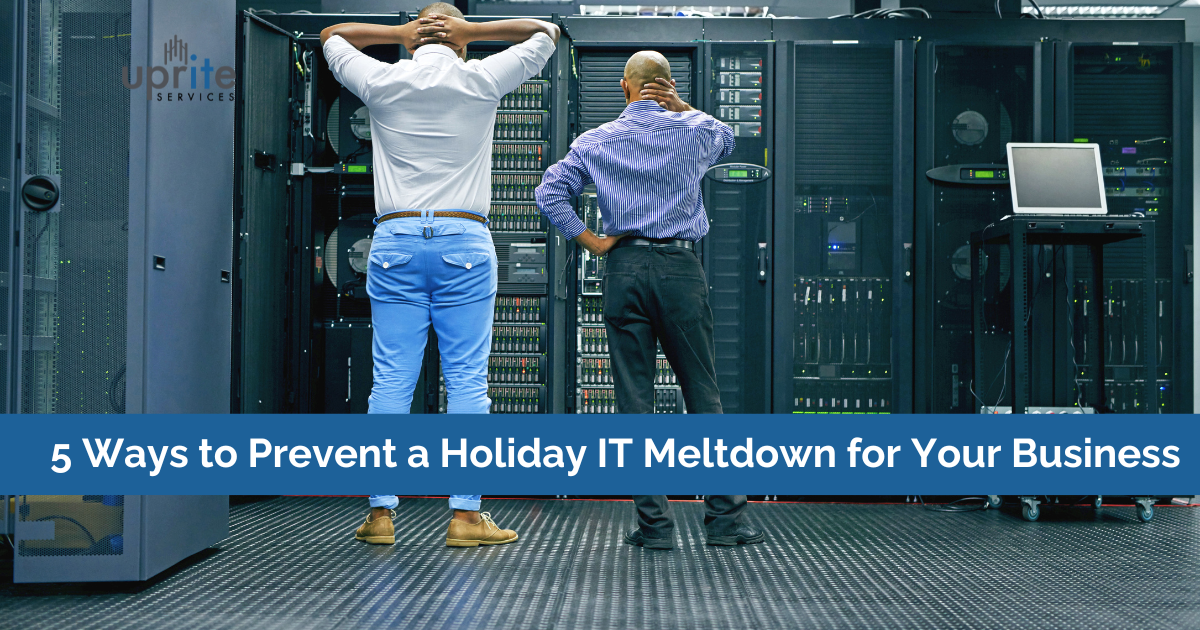
Referred to as the best time of year, the holiday season can also be the busiest and most difficult for businesses. Often, amidst it all, the festive cheer can quickly devolve into chaos when IT systems or technology infrastructure fail, slow down, or become overwhelmed due to increased usage, cyber threats, or insufficient care. What’s best? Stay ahead of the chaos. Explore, understand, and spring into action as we bring you ways to prevent a holiday IT meltdown.
Holiday IT failures usually trace back to 5 gaps. Unaudited systems, untested backups, missed patches, under-scaled resources, and thin support coverage all create risk. Fix every one before your busiest stretch and you avoid the outages, breaches, and lost sales that hit hardest when your team is out of office.
How to Keep Your Company From Having a Holiday IT Meltdown
A holiday IT meltdown is any technology failure that disrupts operations during peak season, from network outages and crashed point-of-sale systems to ransomware that locks your files while support is short-staffed. Preventing it means hardening your environment before demand and threats peak, not reacting once something breaks.
Holidays are a time for businesses to shine, but while you’re busy decorating, your IT systems may be letting you down with unplanned outages or cyberattacks. A digital meltdown during the holiday rush is the last thing you need. Here are 5 ways to keep your IT systems hale and hearty.
- Conduct a system audit to find performance, hardware, and security gaps.
- Confirm backups are tested, current, and accessible to non-IT staff.
- Update software and security to close the holes attackers target.
- Scale IT resources so traffic spikes don’t slow you down.
- Plan support coverage for around-the-clock help while staff are out.
| Step | Why it matters | Do it by |
|---|---|---|
| System audit | Surfaces vulnerabilities before attackers do | 6 weeks out |
| Backup check | Turns a multi-day outage into a quick recovery | 4 weeks out |
| Patch and secure | Closes the gaps used in holiday ransomware | 3 weeks out |
| Scale resources | Prevents slowdowns during traffic spikes | 2 weeks out |
| Support coverage | Ensures fast help when staff are off | 1 week out |
Conduct a System Audit
Begin by assessing your current infrastructure to spot anomalies in performance, obsolete systems, or gaps in security. The first move toward everything running well is a thorough IT audit. Its purpose is to identify the weaknesses and vulnerabilities in your information systems that hackers may try to exploit.
Ensure Backup Systems Are All in Place
Make sure recovery procedures are in place and that all important data has been backed up. If at all possible, run a brief test to confirm backups are current and accessible. Make sure teammates know how to reach backups and recover data if needed, particularly if IT professionals are unavailable right away over the holidays. Even with a small crew present, cloud backup and recovery options guarantee quick recovery with automatic, real-time data protection available from any location.
Update Software and Security Protocols
Attackers stay especially busy during the holidays, when IT teams are stretched thin. They run ransomware, phishing, and other attacks because they know businesses are preoccupied with the rush. Federal agencies have flagged this pattern. CISA and the FBI warn that ransomware actors often strike on holidays and weekends, when staffing is lowest (CISA and FBI advisory). Your IT staff should check devices and systems for holiday cybersecurity threats and fix what they find right away. Firewalls, multi-factor authentication, and threat detection all help safeguard your business against unauthorized access over the festive season and beyond. For heightened-risk periods, CISA recommends adopting a Shields Up posture, and any incident can be reported to the FBI through its Internet Crime Complaint Center.
Scale IT Resources
Scaling IT resources ahead of the holidays lets your business handle high-traffic periods without losing performance. If you anticipate a spike in traffic, having extra capacity ready is the smartest move you can make.
Plan for Support Availability
Proactive IT management keeps a close eye on systems, catching possible problems before they turn serious. Arrange access to genuine 24/7 IT help. Support should be available around the clock across phone, email, instant chat, and self-service, giving your team several ways to get help fast. If your in-house team is small, 24/7 co-managed IT support fills the gaps over the holidays.
Be Ready To Tackle Holiday IT Meltdown With Uprite
Don’t let IT problems derail your busiest season. Maintain optimal operations by taking a proactive approach to IT support. At Uprite Services, we focus on what really counts, which is IT disaster prevention, so you can work and rest assured. Since 1999, our partners have reached new levels of success through reliable operations, stronger security, and less downtime. Uprite helps Texas businesses audit, secure, and scale their technology before the holiday rush so you can focus on customers, not crises. Get a free holiday IT readiness assessment or call (866) 570-3065.
Common Questions about Holiday IT Meltdown
What IT challenges are common during the holidays?
Common holiday IT challenges include network slowdowns from traffic spikes, system crashes under heavy load, staffing gaps from time off, and a sharp rise in phishing and ransomware. Remote and seasonal workers add more endpoints to secure.
How can Uprite help my business prepare for the holiday season?
Uprite Services delivers outsourced IT management, 24/7 local support, hardware and software procurement, network and cloud management, and proactive monitoring. We harden your environment before peak season so a single failure does not stall sales.
When should I start holiday IT preparation?
Begin 4 to 6 weeks before your busiest stretch. That window gives you time to run a full system audit, test backups, schedule patches, and arrange support coverage without rushing changes during peak traffic.
Why do cyberattacks spike during the holidays?
Attackers target the holidays because IT teams are short-staffed and response times slow down. CISA and the FBI have warned that ransomware actors deliberately strike on holidays and weekends when defenses are thinnest.
Do I need to scale IT resources for seasonal traffic?
Yes, if your sales or service volume climbs over the holidays. Scaling bandwidth, server capacity, and cloud resources ahead of time prevents the slowdowns and outages that cost revenue during your highest-traffic days.
What happens if systems fail during peak holiday sales?
Downtime during peak sales means lost transactions, frustrated customers, and overtime to recover. Tested backups and a clear recovery plan turn a potential multi-day outage into a short, contained interruption.