Choosing an MSP in Dallas-Fort Worth requires evaluating cybersecurity depth, response time commitments, strategic IT leadership, Texas compliance capabilities, local on-site support, and transparent pricing. Prioritize a partner who prevents problems over one who simply responds to them. This guide is published by Uprite Services, a Texas-based managed IT and cybersecurity provider serving Houston, San Antonio and Dallas-Fort Worth since 1999.
Dallas-Fort Worth is the number 1 US metro for corporate headquarters relocations and a growing target for cybercriminals. The right MSP is not the cheapest quote or the biggest name. It is the provider that builds security into everything, assigns you strategic leadership through a vCIO, commits to written SLAs, and understands the Texas regulatory landscape including the TDPSA and SB 2610. This guide gives you 7 criteria to evaluate any DFW provider before you sign.
What does a managed service provider actually do?
A managed service provider (MSP) is a third-party company that takes ownership of your IT systems, cybersecurity, support, and long-term technology planning under a recurring monthly agreement. Instead of calling someone when something breaks, you have a dedicated team monitoring, maintaining, and improving your environment continuously.
If you are comparing providers for managed IT services in Dallas, that definition is the starting point. But the gap between what MSPs promise and what they actually deliver is where most businesses get burned. Some providers operate as glorified helpdesks. Others function as a full IT department with strategic leadership built into the engagement.
This post is for DFW business owners and operations leaders who are either choosing a provider for the first time or considering a switch. It is not a listicle of MSPs. It is a framework for figuring out which one actually fits your business.
Why does choosing the right MSP matter more in Dallas-Fort Worth?

Dallas-Fort Worth is not a typical metro. The region captured 11 interstate or international headquarters relocations in 2025, more than any other US metro, according to CBRE’s 2026 Shifting Landscape of Headquarters Relocations report. DFW has held the number 1 position for 7 consecutive years and has attracted more than 100 headquarters relocations since 2018. The Dallas Regional Chamber reports the region has led the nation in workforce growth this decade with 450,000 net new jobs.
That growth is exactly why the stakes are higher here.
Every new office, every new employee, every new cloud platform expands a company’s attack surface. And attackers are paying attention. A February 2026 Sagiss and Pollfish survey of 500 desk-based workers, including 100 in the Dallas-Fort Worth metroplex, found that 72% of workers nationally say phishing attempts are more convincing than a year ago because of AI-written language. Among DFW workers specifically the figure was 64%. Roughly 64% also said an AI-generated message could successfully impersonate someone they work with.
Worth flagging honestly, because this stat gets misquoted. The 72% number is the national result, not the Dallas one. DFW workers were slightly less alarmed than the national average. That does not make the risk smaller. It arguably makes it worse, because the region growing fastest is the one feeling the least urgency.
The financial consequences are not hypothetical. IBM’s 2025 Cost of a Data Breach Report puts the US average breach cost at $10.22 million, an all-time high and a 9% increase over the prior year, while the average breach takes 241 days to identify and contain. For a 50-person DFW business, even a fraction of that figure changes the trajectory of the company. Business email compromise alone extracted more than $3 billion from victims in 2025, according to the FBI Internet Crime Complaint Center, across 24,768 reported complaints.
The MSP you choose is either going to reduce that exposure or leave it unaddressed. There is no middle ground.
7 criteria for evaluating an MSP in DFW
These are not theoretical. They come from patterns we see repeatedly when businesses switch providers after a bad experience. Each criterion includes a specific question you can ask during a sales conversation to separate real capability from marketing language.
1. Security is built in, not bolted on

Every MSP will tell you they “do security.” Most mean they install antivirus software and set up a firewall. That was adequate in 2018. It is not adequate in a market where AI-generated phishing emails are increasingly indistinguishable from real messages, a shift more than half of surveyed workers now report firsthand.
A provider worth hiring has layered defenses working together. Endpoint detection and response (EDR), not just antivirus. Email security with advanced filtering. Multi-factor authentication enforced across all accounts, not just recommended. Continuous monitoring through a security operations center (SOC). Regular phishing simulations and security awareness training for your team. Our page on cybersecurity services in Dallas shows how those layers are priced and staffed for a DFW company.
Your employees are the largest attack surface you have. If the MSP is not training them, they are leaving the front door open.
The question that reveals everything. “If we get hit by ransomware on a Friday night, walk me through exactly what happens. Who gets notified, in what order, within what timeframe, and what is the recovery process?” If they stumble through it, they will stumble through the real thing.
2. Written SLAs with real response and resolution times
“24/7 support” is one of the most abused phrases in IT. Some providers mean a voicemail that gets checked the next morning. Others mean a live technician answers within minutes, every hour of every day.
Get specifics in writing. Not just response time, which is how fast they acknowledge the ticket, but resolution time, which is how fast the problem is actually fixed. Those are 2 different numbers, and the second one matters more to your business. For a Dallas-specific look at what those numbers should be, see our guide to IT support response times in Dallas.
Ask about their engineer-to-user ratio. The healthy range across mid-market MSPs in 2026 is 1 engineer per 60 to 100 users supported. Anything above 120-to-1 typically means engineers are overloaded and your tickets will sit in a queue. Also ask whether you will have a named engineer who knows your environment or a pooled queue where you re-explain your setup every time you call. Named engineers provide faster context. Pooled queues provide faster initial coverage. Neither model is wrong, but the MSP should be transparent about which one you are buying.
3. Strategic IT leadership, not just ticket resolution
This is the single biggest differentiator between an MSP that keeps the lights on and one that actually moves your business forward.
A virtual Chief Information Officer, or vCIO, is a senior technology advisor assigned to your account who runs quarterly business reviews, builds a 12-to-24-month technology roadmap tied to your growth plan, and owns lifecycle and budget planning so there are no surprises. A full-time CIO commands compensation packages north of $300,000 once you factor in salary, benefits, and bonuses. Most companies in the 25-to-150-employee range cannot justify that cost. A vCIO included in your MSP engagement gives you the strategic layer without the executive overhead.
Here is an honest test. If your MSP has never asked about your business goals, your hiring plans for the next year, or where you see the company in 3 years, they are not providing strategic leadership. They are providing reactive support with a monthly invoice attached.
4. Texas compliance knowledge
Dallas-Fort Worth sits at the intersection of industries with serious regulatory requirements. Healthcare, financial services, manufacturing, defense, legal, and professional services all have compliance obligations that your MSP needs to understand. Not in the abstract. In the specific.
Two Texas regulations deserve particular attention.
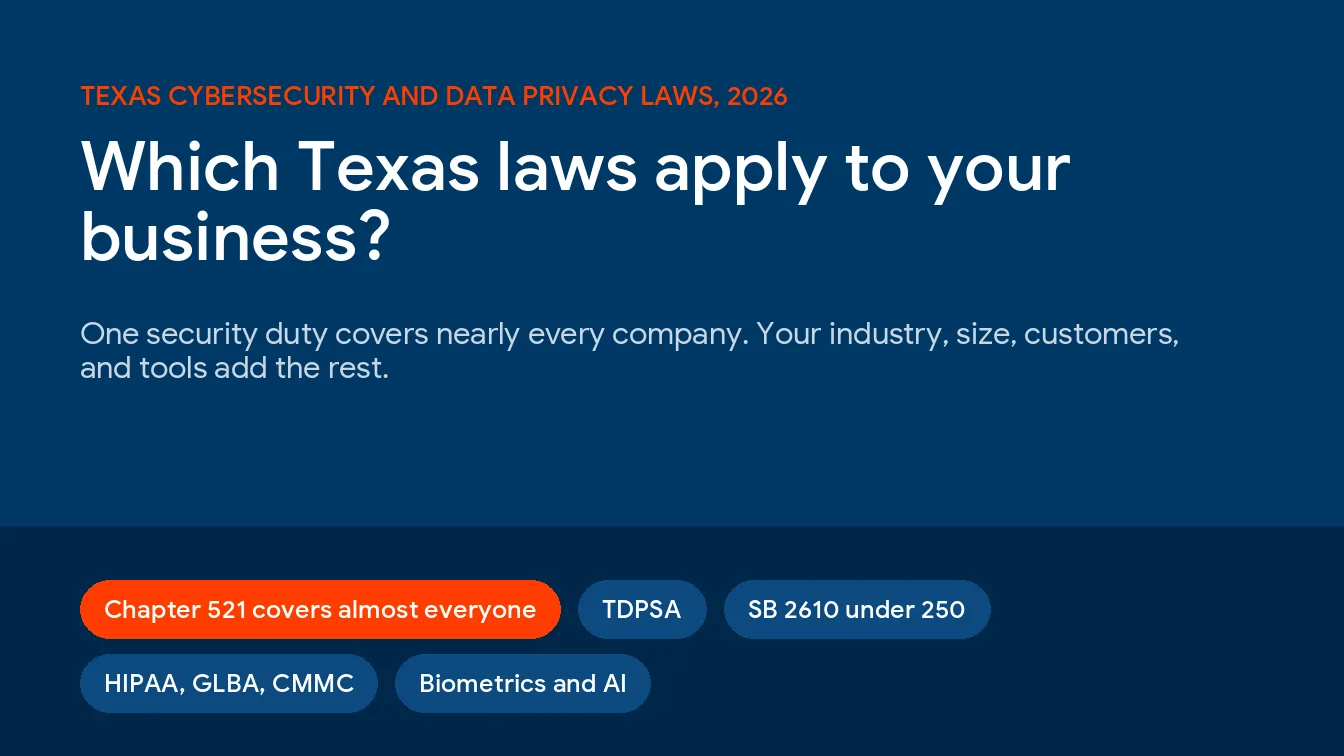
The Texas Data Privacy and Security Act (TDPSA) has been in effect since July 2024 and applies to virtually every business operating in Texas that processes personal data. Unlike California’s CCPA, which requires $25 million in revenue or 50,000 or more consumers, the TDPSA has no revenue or consumer-count threshold. The only significant exemption covers small businesses as defined by the SBA. Violations carry civil penalties of up to $7,500 per violation after a 30-day cure period, and the Texas Attorney General has demonstrated an aggressive enforcement posture in privacy matters generally, including a $1.4 billion settlement with Meta and a $1.375 billion settlement with Google in recent years. Your MSP should be able to explain how your environment aligns with TDPSA requirements without hesitation.
Texas Senate Bill 2610, effective September 1, 2025, created a cybersecurity safe harbor for businesses with fewer than 250 employees that handle sensitive personal information. If you maintain a documented cybersecurity program that conforms to a recognized framework, you are shielded from punitive damages in breach-related lawsuits. Two details most summaries skip. The required framework scales with headcount, so companies with 20 to 99 employees need CIS Controls Implementation Group 1 while companies with 100 to 249 employees must fully comply with a framework such as NIST CSF, ISO 27001, or NIST SP 800-171. And the safe harbor covers punitive damages only. It does not shield you from compensatory damages like breach notification, credit monitoring, or lost revenue.
The operative word is “documented.” Your MSP should be helping you build, maintain, and evidence that program. Not just deploying tools, but creating the audit trail that makes the safe harbor defensible in court.
If you operate in healthcare, your provider needs HIPAA depth. Financial services require familiarity with GLBA, PCI DSS, or SEC Regulation S-P. Defense contractors need CMMC readiness. A generalist MSP that treats compliance as a checkbox will cost you more in audit failures and regulatory exposure than they save on the monthly invoice. For a deeper look at the Texas privacy landscape, read our guide on TDPSA compliance.
5. Local presence with real on-site capability
DFW is massive. The metro spans roughly 9,000 square miles across Dallas, Fort Worth, Plano, Frisco, Irving, Arlington, and dozens of other cities. When your network goes down during business hours, “we can remote in” is not always sufficient. Sometimes you need a technician in your office within 2 hours. That arithmetic gets harder at the edges of the metro, which is the whole problem with IT support in Denton at the top of the diamond.
There is a meaningful difference between a provider that lists Dallas as a “service area” and one that has an office with a team physically located in DFW. Ask where their nearest engineers are based. Ask what their on-site response commitment looks like for critical issues. Ask whether the person who shows up has been to your office before or is seeing your environment for the first time.
During a security incident, containment speed determines how much damage occurs. A local provider who configured your environment and can reach your office the same business day will contain a breach faster than a remote team learning your setup in real time.
6. Transparent pricing with no gotchas
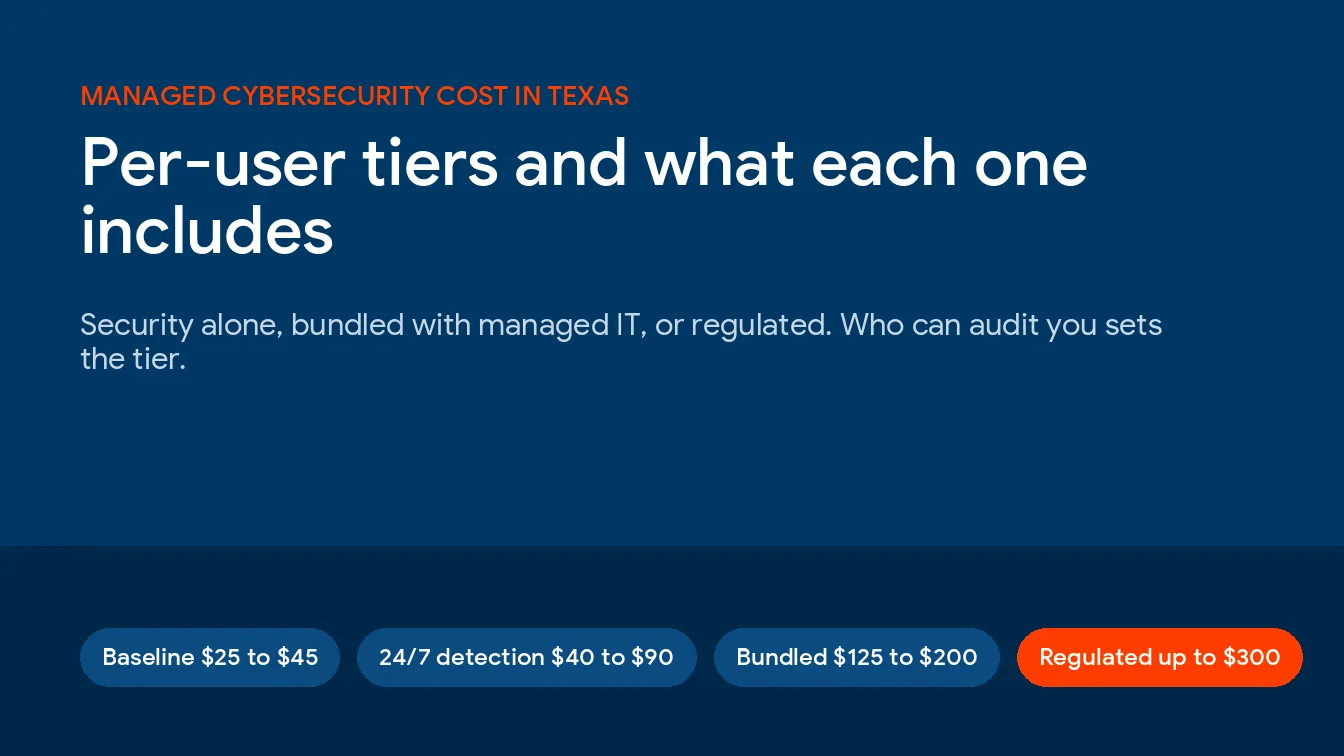
Managed IT services in Dallas-Fort Worth typically run $125 to $275 per user per month for fully managed IT in 2026, based on multiple Texas market benchmarks. The variation reflects scope. Lower-end pricing generally covers business-hours helpdesk support and basic monitoring. Higher-end pricing includes 24/7 coverage, a full security stack (EDR, SIEM, SOC), Microsoft 365 licensing, vCIO services, and compliance support.
| Engagement model | Typical DFW range | What it usually covers |
|---|---|---|
| Fully managed IT (entry) | $125 to $175 per user per month | Business-hours helpdesk, RMM monitoring, patching, basic antivirus |
| Fully managed IT (full stack) | $175 to $275 per user per month | 24/7 coverage, EDR and SOC, Microsoft 365 licensing, vCIO, compliance support |
| Co-managed IT | $50 to $150 per user per month | Augments your internal IT staff, usually security, after-hours, or compliance |
The monthly rate is only part of the picture. Common surprises that inflate the actual cost include onboarding and transition fees ranging from $3,000 to $25,000, after-hours support billed at 1.5x to 2x the standard rate, software license markups of 10% to 20%, and project work quoted separately for anything the provider considers “out of scope.”
The question that protects you here. “Give me a complete list of what is included and what is explicitly excluded.” If they cannot produce that list clearly, treat it as a disqualifying signal.
7. Clean contract terms and offboarding clarity
A multi-year contract with steep early termination penalties is not a partnership. It is a retention mechanism for a provider who knows their service quality alone will not keep you.
Look for contracts with reasonable terms. Month-to-month is ideal. If the provider requires an annual commitment, there should be a clear exit clause with a 30-to-60-day notice period and no punitive fees. Some providers offer satisfaction guarantees within the first 90 to 120 days. That is a confidence signal worth paying attention to.
Equally important is what happens when the relationship ends. Who owns the documentation? Who holds admin credentials? What does the data handover process look like, and is there a fee for it? One of the most common MSP complaints is discovering at contract end that the provider owns your network documentation and charges $25,000 or more to hand it back. Get this in writing before you sign, not when you are trying to leave.
MSP evaluation scorecard for DFW businesses

Use this when comparing providers side by side. Score each criterion based on the provider’s actual answer during your evaluation, not their marketing materials.
| Criteria | What to ask | Green flag | Red flag |
|---|---|---|---|
| Cybersecurity depth | “Walk me through your ransomware response plan.” | Detailed, rehearsed answer with named roles and timeframes | Vague or improvised answer |
| SLA commitments | “What are your response and resolution SLAs at 3 AM on a Saturday?” | Specific times in writing, backed by contract language | “We aim for…” with no written guarantee |
| Strategic leadership | “Who is our vCIO and what does a quarterly review include?” | Named person, defined deliverables, roadmap samples | No vCIO role, or it is an upsell |
| Compliance capability | “How do you help us document SB 2610 compliance?” | Framework-specific answer with documentation examples | “We keep you secure” with no regulatory detail |
| Local presence | “Where is your nearest engineer based and what is your on-site SLA?” | Office in DFW, same-day on-site for critical issues | “Service area” with team based elsewhere |
| Pricing transparency | “Give me a line-by-line list of inclusions and exclusions.” | Clear scope document with no ambiguity | “We will quote you when it comes up” |
| Contract terms | “What happens to our documentation and credentials if we leave?” | Written offboarding process, you retain everything | Silence, vagueness, or exit fees exceeding $10,000 |
When should you switch your current MSP?
Not every IT frustration means you need a new provider. But there are patterns that signal a structural problem rather than a bad week.
- The same issues keep recurring without root-cause resolution. An MSP that closes tickets by restarting the server every time is not solving problems. They are resetting a timer.
- You only hear from them between invoices. If the only contact is a ticket you filed or a bill they sent, they are not managing your IT. They are waiting for it to break. A proactive provider reaches out about firewall end-of-life dates, license renewals, and security risks before you discover them yourself.
- Someone else finds your security gaps. If your cyber insurance auditor, a client, or a prospective customer finds a vulnerability your provider missed, the provider is not performing at the level your business requires.
- Invoices do not match the scope you agreed to. These are not minor billing errors. They are symptoms of a pricing model designed to extract more revenue through ambiguity.
One caveat before you fire anyone. Switching costs real time and real money, and a provider that is merely mediocre is not automatically worse than the 90-day disruption of replacing them. Fix the relationship first if the problems are communication rather than capability. Switch when the capability is genuinely not there.
What should you expect during MSP onboarding in Dallas-Fort Worth?

Switching providers is not as disruptive as most people fear, but it is not instant either. A well-run onboarding typically takes 30 to 90 days, depending on the size and complexity of your environment.
The first phase is discovery and documentation. The new provider audits your network, catalogs your hardware and software, documents your configurations, and identifies immediate risks. This is the foundation for everything that follows. If your outgoing provider has poor documentation, which is common, this phase takes longer.
Next comes tooling deployment. The MSP installs their remote monitoring and management (RMM) agents, endpoint protection, backup solutions, and any other tools required to bring your environment up to their standard.
User migration and training follow. Your employees need to know how to submit tickets, who to contact for urgent issues, and what security practices the new provider expects. Skipping this step creates months of friction and shadow IT behavior.
The final phase is stabilization. The first 60 to 90 days with a new MSP will surface issues the previous provider left unresolved. A good MSP expects this, budgets time for it, and communicates progress to your leadership team throughout.
If a provider promises to have everything running perfectly in a week, they are either underestimating the scope or planning to cut corners on documentation.
Questions DFW business owners ask about choosing an MSP
How much do managed IT services cost in Dallas-Fort Worth?
Most DFW businesses with 25 to 75 employees pay between $125 and $275 per user per month for fully managed IT. The range depends on whether the engagement includes 24/7 support, advanced cybersecurity tooling, compliance management, vCIO services, and Microsoft 365 licensing. Co-managed IT, where you keep internal IT staff and the MSP fills specific gaps, typically runs $50 to $150 per user per month. Always ask for a normalized scope sheet so you can compare quotes apples-to-apples.
What is the difference between managed IT and co-managed IT?
Managed IT means the MSP is your entire IT department. They own everything from helpdesk support to strategic planning. Co-managed IT means you have internal IT staff and the MSP augments them, usually owning specific functions like cybersecurity, after-hours monitoring, or compliance documentation. The choice depends on whether you have internal IT talent worth keeping and whether your business needs 24/7 coverage that a single employee cannot provide.
Can an MSP support multiple locations across DFW?
Yes, but the quality of that support varies dramatically. A provider with centralized remote monitoring and a 24/7 network operations center can handle day-to-day management across multiple sites. The differentiator is on-site support. Ask whether the provider has engineers who can reach your furthest office within a defined timeframe. For businesses with locations spread across Dallas, Fort Worth, Plano, and Irving, this matters more than most providers admit.
How do I know if my MSP meets Texas SB 2610 safe harbor requirements?
Ask them directly. SB 2610 requires a documented cybersecurity program that conforms to a recognized framework, and the required framework scales with your headcount. The program must include administrative, technical, and physical safeguards, and the documentation must exist before a breach occurs. If your MSP cannot show you dated policies, deployment records, training logs, and framework alignment documentation, you likely do not qualify. The law shields you from punitive damages only if you can prove compliance at the time of the breach, and it does not cover compensatory damages at all.
What should I expect during the first 90 days with a new MSP?
Expect a discovery audit, tooling deployment, user training, and a stabilization period where previously hidden issues surface. A quality provider will communicate progress regularly and conduct an initial business review within the first 60 days to present findings and a draft technology roadmap. If the first 90 days feel chaotic with no structured communication, that chaos is a preview of the ongoing relationship.
Is the cheapest MSP quote ever the right choice?
Rarely, and not for the reason most people assume. A low monthly rate usually signals a narrow scope rather than an efficient provider. The savings reappear as onboarding fees, after-hours multipliers, license markups, and out-of-scope project work. Normalize every quote to the same scope before you compare. The scope sheet that makes that possible, plus the 2026 budget bands and the contract terms worth pushing on, is laid out in our Dallas-Fort Worth managed IT buyers guide. If the cheapest provider still wins on a normalized sheet, take it.
Choosing an MSP is a business decision, not an IT decision
The provider you select will influence your uptime, your security posture, your employees’ productivity, and your ability to grow. In a market like Dallas-Fort Worth, where businesses are scaling fast and threats are scaling faster, that decision carries real weight.
Do not start with the price. Start with the 7 criteria above. Run every provider through the scorecard. If you want the weights and the 0 to 5 scoring anchors already written out, use our MSP scorecard. Ask the hard questions and pay attention to how they answer, not just what they say.
Bias disclosed, since I run one of these companies. We benefit when you hire an MSP. But every criterion in this guide is one you can use against us just as easily as against a competitor, and that is the point. If you are evaluating providers right now, Uprite’s managed IT services include everything covered here. A dedicated vCIO, layered cybersecurity, transparent pricing, a 120-day satisfaction guarantee, and a Dallas-based team that has supported Texas businesses since 1999. We are happy to walk through the MSP evaluation checklist with you and show how we approach each criterion. No pressure. Just clarity.
Not sure where your current provider stands?
We will run your environment through the same 7 criteria and give you an honest read, whether or not you end up working with us. Call (866) 570-3065 or request an assessment.